Hi and welcome to the Bome community!
I assume you are running firmware version 1.5.2 which had a bugfix:
- bugfix: fix rare problems when re-establishing MIDI network pairing
If so, then my experience has been that it is more reliable if you always start the pairing in the same order. The BomeBox should “remember” which connections it previously accepted and then accept them again, however if there is an initiation of pairing in both directions (since the pairing order had been changed), sometime multiple BomeBoxes will initiate the pairing. I suggest the following order (but any order should work as long as it is always the same.
First, disconnect all devices so that nothing is connected.
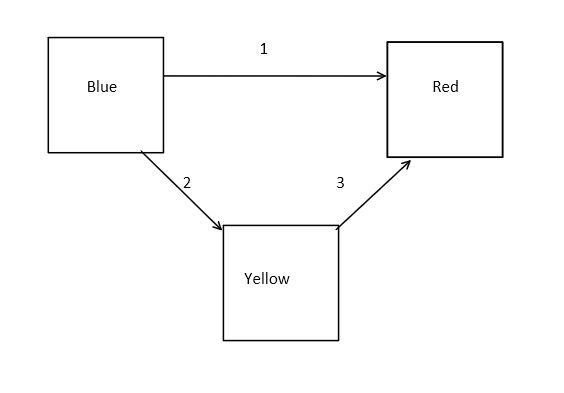
- Initialize Pairing between Blue and and Red (accept the connection with Red)
- Initialize Pairing between Blue and Yellow (accept the connection with Yellow)
- Initialize Paring between Yellow and Red (accept the connection with Red)
Again the order is not important as long as it is always the same so that each device remembers whether it is the initiator or the acceptor.
Now with all of that said, there may still be some work going on to improve the connection process so if it is still unreliable, let us know and we can continue to work on it, especially if you are running BomeBox firmware 1.5.2. My recommendations primarily come from my experience in connecting computers running Bome Network Pro together. I have no way to test this since I’m only running 2 BomeBoxes but our developer does so I will make sure he is notified of this post and can chime in if need be.
Steve Caldwell
Bome Customer Care
Also available for paid consulting services: bome@sniz.biz