What are the keystrokes you want for left and right of the second knob?
What do you mean do not reset from infinity? What is the initial value you want when you start the project? Based on your earlier email, I assume you want a 14 bit CC with an absolute value between 0 and 16383. The initial value will have to be set to something when the project starts? What value do you want the absolute value to start with?
Or do you just want a right turn with a value of 1 and a left value of -127 (-1)?
For button press do you just want a note on when you press ctrl+shift+/ ?
For the second knob what keystrokes do you want for left and right?
Steve Caldwell
Bome Customer Care
Also available for paid consulting services: bome@sniz.biz
What do you mean do not reset from infinity?
When I tried to do it myself, Studio One would move the fader all the way down to like -100db and then start moving from there which is not desired.
What is the initial value you want when you start the project?
Say I have a fader in my daw at positon -1.5. I simply want to assign key commands that can move it up +/- .1 db
‘Or do you just want a right turn with a value of 1 and a left value of -127 (-1)?
A right turn of +1 and a left turn of -1
It basically acts like an endless rotary knob that doesn’t care about the start position. It just nudges up or down.
“I assume you want a 14 bit CC with an absolute value between 0 and 16383” Sorry for the confusion.
I meant that in Studio One the fader seemed to move in .3db increments and I was trying to figure out how to get it to move in .1db increments. I assumed 14bit setting was a way to ‘fine nudge’ it
For the second knob what keystrokes do you want for left and right?
Any will do and I can update it later
For button press do you just want a note on when you press ctrl+shift+/ ?
I just need a toggle button that I can assign to enable/disable a plugin
OK, I set the initial value to 75% of 16383 which should put it pretty close. The value is stored in global variable gd using translator 0.1. If you want to start at a different point, you will need to adjust the value of global variable gd.
Well faders do not usually work that way and send absolute values. You need to set your DAW so that it uses 14 bit CC and as I say the value should be pretty close. Translators 2.0 and 2.1 will adjust the fader values if you move them within your DAW and adjust the global variables for the first knob (CC60) using global variable ga and the second knobe (CC61) using global variable gb respectively.
If you use 7 bit CC you will only get 128 resolution (0-127). Hopefully your DAW will support 14 bit CC to give you 16384 resolution. Not all DAWs do and I don’t know if Studio One does.
If Studio One only supports 7 bit resolution, then you may be out of luck. You should check with Presonus.
OK I’m using Ctl-Shift up for positive movement and Ctrl-Shift Down for negative movement for the second knob.
OK so the rules of 1.4 toggle note number 60 either on (value 127) or off (value 0).
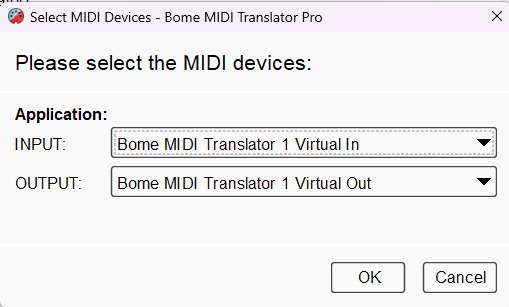
I set up my aliases as follows So Studio One should use BMT 1 for both input and output.
Is it possible to not set an initial value so that BOME acts as an Endless encoder?
An absolute encoder has a defined start (e.g., 0) and end (e.g., 127) position.
An endless encoder has no physical end-stop: you can keep turning it indefinitely in either direction.
This kind of knob is ideal when you want to send relative “+1 / –1” type MIDI commands (or similar) instead of a fixed 0-127 range.
Here is an example of an Endless encoder. If I were to assign these knobs to a fader, it would go up in +1/-1 increments instead of restarting from an absolute position.
Yes, just have one button send a value of 1 (for volume up) and a value of 127 (for volume down). The issue might be that your DAW may not recognize relative encoder types for faders.
There are 3 main types of relative encoders.
Up - value of 1 to 63
Down - value of 127-64 (127 is interpreeted as -1 and 126 as -2 etc)
Up - Value of 65-127 (65 is interpreted as 1 66 as 2 etc)
Down - Value of 63-0 (63 is iterpreted as -1 63 as -2 etc)
Up - Value of 1 to 63
Down - Value of 64 to 127 (64 interpreted as -1 65 as -2 etc)
There may be others as well but they are less common.
Simply change your outgoing actions as a 7 bit CC with the outgoing value as desired.
Steve Caldwell
Bome Customer Care
Also available for paid consulting services: bome@sniz.biz