Behringer X-Touch Extender MIDI transform

Dear Bome support,

I’d like to give the Behringer X-Touch Extender a second life as a MIDI CC controller. I’ve been using the Project Input Transformer in Cubase for this, but the options are limited (I can customize two faders at max).
MIDI-OX has transform options, but I haven’t been able to make it work.
MIDI Translator seems to be able to do the job as well, but I don’t entirely understand its operation yet.
Currently checking out the trial, I’ll gladly buy the full version if this works.

The X-Touch Extender can run in MIDI control (CTRL) mode instead of the Mackie Control protocol, which is generally used for virtual mixing. In CTRL mode, the faders, buttons and encoders send fixed note on/off values and/or fixed MIDI CC values. These fixed values can be seen on page 20 of the Quick Start guide by Behringer. See documentation on the Behringer product page → Quick Start guide (can’t post a direct link).

My main goal is to transform the MIDI data from the Extender’s faders before it goes into my DAW (Cubase) and perhaps to make use of some of the buttons and encoders for MIDI CC as well. Would it possible to give an example on how to achieve this with MIDI Translator?

The first fader sends MIDI CC #70 and a note on/off on a high D8 note. I’d like this to be transformed to MIDI CC #1 and the note on/off messages (when touching and releasing the faders) should be discarded entirely.
If I could see one example of all the proper settings, rules and MIDI routing (!) , I can probably figure out the rest myself. I suppose I need to make use of the virtual MIDI driver in Cubase instead of the Extender directly.

Many many thanks in advance!
Hi and welcome to the Bome community!

The following example should do the trip.

The first preset ‘Init’ is just used for most of my project to handle project initialization and is not really relevant to your specific request.

This tutorial describes what I do here.

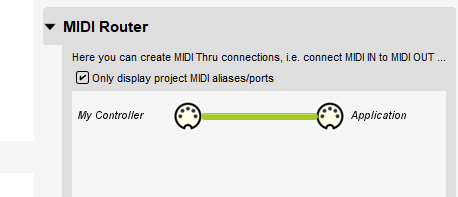
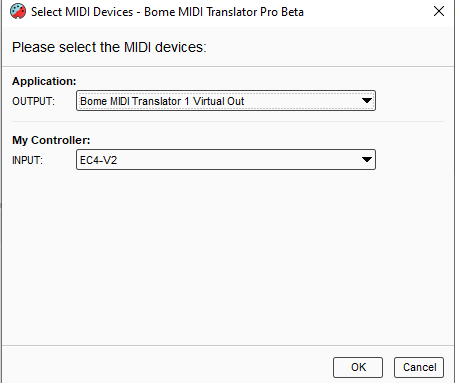
I set my aliases as follows. You will need to set them to the physical ports you will be using.

You can learn more about aliases from this tutorial.

Translator 1.0 (Preset 1 translator 0) handles the conversion from CC70 on MIDI CH 1 to CC1 on MIDI CH 1. I use the local variable ‘qq’ to capture the incoming value and also send as the outgoing value. Variables and their types are discussed in the manual which can be accessed by pressing F1 or using the help menu of Bome MIDI Translator Pro . It is a PDF file.

Translator 1.1 looks for either note-on or note-off with note 110 on MIDI CH 1. It turns out if I mask the upper nibble of the first MIDI Byte (command byte) with 0xe0, I can determine whether it is a note message. Either note-on (0x90) or note-off (0x80) will result in a value of 128. Other MIDI messages will not.

I then mask with the lower nibble to check for MIDI CH 1.

If both match, we perform the outgoing action which is ‘None’

Otherwise, the message will go through the MIDI thru route defined in the MIDI router.

If the MIDI thru route is not added, then the second translator would not be necessary. In this configuration, all other MIDI messages that are not handled by translator with the ‘Swallow’ option, will pass untouched.

Here are the rules of translator 1.1 with their comments.

// look for note message (on or off)
// mask value
rr=oo&224
// if not 128 ten it is not a note message
if rr!=128 then exit rules, skip Outgoing Action
// look for MIDI CH 1
// mask channel nibble
rr=oo&15
//MIDI CH 1?
if rr!=0 then exit rules, skip Outgoing Action
// look for note number
if pp!=110 then exit rules, skip Outgoing Action
// do nothing

x-touch-ext-cc-mode-example-2025-03-25.bmtp (2.1 KB)

Steve Caldwell
Bome Customer Care


Also available for paid consulting services: bome@sniz.biz

Thank you Steve! Much appreciated. I’m going to have to take a good look at this. I’ll report back later!

man this has been a god send, thank you so much @SteveC ive developed this so my Behringer EXT is now an expression controller for Spitfire libraries using the spitfire cc assignments faders 1-8 from fader#1- dynamics cc1/ #2 expression cc11/ #3 reverb cc19 / #4 condenser mic (or mix 1) cc22/ #5 ribbon mic (or mix 2) cc23/ #6 hammer sounds (or mic vintage 1) cc24/ #7tightness cc18/#8 vibrato cc21

ive rescued this controller

x-touch-ext-cc- spitfire.bmtp (7.9 KB)

which has fabulous faders and now have a first class expression controller !!

many thanks to the OP @Ruben.V for raising this post

well that’s inputtin….just need to work out a way of getting feedback of position back to the controller so the Xtouch EXT motorised faders follow automation of the selected track :slight_smile:

Hi and welcome to the Bome community!

Well the project file has some errors. Translator 1.1 is correct for incoming note of 110 but the odd translators 1.3-1.15 are not correct since they use different note numbers so only note 110 is being suppressed and not notes 111-117. Each fader sends a different note number on touch and release.

// look for note number change the below based
// on the fader number your are using 110 is for fader 1
// 111 for fader 2 etc.
if pp!=110 then exit rules, skip Outgoing Action

For reverse translation, you will need to add another preset for handling data coming back into the X-touch extender. The incoming device should be your application and the outgoing device your X-touch extender. I suggest you add aliases “Application” for input and “My Controller” for output.

You can learn more about aliases from this tutorial.

Then at the preset level, define the inputs and outputs you are using for the translators under that preset.

For more information about device selection, see this tutorial.

Finally, you should add reverse translators from the even translators in preset 1 under the new preset 2. In other words 2.0 would be MIDI CH 1 CC11 any value set to qq out output would be MIDI CH 1 CC 110 value qq.

I would also recommend changing the titles of the touch release translators to indicate the proper fader and note number.

In my example I’ve disabled your note suppression translators and added another translator ( 1.16) to handle suppressing all notes on fader touch/release ( notes 110-117).

// look for note number - suppress for all faders
if pp<110 then exit rules, skip Outgoing Action
if pp>117 then exit rules, skip Outgoing Action
// do nothing
Log "Log note %pp% suppressed"

You shouldn’t have to suppress these notes for the revers translators.

x-touch-ext-cc- spitfire-sjc.bmtp (8.5 KB)

Steve Caldwell
Bome Customer Care


Also available for paid consulting services: bome@sniz.biz

Thank you Steve. Im a noob, thanks i fixed the note values.

need to work through understanding Bome and syntax, but in essence its reversing the translator back to the send values?

so using my example- once i have sorted my aliases (application back to x-touch ext), I’ll be creating a new preset and substituting the receiving note value (which is what I have sent/translated) which is coming back from my DAW via Bomes V1- so fader 1 that was cc70 to cc1, will now need to receiving cc1 back and back to cc70?, but its the note on/off value 110-117 thaty needs suppressing?.

apologies Im still getting my head around Bome

Yes

Nothing should need suppressing the note is simply suppressed from your X-touch because it send that to let the DAW know that the fader has been touched. In your case the DAW doesn’t want that.

The X-touch does not require to know if the DAW touched a fader, so no reverse note message needs to be handled.

That’s OK, everybody is there when they start.

Steve Caldwell
Bome Customer Care


Also available for paid consulting services: bome@sniz.biz