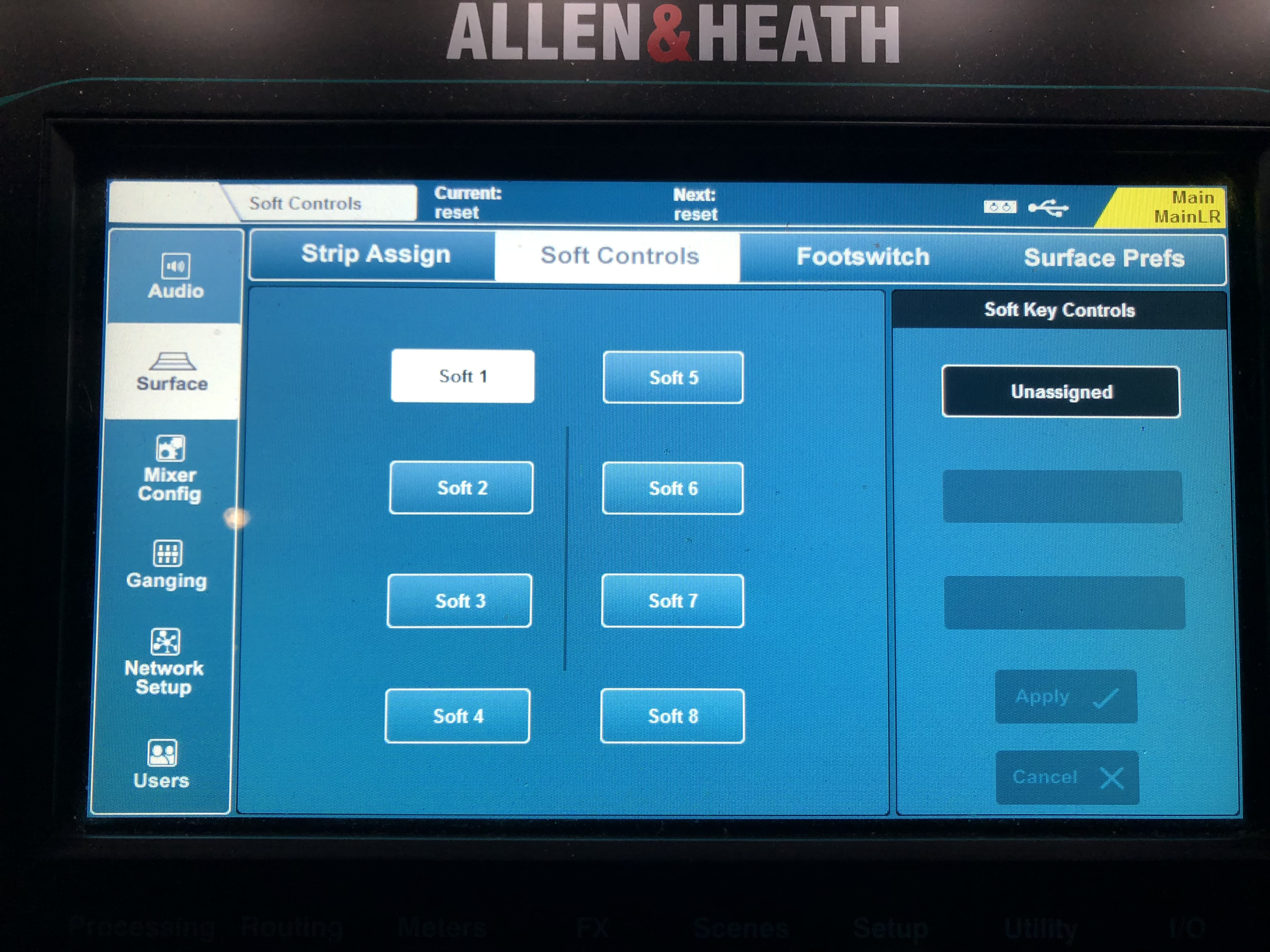
Hi, so if you want to mute MSB 38, as you way, that would be MSB 37 for mute lp38. The way you have the NRPNs set for all channels is to set mute on when you release a button. Maybe you should set them for mute toggle? Maybe you have a soft button on your SQ5 set differently for those channels that may be interfering.
For Mute toggle from your controller, the message would be:
b1 63 00 b1 62 pp b1 b1 60 00
where pp is the MSB
I suggest you show your log window MIDI IN for CC5 and CC6 and also CC 37 and CC38 and compare the messages to see if your controller is sending the same format. (momentary vs toggle).
Also double check MIDI out to see if it getting the same message format. I see no reason that it shouldn’t if the incoming messages are consisent as the translator uses the same rules.
Otherwise, I can’t see anything wrong with the project file.
Steve Caldwell
Bome Customer Care
Also available for paid consulting services: bome@sniz.biz
This message doesn’t work; only the one we already spent a while finding, ‘b1 63 00 b1 62 pp b1 06 00 b1 26 qq” works as I want, except that I can’t unlock IPs 6 and 38.
In this video, Logic is not open, and there is no incoming signal from the controller (my DAW);
only BOME being open with the translator activated is enough to lock mutes 6 and 38.
However, I can show you the messages sent by the SQ when I mute IP5 and IP6 on the mixer:
Mute IP5:
1: MIDI IN [CC Translator MIDI Thru]: B1 63 00
2: IN 0.0 Control Change on ch. 2 with any CC# set “pp” to CC#=99 with value:0 (0x00)
3: MIDI IN [CC Translator MIDI Thru]: B1 62 04
4: MIDI IN [CC Translator MIDI Thru]: B1 06 00
5: IN 0.0 Control Change on ch. 2 with any CC# set “pp” to CC#=6 with value:0 (0x00)
6: MIDI OUT [CC Translator MIDI Thru]: B1 63 00 B1 62 05 B1 06 00 B1 26 01
7: OUT 0.0 MIDI 12 bytes: B1 63 00 B1 62 05 B1 06 00 B1 26 01
8: MIDI IN [CC Translator MIDI Thru]: B1 26 01
Mute IP6:
1: MIDI IN [CC Translator MIDI Thru]: B1 63 00
2: IN 0.0 Control Change on ch. 2 with any CC# set “pp” to CC#=99 with value:0 (0x00)
3: MIDI IN [CC Translator MIDI Thru]: B1 62 05
4: MIDI IN [CC Translator MIDI Thru]: B1 06 00
5: IN 0.0 Control Change on ch. 2 with any CC# set “pp” to CC#=6 with value:0 (0x00)
6: MIDI OUT [CC Translator MIDI Thru]: B1 63 00 B1 62 05 B1 06 00 B1 26 01
7: OUT 0.0 MIDI 12 bytes: B1 63 00 B1 62 05 B1 06 00 B1 26 01
8: MIDI IN [CC Translator MIDI Thru]: B1 26 00
9: IN 0.0 Control Change on ch. 2 with any CC# set “pp” to CC#=38 with value:0 (0x00)
10: MIDI OUT [CC Translator MIDI Thru]: B1 63 00 B1 62 25 B1 06 00 B1 26 01
11: OUT 0.0 MIDI 12 bytes: B1 63 00 B1 62 25 B1 06 00 B1 26 01
.. and this is when I unmute IP5 and try to unmute IP6:
Unmute IP5:
1: MIDI IN [CC Translator MIDI Thru]: B1 63 00
2: IN 0.1 Control Change on ch. 2 with any CC# set “pp” to CC#=99 with value:0 (0x00)
3: MIDI IN [CC Translator MIDI Thru]: B1 62 04
4: MIDI IN [CC Translator MIDI Thru]: B1 06 00
5: IN 0.1 Control Change on ch. 2 with any CC# set “pp” to CC#=6 with value:0 (0x00)
6: MIDI OUT [CC Translator MIDI Thru]: B1 63 00 B1 62 05 B1 06 00 B1 26 01
7: OUT 0.1 MIDI 12 bytes: B1 63 00 B1 62 05 B1 06 00 B1 26 01
8: MIDI IN [CC Translator MIDI Thru]: B1 26 00
9: IN 0.1 Control Change on ch. 2 with any CC# set “pp” to CC#=38 with value:0 (0x00)
10: MIDI OUT [CC Translator MIDI Thru]: B1 63 00 B1 62 25 B1 06 00 B1 26 01
11: OUT 0.1 MIDI 12 bytes: B1 63 00 B1 62 25 B1 06 00 B1 26 01
Try to unmute IP6:
1: MIDI IN [CC Translator MIDI Thru]: B1 63 00
2: IN 0.1 Control Change on ch. 2 with any CC# set “pp” to CC#=99 with value:0 (0x00)
3: MIDI IN [CC Translator MIDI Thru]: B1 62 05
4: MIDI IN [CC Translator MIDI Thru]: B1 06 00
5: IN 0.1 Control Change on ch. 2 with any CC# set “pp” to CC#=6 with value:0 (0x00)
6: MIDI OUT [CC Translator MIDI Thru]: B1 63 00 B1 62 05 B1 06 00 B1 26 01
7: OUT 0.1 MIDI 12 bytes: B1 63 00 B1 62 05 B1 06 00 B1 26 01
8: MIDI IN [CC Translator MIDI Thru]: B1 26 00
9: IN 0.1 Control Change on ch. 2 with any CC# set “pp” to CC#=38 with value:0 (0x00)
10: MIDI OUT [CC Translator MIDI Thru]: B1 63 00 B1 62 25 B1 06 00 B1 26 01
11: OUT 0.1 MIDI 12 bytes: B1 63 00 B1 62 25 B1 06 00 B1 26 01
(Hey Steve, are any other users trying to control a digital mixer with their DAW?)
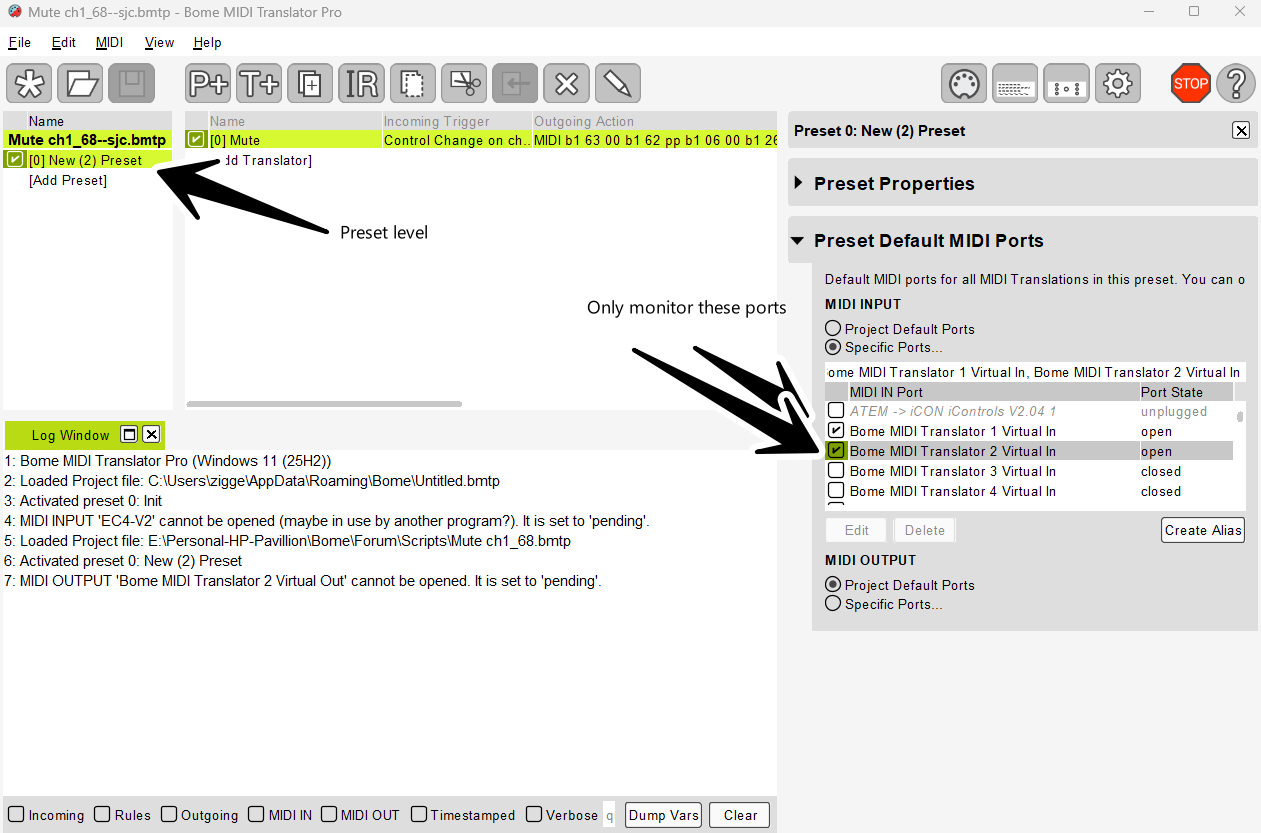
For the preset I’ve set to only look for MIDI on BMT 1 or BMT 2. You were seeing feedback from your Mixer as NRPN and it was processing B1 26 xx and B1 06 xx as input. The translator should only translate from your virtual ports and not retranslate back from your mixer.