Hi and welcome to the Bome community!
If you are seeing 97 00 7F then it is note on MIDI CH 8 note 0 value 127 (0x7F)
If you select ‘Capture MIDI’ you can monitor the incoming message and click on the desired message to transfer it to the incoming trigger of the translator, thereby ‘learning’ the trigger. Then you can modify the trigger manually if you want to tweak it.
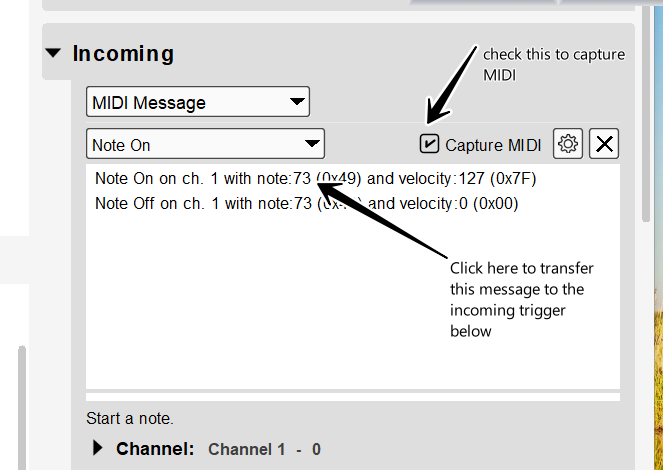
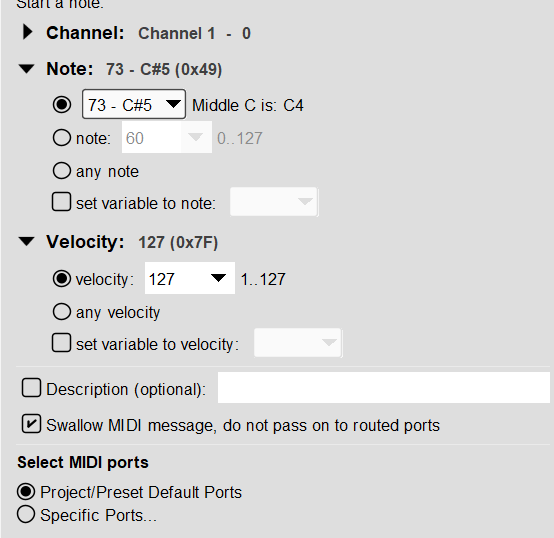
Here is what the incoming trigger looks like after clicking the message to transfer it in my case
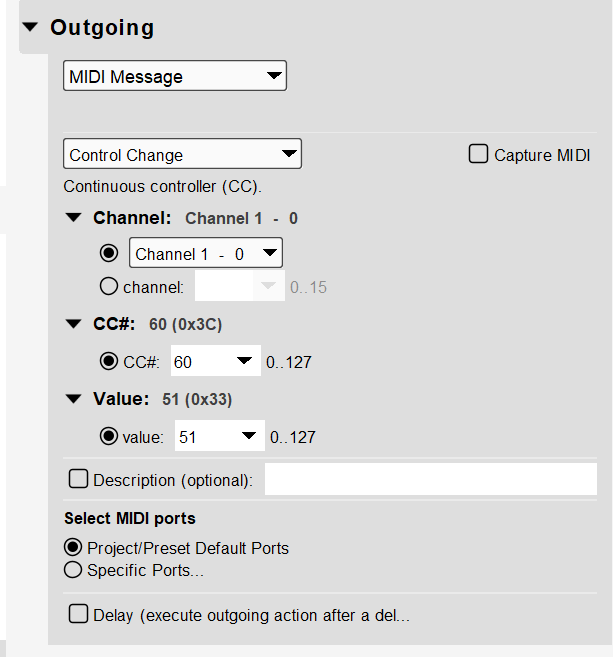
Then on output, you can put the desired outgoing message. Here is what CC 60 value 51 looks on MIDI CH 1 like.
I’m attaching the project here. I almost exclusively use aliases as it makes my project more portable when working on different computer (or BomeBox).
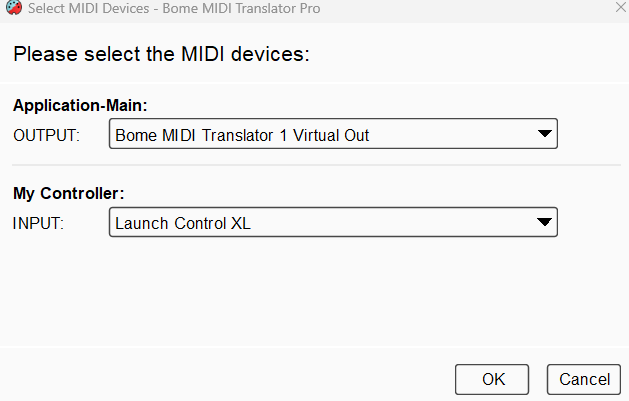
You can learn more about aliases from this tutorial.
I also usually set up device selection at the preset level.
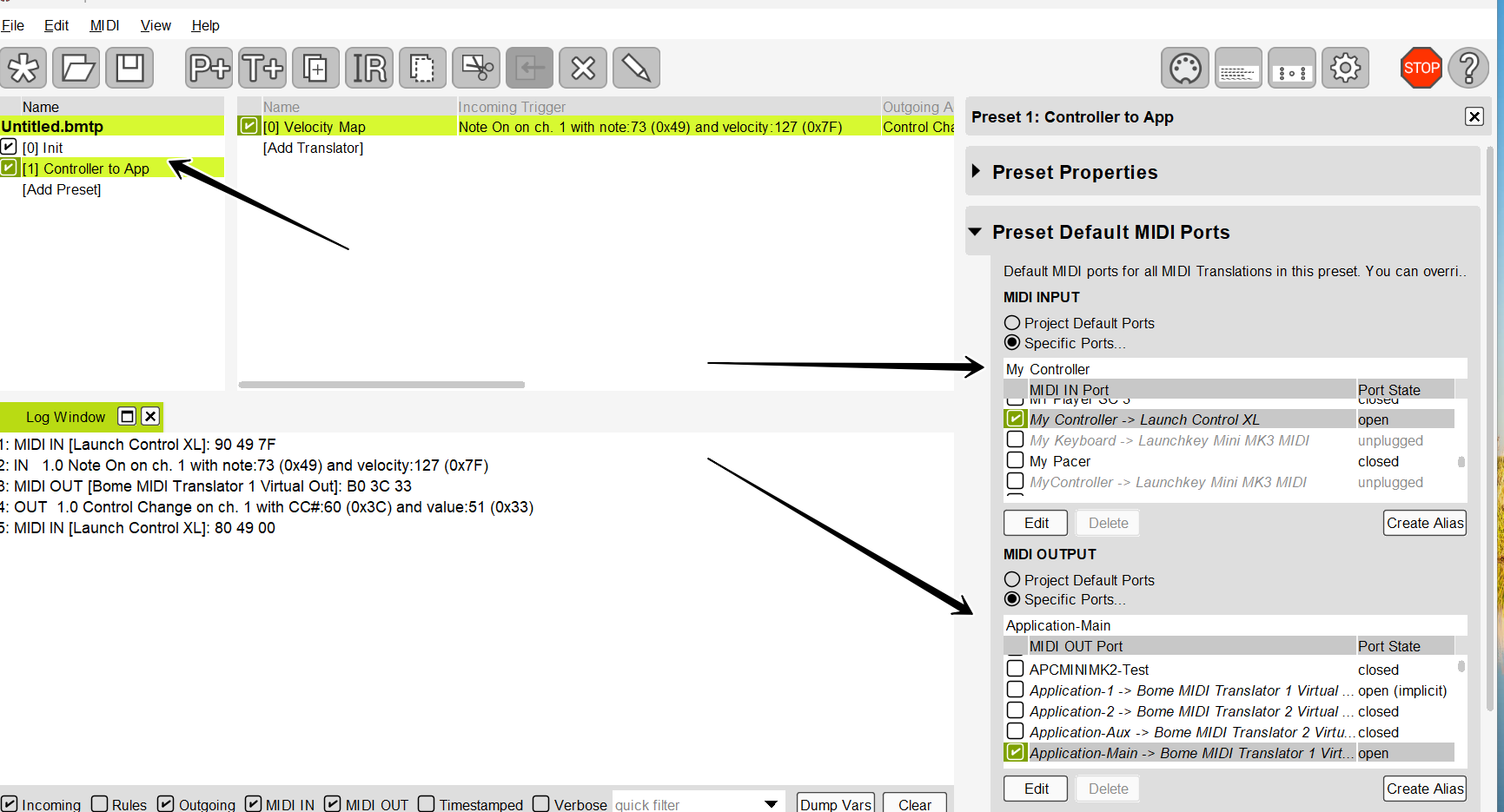
For more information about device selection, see this tutorial.
General-Example.bmtp (2.3 KB)
Steve Caldwell
Bome Customer Care
Also available for paid consulting services: bome@sniz.biz