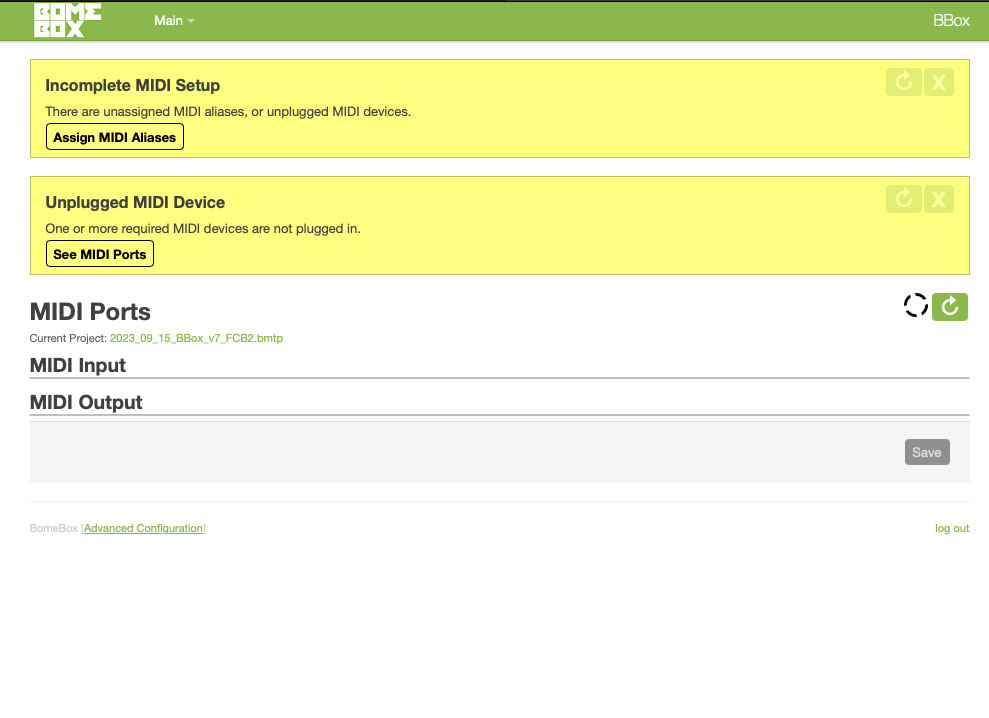
Hi,
I just updated BMT and BomeBox to the newly released versions. (Thanks for the updates!)
BMT update went smoothly, but BomeBox doesn’t show any midi ports or routes after the firmware update.
Clear your browser cache images and it should look fine. I actually put an extension on my Chrome browser Called “Clear Cache and Cookies” which allows you to selectively clear various components by web site. It was in the Chrome store.
Alternatively, you can use Private Mode which doesn’t use cache.
Steve Caldwell
Bome Customer Care
Also available for paid consulting services: bome@sniz.biz
I’ll see if we can add that to the BomeBox instructions. Really nothing changed on the BomeBox regarding caching since the last release. This is pretty much a browser policy behavior.