I can’t figure out how to open the idi ports from USB midi on the BomeBox. I can see all of the ports from my midi pedal in the web config, but they all say they are closed, and I can’t find any way to change that. the ports don’t show up in midi translator pro at all. I’m assuming there must be some simple way to do this that I’m missing, but I can’t find it in the documentation.
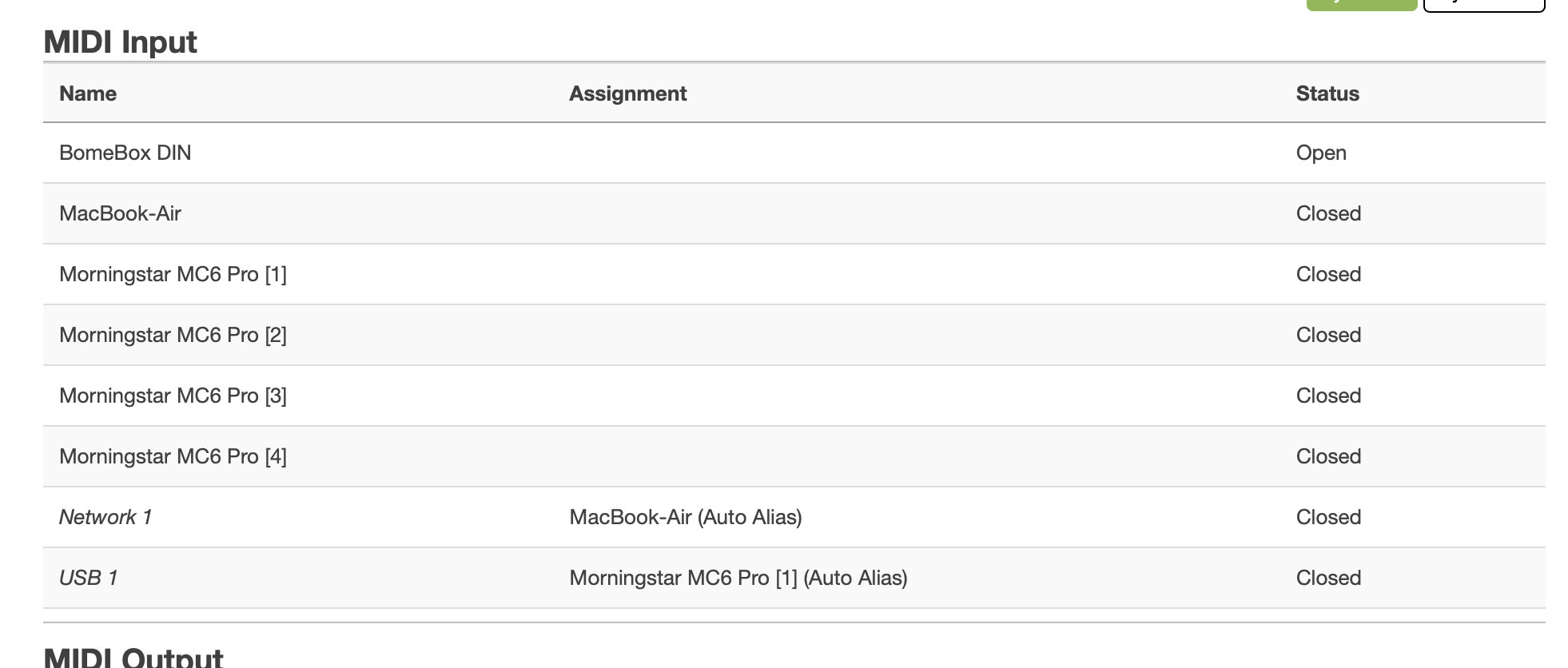
From the image below, what I would like is for the Morningstar MC6 Pro ports to be open.
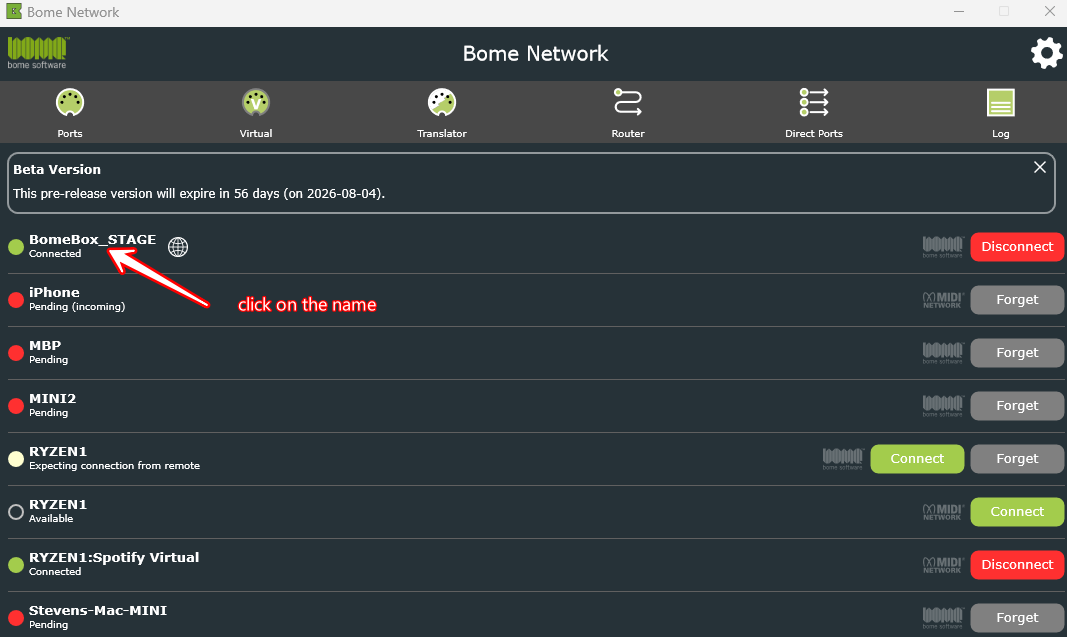
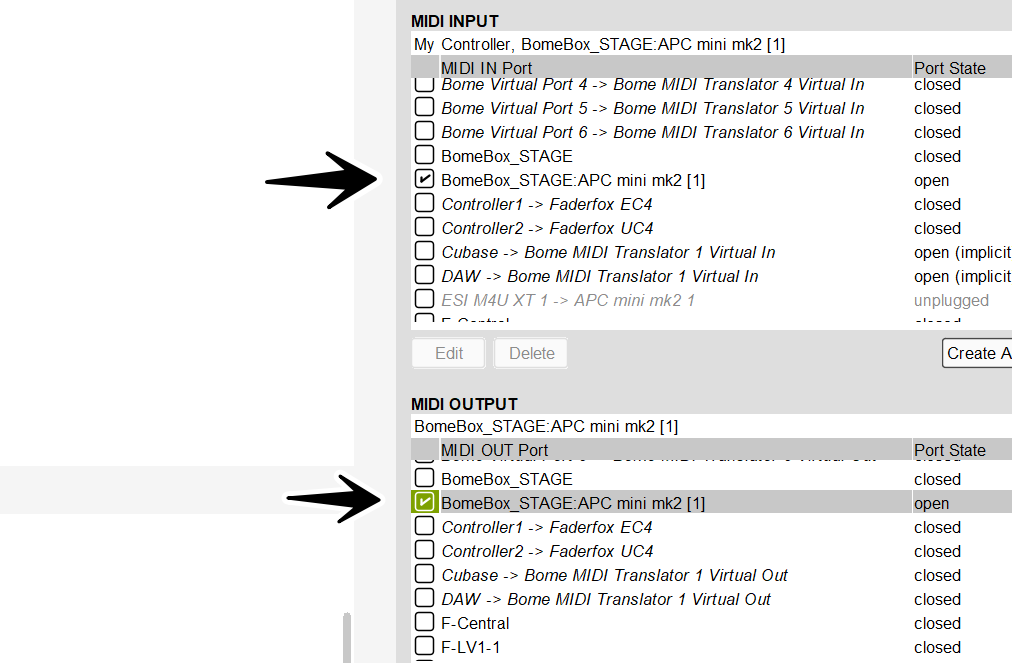
To open any port from you computer. You need to turn on the Remote Direct MIDI switch first. Then the port will be exposed to the computer as “BomeBoxName:PortName”.
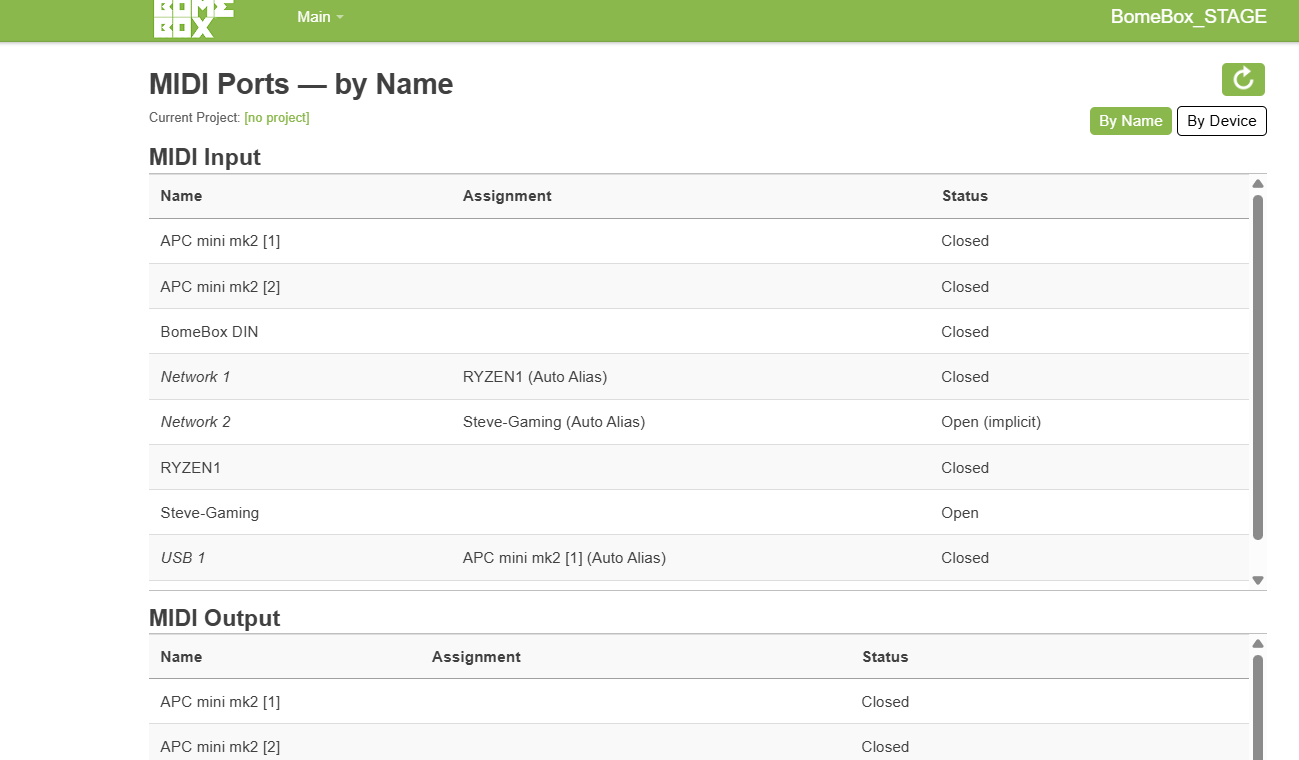
I will show an example on my system. My BomeBox name is “BomeBox_STAGE” and I have an APC mini MK2 attached. as shown below:
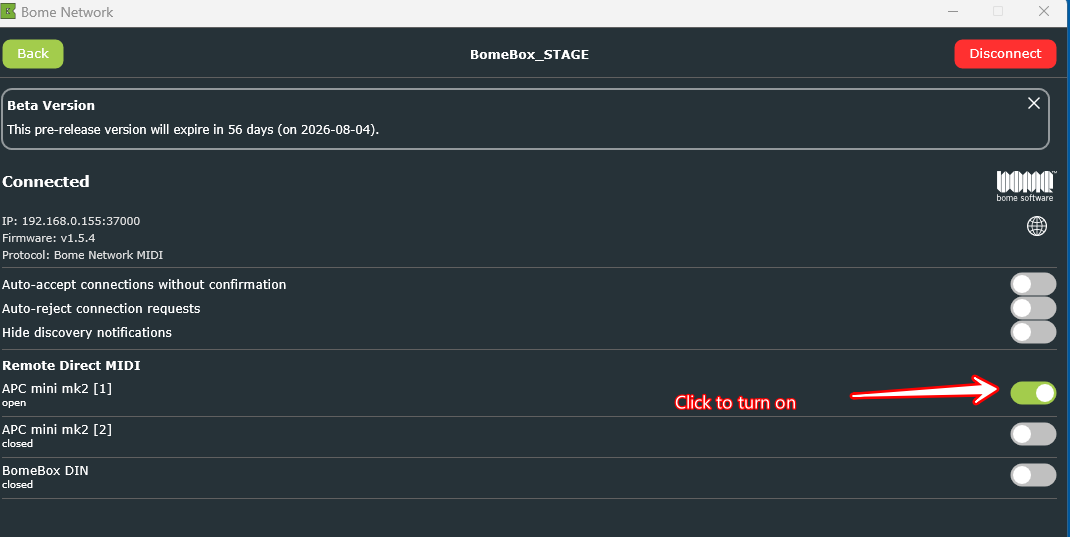
You will see a page that looks similar to the below. Click the switch on the ports that you want to show on your computer until it turns green. In my computer I turned on the first APC mini MK2 port.
Hi Steve, thanks for the quick reply, that worked.
I’m still having some trouble here. I’m using the footswitch to send PC messages to set a global variable I’m using to control the output channel.
When I do this in midi translator pro, it works. I can look at the log and see the messages going out on the correct channel.
When I load that exact same program into the bomebox, everything comes out on channel 1 no matter what I do.
Do you know why this would be happening? Shouldn’t the behavior of a midi tranlator file be identical on the computer and the bomecbox?
Yes, you probably need to use aliases and change the port they point to on your BomeBox. The port names on your computer will obviously be different than the names on your BomeBox.
You can learn more about aliases from this tutorial.
Steve Caldwell
Bome Customer Care
Also available for paid consulting services: bome@sniz.biz