OK this might be more help.
Translator 1.0 will set the value of global variable ga to 1 when Davinci Resolve is focused.
Translator 1.1 will set the value of global variable ga to 0 when Davinci Resolve is not focused.
More on this later
Translator 1.2 toggles the value of global variable gb which will either set course movement (value 1) of fine movement
(value 0). It also sends the LED state of the Srub button on or off.
Most of the work happens in the rules of translator 1.3
We look at the incoming value of the jog wheel and set the value of local variable tt to either -1 (Left movement) or 1 (right movement.
If Davinci Resolve is not focused, we call translator 1.4 to focus it. We look at the value of ga as described in translators 1.0 and 1.1
Depending on the value of gb (course/fine) we will either send perform keystroke with a given value indicating which keystroke we want to send. We use the value rr to determine how much delay we want when sending the keystroke.
Translators 1.5-1-8 determine whether it is for them (based on the first parameter passed) and then send the desired keystroke.
Here are the rules of translator 1.3
if qq<64 then tt=qq
if qq>64 then tt=64-qq
Log "Log tt=%tt%"
if ga==0 then Log "Log Performing Focus"
if ga==0 then Perform "Focus"
//set delay
rr=10
// Look if scrub is pushed
if gb==1 then Goto "Scrub"

if tt>0 then Perform "Keystroke",0,rr
else Perform "Keystroke",1,rr
exit rules, skip Outgoing Action

Label "Scrub"
if tt>0 then Perform "Keystroke",2,rr
else Perform "Keystroke",3,rr
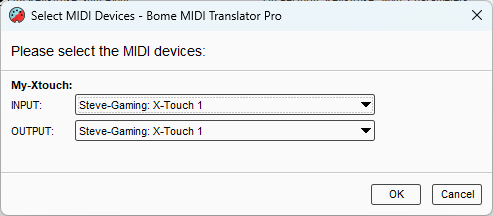
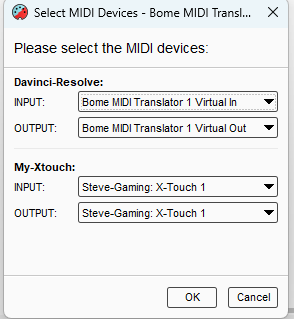
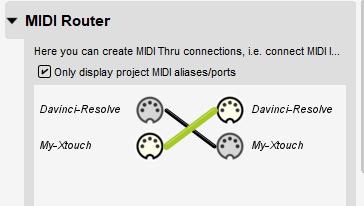
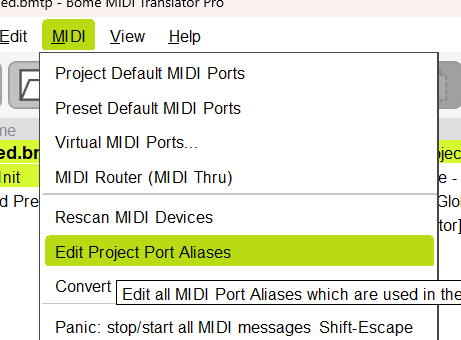
My Aliases are set up as follows. You will need them set up to point to your X-Touch. You also need your X-Touch in MC mode.
I’m on Windows so, if you are on Mac, you will need to set the application focus target in the incoming triggers of 1.0 and 1.1 and the outgoing action of 1.4
I know that this may not be as simple as you would like but what you are asking is more complicated than just a single button to keystroke action.
X-touch-Jog-to-Davinci-Resolve.bmtp (4.6 KB)
Steve Caldwell
Bome Customer Care
Also available for paid consulting services: bome@sniz.biz