I’ve finally managed to control the mutes on my A&H SQ-5 mixer from Logic Pro automation.
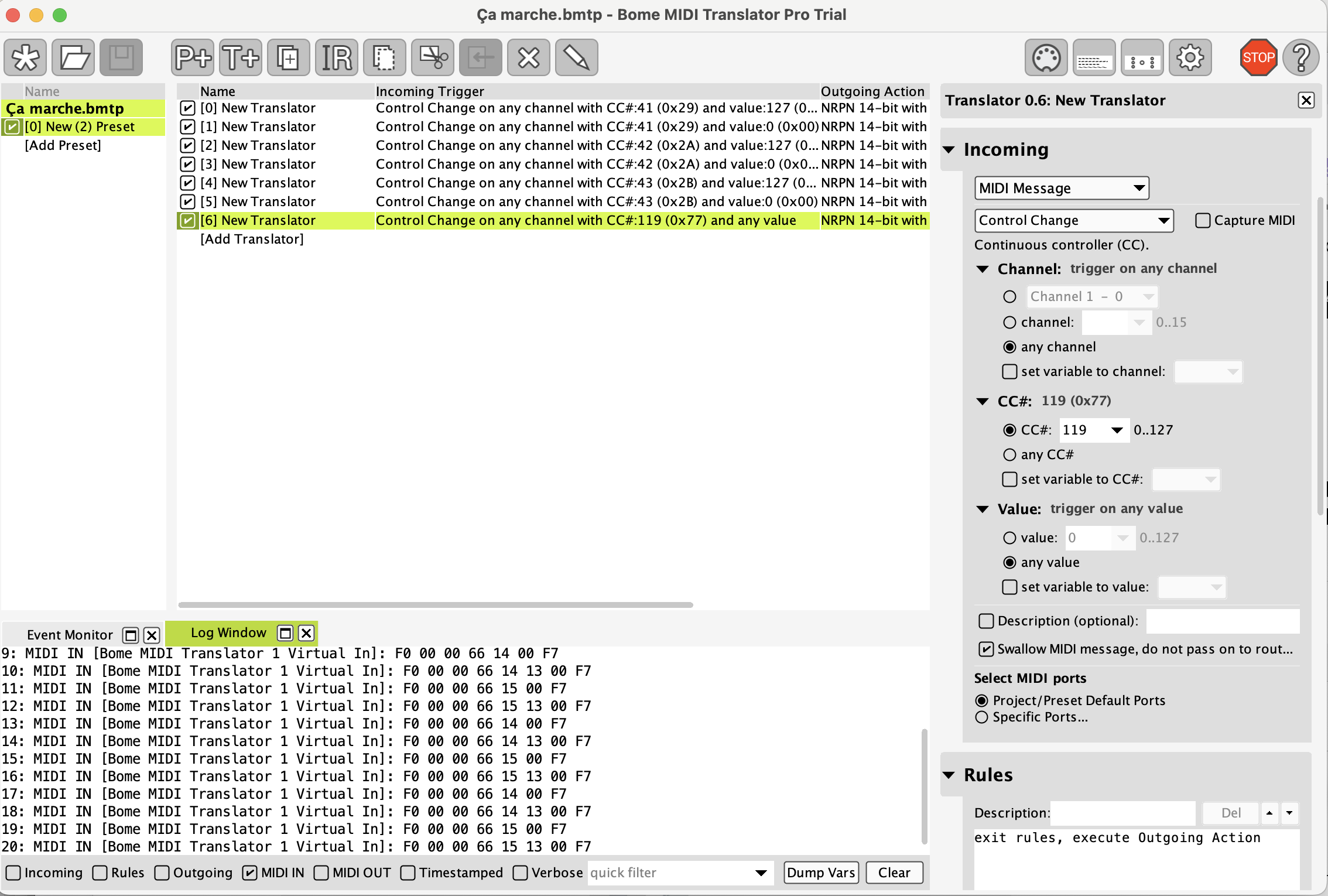
For example, a translator uses CC#41 with a value of 127 to send it as an NRPN (14-bit) message with a value of 1 to mute a channel. To unmute it, I created a second translator to send the value 0.
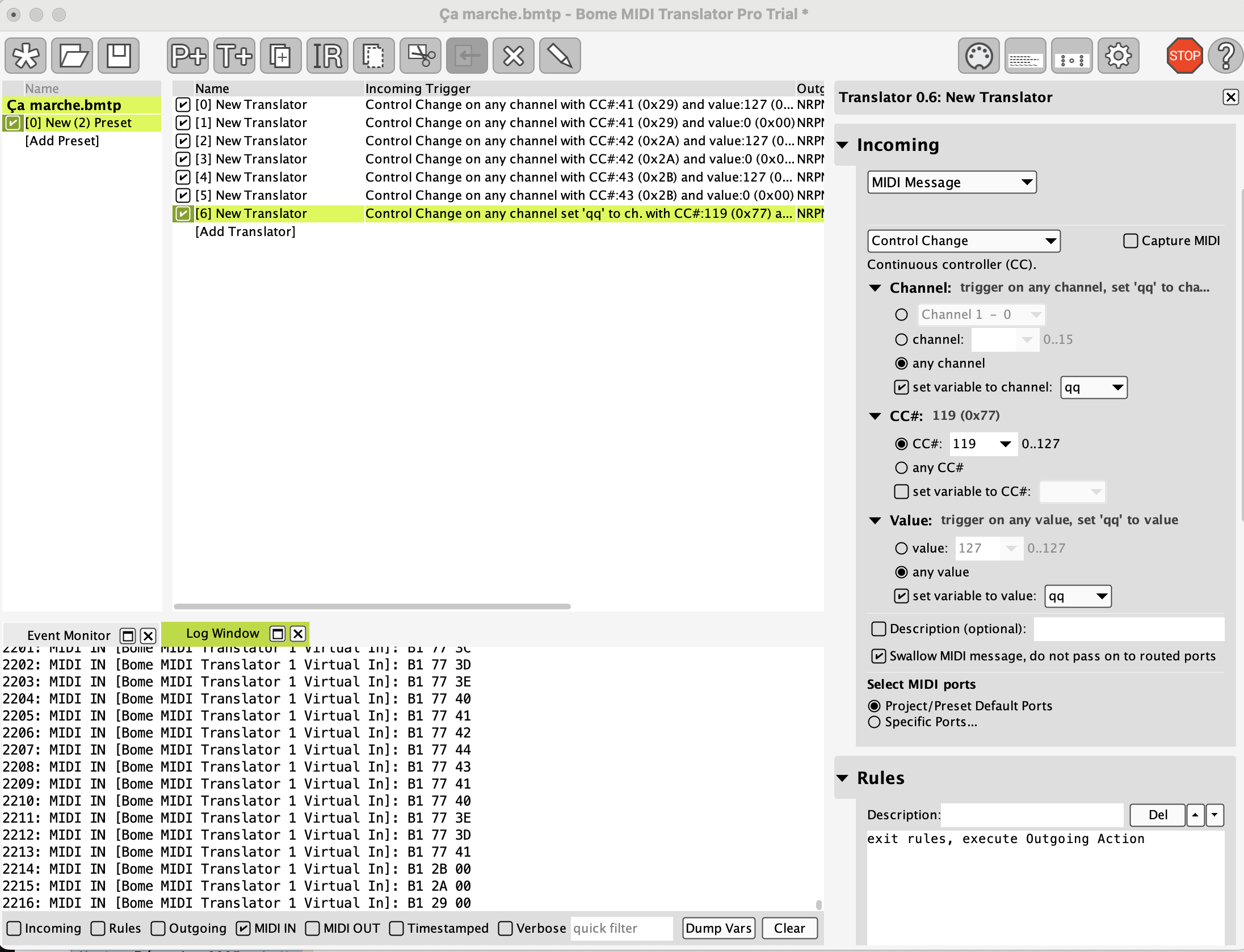
Now, to control an Aux Send fader, I created a translator using CC#119, making sure to check ‘any value’ so that all the values from my automation are sent to the SQ console.
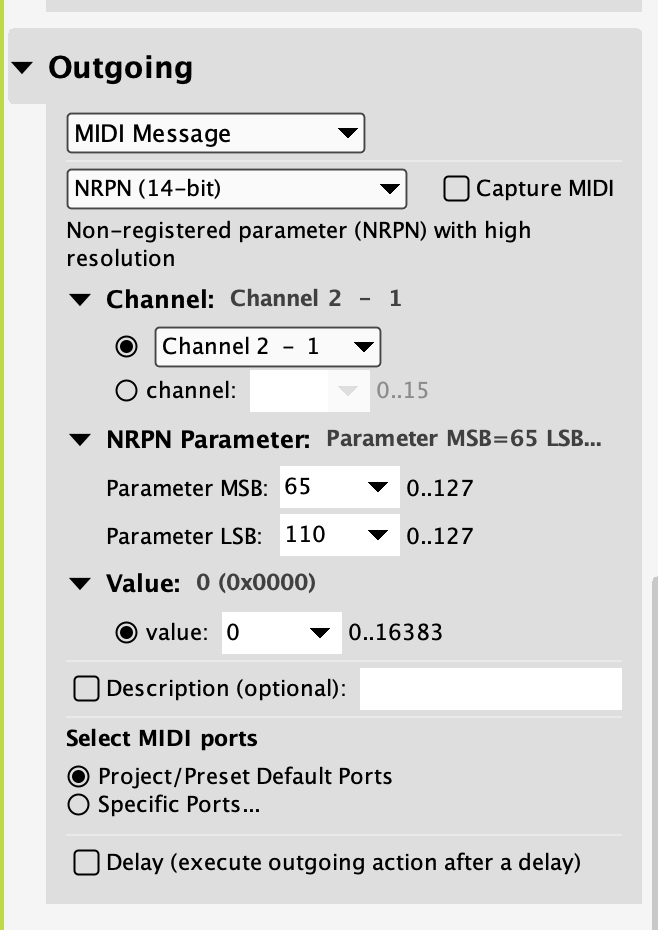
But I don’t understand why I can’t choose any value for Outgoing. If I leave the value at 0, as soon as I trigger my Logic automation, the relevant SQ fader returns to 0 (which already proves that the translator is correctly assigned), but why can’t I allow all values from 0 to 127 to pass through?
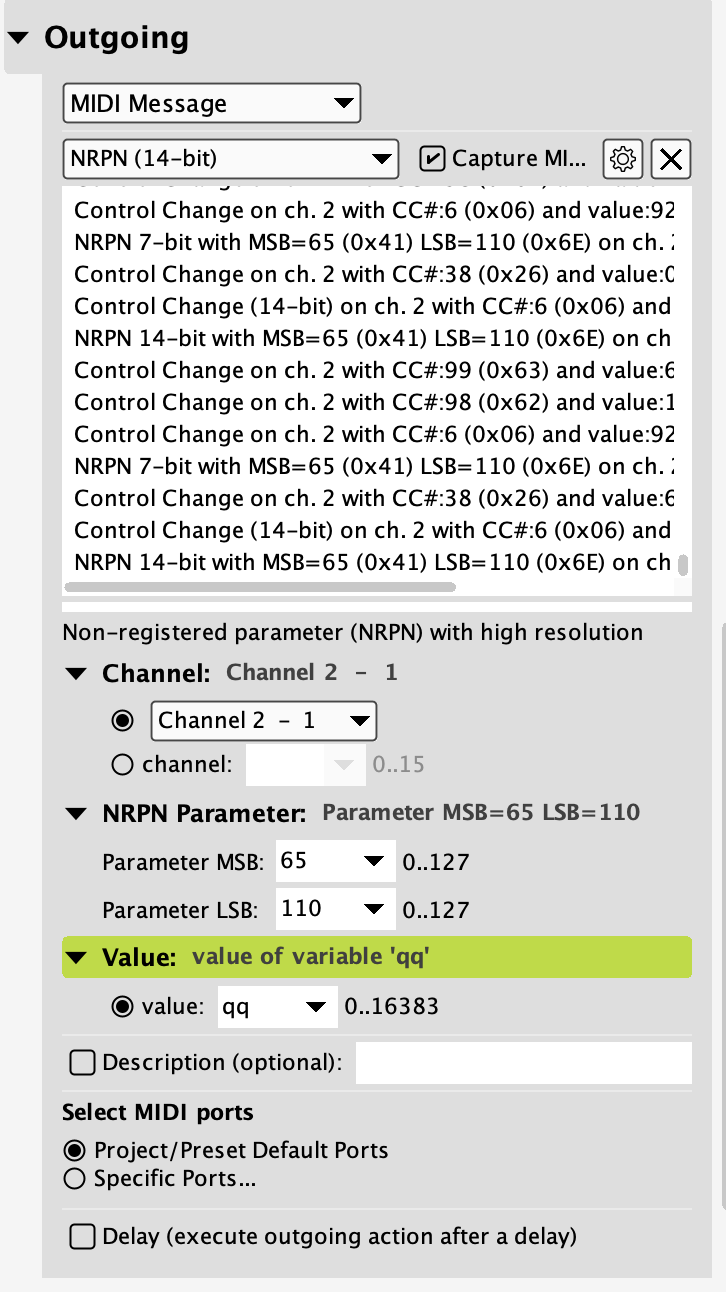
Hi, First of all, I believe you were using the wrong NRPN Number. I set it as IP1 to Aux1 because you didn’t say which Aux you wanted to send it to and which fader your were using. If I picked the wrong one, you can change it based on the SQ5 MIDI protocol document.
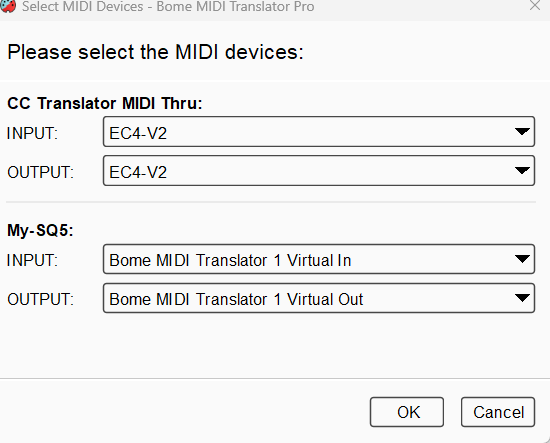
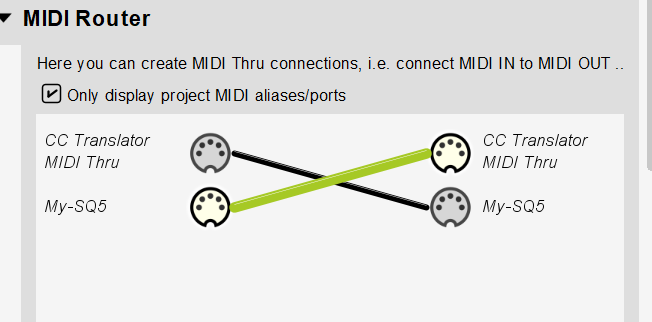
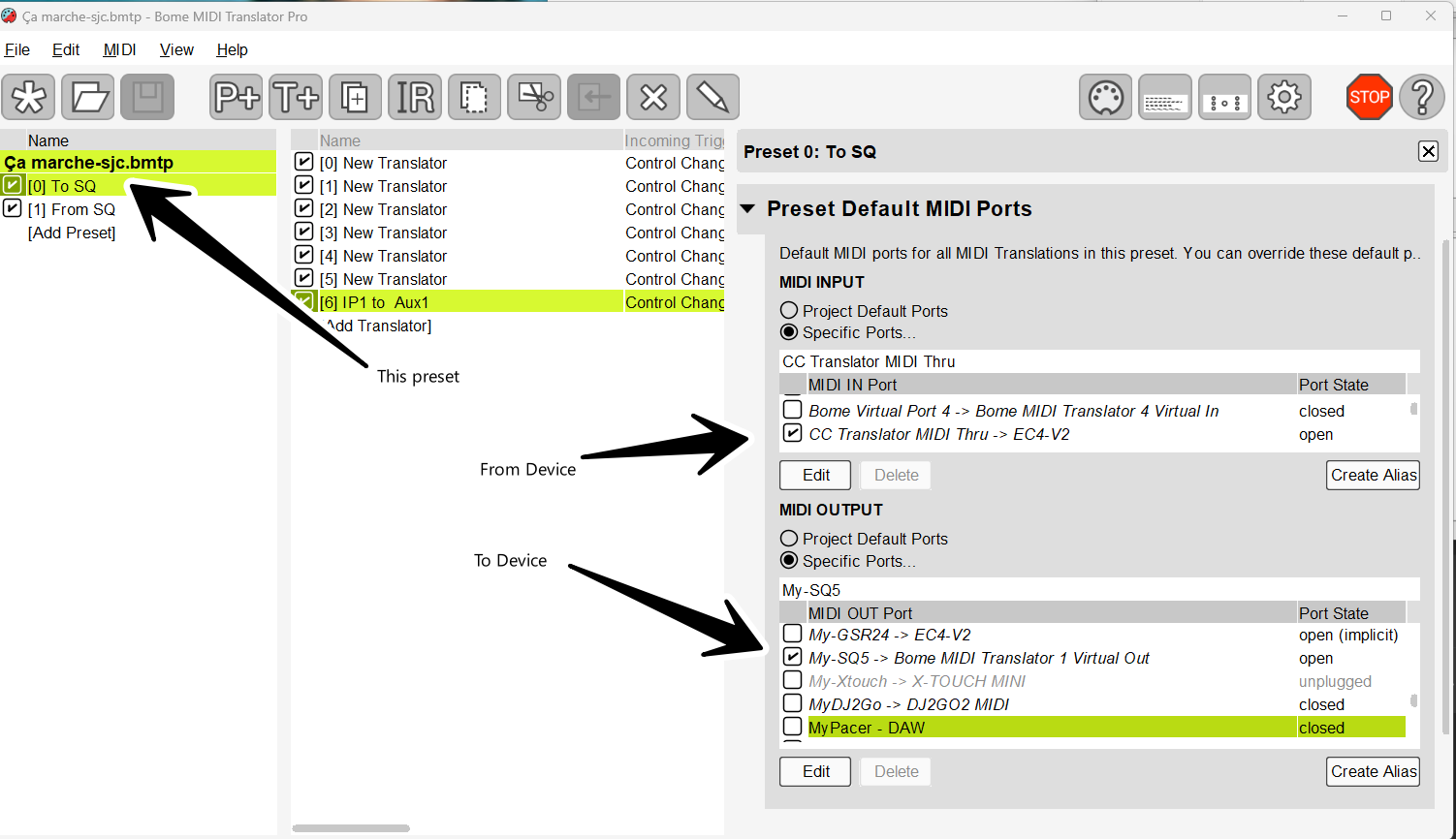
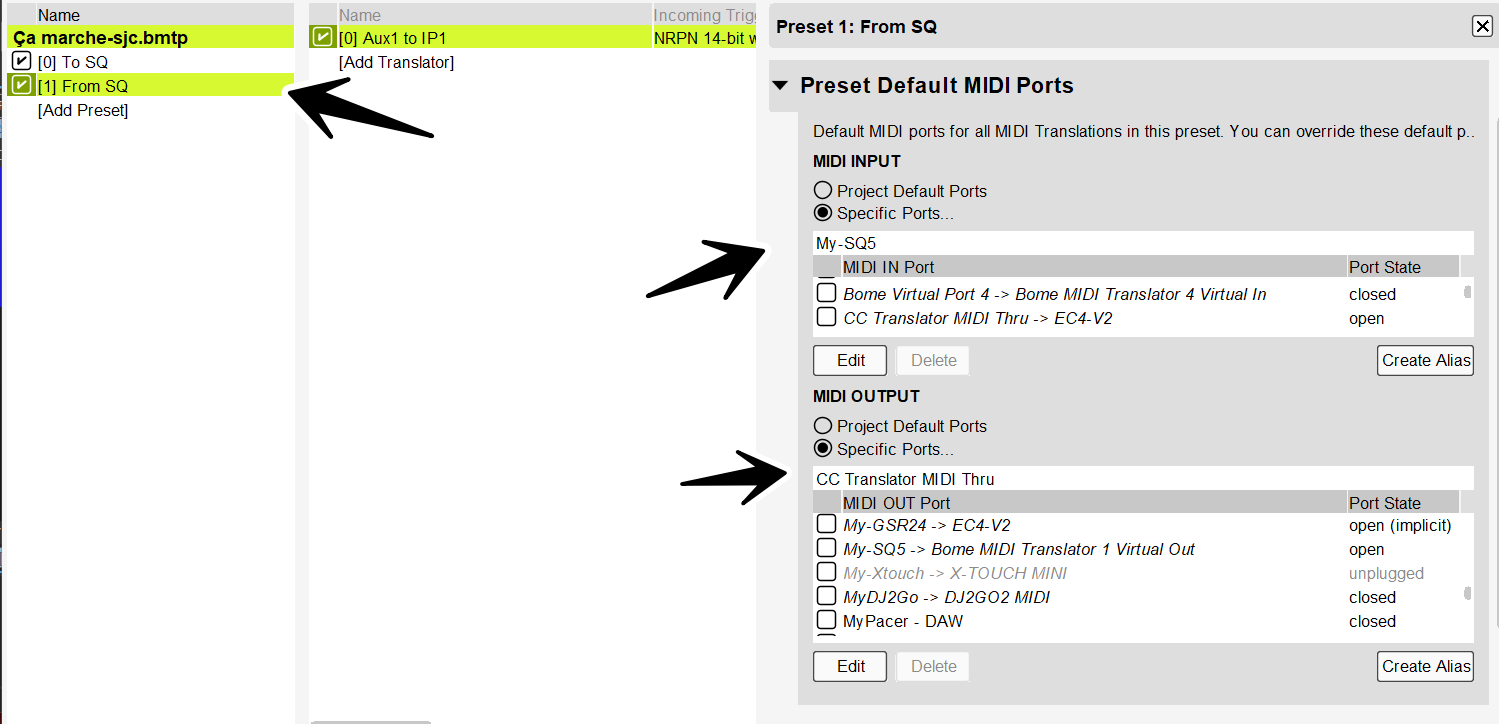
After that I noticed you were not using aliases so I set them up as follows for my testing. You can change their assignments for your environment as needed.
I set up preset 0 to only accept incoming messages from your device and send only to your SQ5. The way you had it, it would accepte form any device and send to all devices which is not what you want.
The reverse translator has rules to convert back from 14 bit input value to 7 bit output value to CC. Again, the output value is in local variable “tt”.
// convert 14 bit to 7 bit
Log "Log input value =%qq%"
tt=qq*127
tt=tt/16383
Log "Log output value =%tt%"
Hopefully this will get help you going further. Ça marche-sjc.bmtp (4.0 KB)
Steve Caldwell
Bome Customer Care
Also available for paid consulting services: bome@sniz.biz
To answer your question, the destination auxiliary output is Aux 3,
the relevant fader is ip15 when ‘Mix 3’ is selected on the right side of the mixer.
That’s what I meant by writing ‘ip15 aux3 send’.
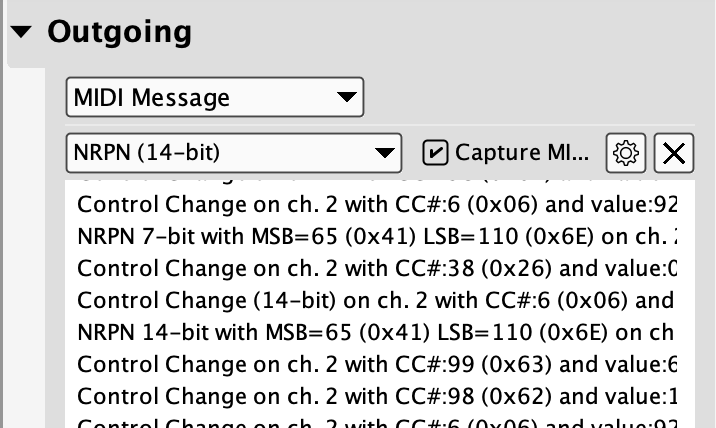
If I chose ‘MSB=65, LSB=110’,
that’s what the capture showed when I moved the
ip15 aux3 send fader on the SQ-5,
and…
before you told me to select the variable ‘qq’,
I typed a random value in the Outgoing Value field (for example, 0, 65, or 127),
then I would play Logic CC#119 automation ,
and then the SQ fader would reset to the entered value.
So I deduced that the assignment of my CC to NRPN was correct, except that I couldn’t allow all values from 0 to 127 to pass through. I thought it wouldn’t take much to fix..
… but I didn’t expect to have to create aliases, delve back into the manuals, convert 7-bit to 14-bit, write rules, change my MIDI routing.. In truth, I only use Logic and no other controller to automate the console; the reverse conversion is only useful for identifying NRPN messages from the console (in ‘capture’).
So if you change the correct NRPN MSB and LSB does it work now? You can always go away from aliases if you would like. They are just meant to make it more portable.
I haven’t checked if your NRPN number is correct but I’m assuming you are probably looking at the SQ5 manual.
Yes you need to convert 7 bit to 14 bit which is required by the SQ5 so that you get the full range of the fader.
Steve Caldwell
Bome Customer Care
Also available for paid consulting services: bome@sniz.biz