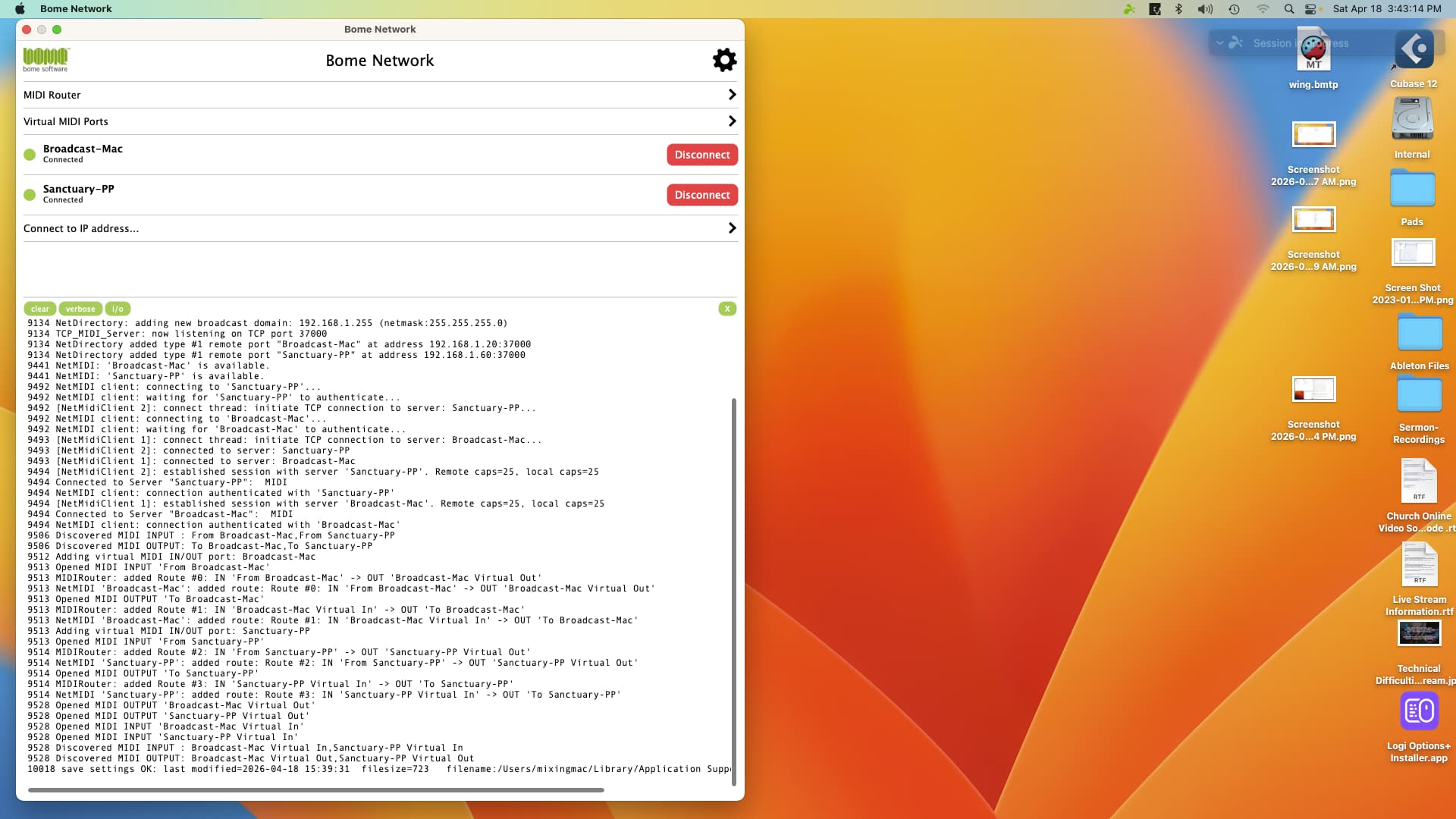
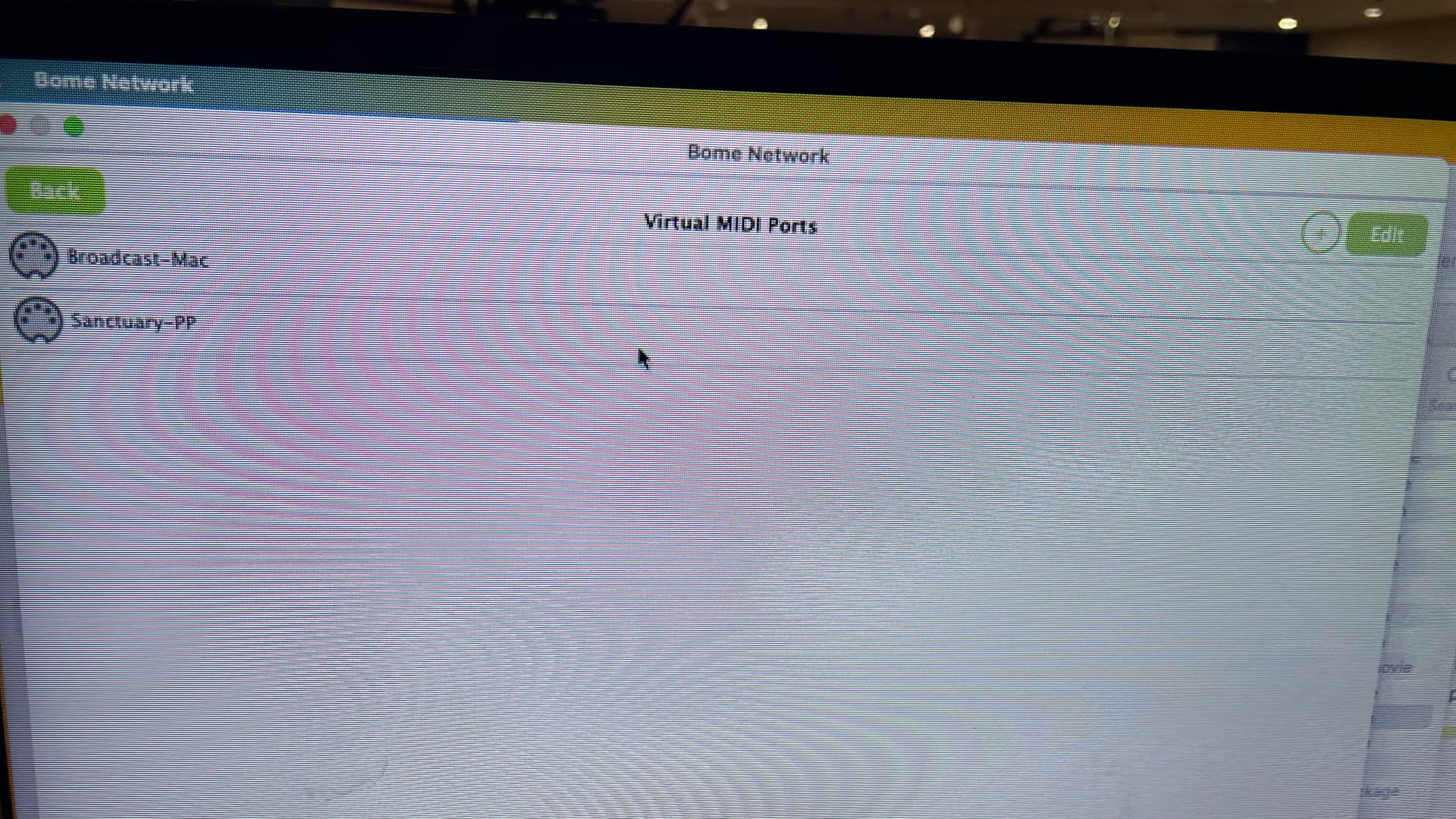
Struggling to get three computers networked. I have two computers that well, but for the life of me, I can’t get the third computer to talk. I basically need one computer (my master) to send midi to the other two slave computers. THe master is named “sanctuary”, one slve is names “broadcast” and the other “mixer”. I am using a mini monitor to see signals sent and recieved. All three are Mac Mini’s using Ventura 13.6.7. Tried boht Bome Network 1.5 and 1.6.
This is from the computer not receiving midi.
————–
102 Bome Network v1.6.0 (macOS Ventura 13.6.7)
274 NetDirectory: adding new broadcast domain: 192.168.1.255 (netmask:255.255.255.0)
274 TCP_MIDI_Server: now listening on TCP port 37000
274 NetDirectory added type #1 local identity ‘Mixing-Mac’ at 0.0.0.0:37000
274 NetDirectory added type #1 remote port ‘Sanctuary-PP’ at address 192.168.1.60:37000
274 NetDirectory added type #1 remote port ‘Broadcast-Mac’ at address 192.168.1.20:37000
276 Discovered MIDI INPUT : Network Sanctuary,WING Port 1,WING Port 2,WING Port 3,WING Port 4
276 Discovered MIDI OUTPUT: Network Sanctuary,WING Port 1,WING Port 2,WING Port 3,WING Port 4
276 Opened MIDI INPUT “WING Port 4”
276 MIDIManager started.
277 NetMIDI: “Sanctuary-PP” is available.
277 NetMIDI: “Broadcast-Mac” is available.
628 TCP_MIDI_Server: client connecting…
628 Incoming ClientConnection (192.168.1.60:63409) has been instantiated.
628 ClientConnection started.
629 Client ‘Sanctuary-PP’ is connecting…
629 NetMIDI server: incoming connection request from client “Sanctuary-PP”.
629 NetMIDI server: accepting client: Sanctuary-PP (192.168.1.60:63409)
629 NetMIDI Server: accepting session with “Sanctuary-PP”.
629 [ClientConnection 2]: established session with client “Sanctuary-PP”. Remote caps=25
629 Client ‘Sanctuary-PP’ has MIDI connected.
629 NetMIDI server: connection authenticated with remote client “Sanctuary-PP” (192.168.1.60:63409)
640 Discovered MIDI INPUT : From Sanctuary-PP
640 Discovered MIDI OUTPUT: To Sanctuary-PP
645 Adding virtual MIDI IN/OUT port: Sanctuary-PP
647 Opened MIDI INPUT “From Sanctuary-PP”
647 MIDIRouter: added Route #1: IN “From Sanctuary-PP” → OUT “Sanctuary-PP Virtual Out”
647 NetMIDI “Sanctuary-PP”: added route: Route #1: IN “From Sanctuary-PP” → OUT “Sanctuary-PP Virtual Out”
647 Opened MIDI OUTPUT “To Sanctuary-PP”
647 MIDIRouter: added Route #2: IN “Sanctuary-PP Virtual In” → OUT “To Sanctuary-PP”
648 NetMIDI “Sanctuary-PP”: added route: Route #2: IN “Sanctuary-PP Virtual In” → OUT “To Sanctuary-PP”
659 Opened MIDI OUTPUT “Sanctuary-PP Virtual Out”
659 Opened MIDI INPUT “Sanctuary-PP Virtual In”
659 Discovered MIDI INPUT : Sanctuary-PP Virtual In
659 Discovered MIDI OUTPUT: Sanctuary-PP Virtual Out
1150 save settings OK: last modified=2026-04-16 19:03:34 filesize=889 filename:/Users/mixingmac/Library/Application Support/Bome/Bome Network.bmts
1230 NetMIDI client: connecting to “Broadcast-Mac”…
1231 NetMIDI client: waiting for “Broadcast-Mac” to authenticate…
1231 [NetMidiClient 1]: connect thread: initiate TCP connection to server: Broadcast-Mac…
1232 [NetMidiClient 1]: connected to server: Broadcast-Mac
1233 [NetMidiClient 1]: established session with server “Broadcast-Mac”. Remote caps=25, local caps=25
1233 Connected to Server ‘Broadcast-Mac’: MIDI
1233 NetMIDI client: connection authenticated with “Broadcast-Mac”
1244 Discovered MIDI INPUT : From Broadcast-Mac
1244 Discovered MIDI OUTPUT: To Broadcast-Mac
1251 Adding virtual MIDI IN/OUT port: Broadcast-Mac
1252 Opened MIDI INPUT “From Broadcast-Mac”
1252 MIDIRouter: added Route #3: IN “From Broadcast-Mac” → OUT “Broadcast-Mac Virtual Out”
1252 NetMIDI “Broadcast-Mac”: added route: Route #3: IN “From Broadcast-Mac” → OUT “Broadcast-Mac Virtual Out”
1252 Opened MIDI OUTPUT “To Broadcast-Mac”
1252 MIDIRouter: added Route #4: IN “Broadcast-Mac Virtual In” → OUT “To Broadcast-Mac”
1252 NetMIDI “Broadcast-Mac”: added route: Route #4: IN “Broadcast-Mac Virtual In” → OUT “To Broadcast-Mac”
1268 Opened MIDI OUTPUT “Broadcast-Mac Virtual Out”
1268 Opened MIDI INPUT “Broadcast-Mac Virtual In”
1268 Discovered MIDI INPUT : Broadcast-Mac Virtual In
1268 Discovered MIDI OUTPUT: Broadcast-Mac Virtual Out
1758 save settings OK: last modified=2026-04-16 19:03:35 filesize=889 filename:/Users/mixingmac/Library/Application Support/Bome/Bome Network.bmts
Hi Steve - thank you for getting back to me. Yes - all three machines are connected. I am using Propresenter 7 from the sanctuary computer to send the midi commands. The broadcast mac receives them fine, but I can’t get the mixing-mac to receive. In the monitor window on the mixing mac, i see no incoming activity.
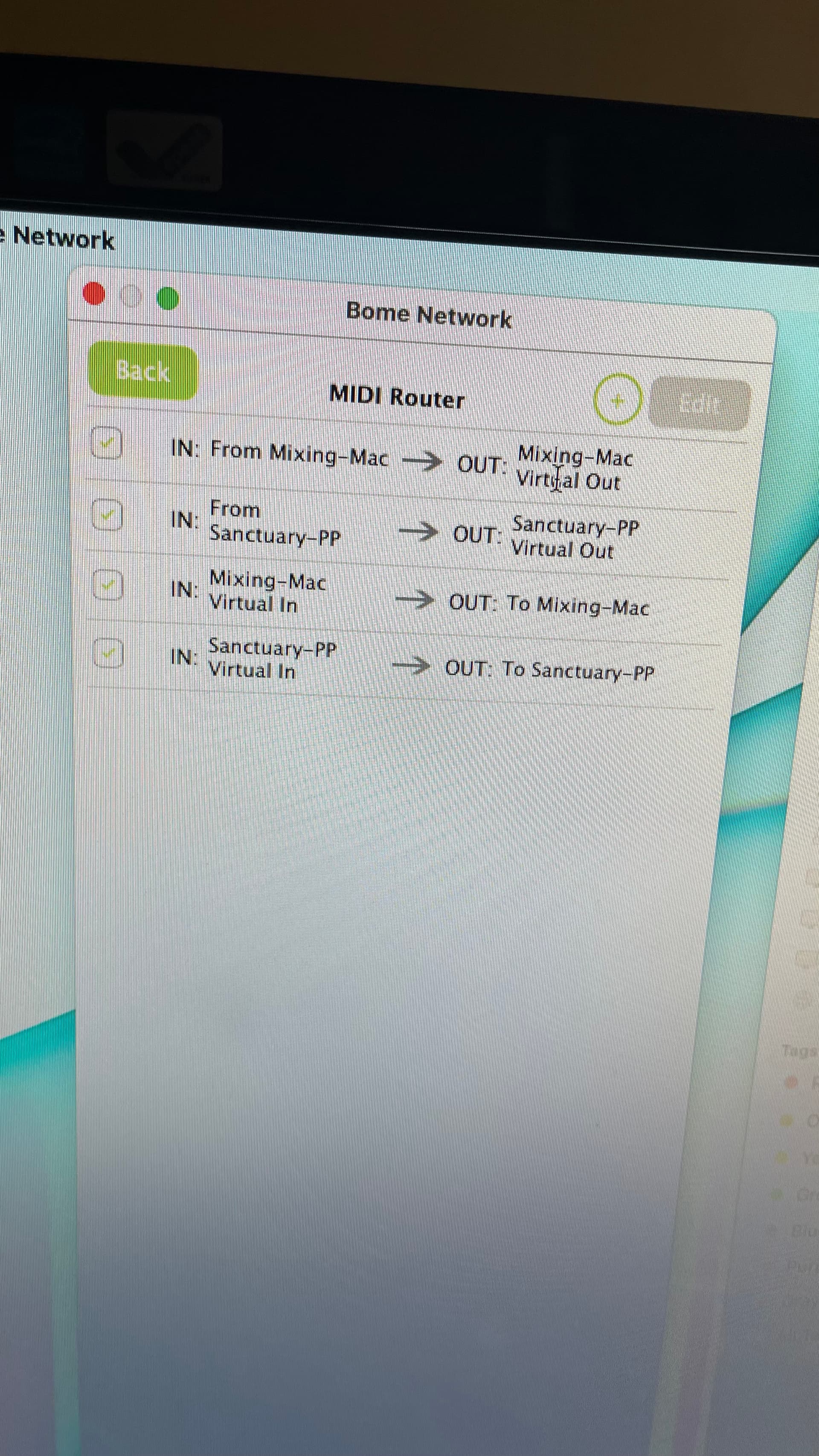
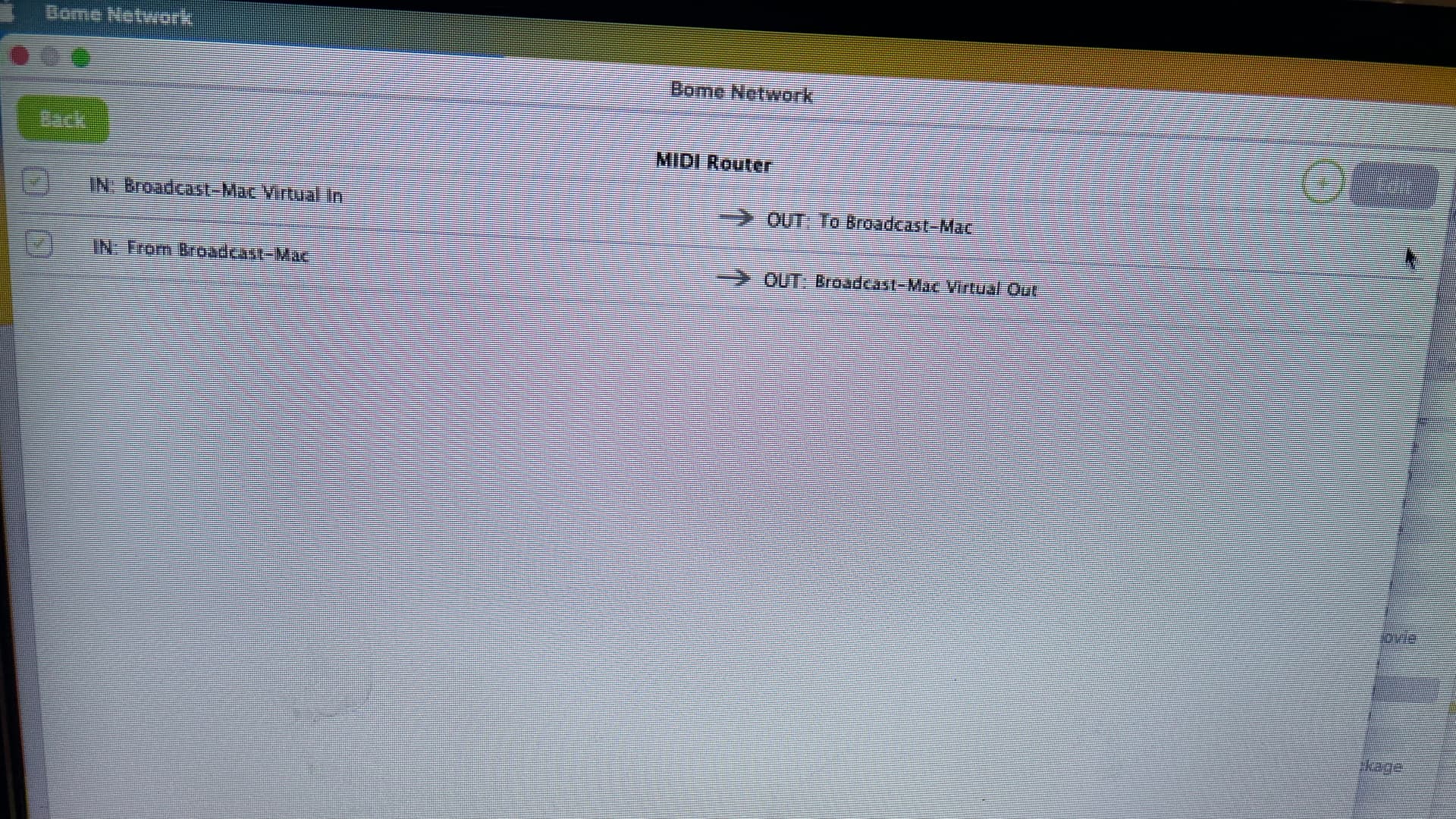
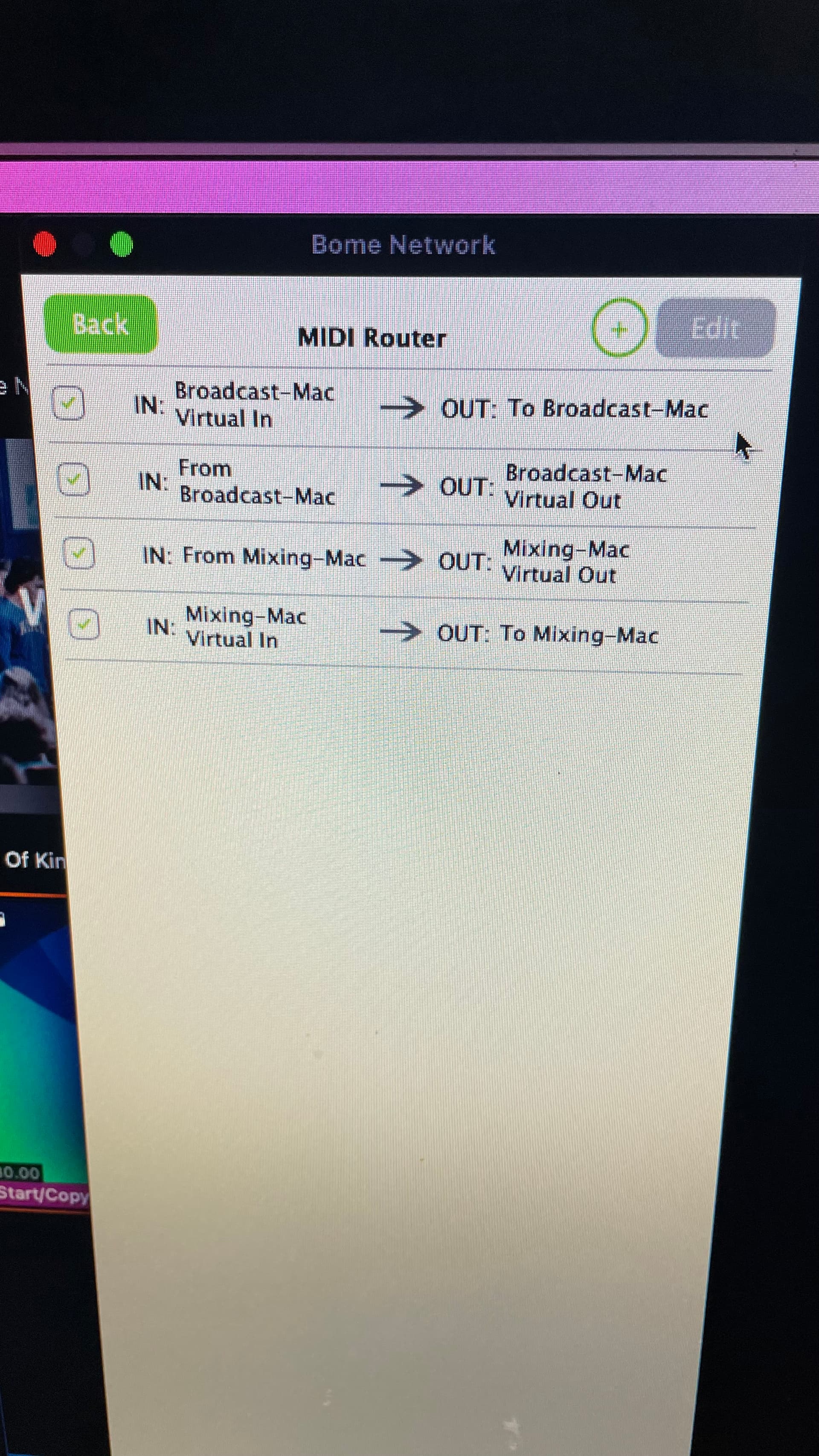
I think it may have something to do with the way I have the midi routing set up ? Attaching a screen shot if that may help. - Do I need to use “virtual ports” or the “midi routing” ?
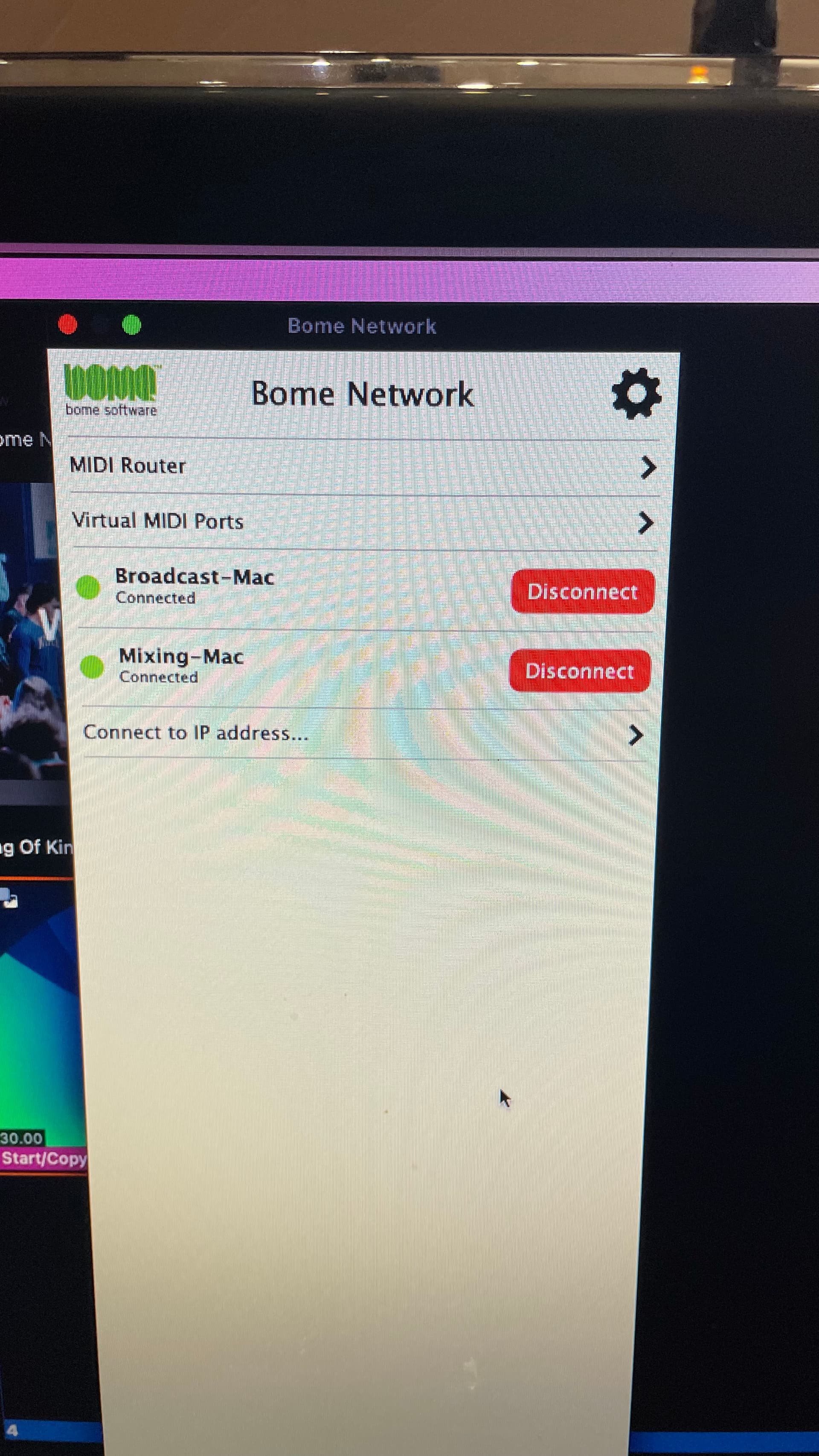
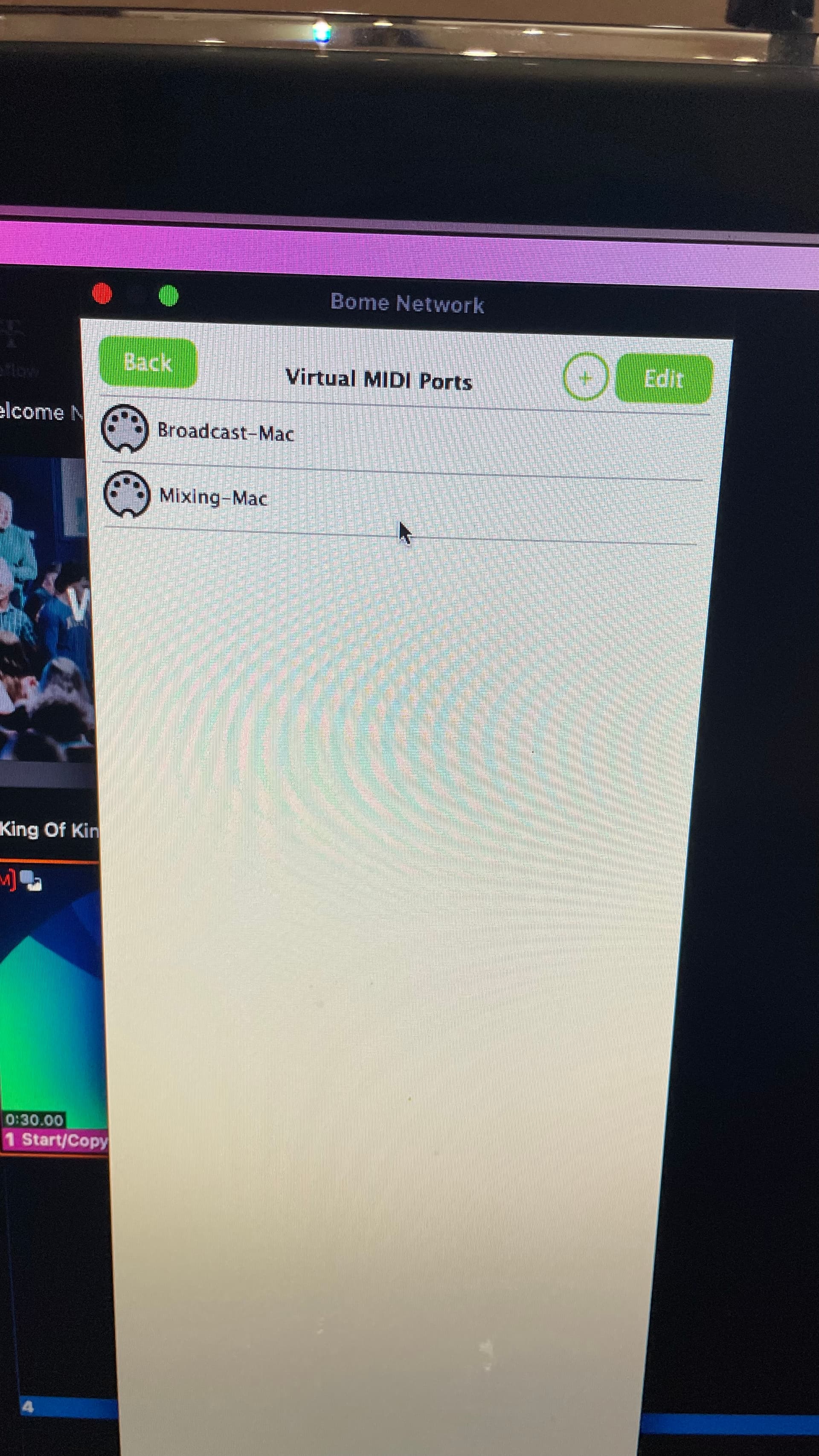
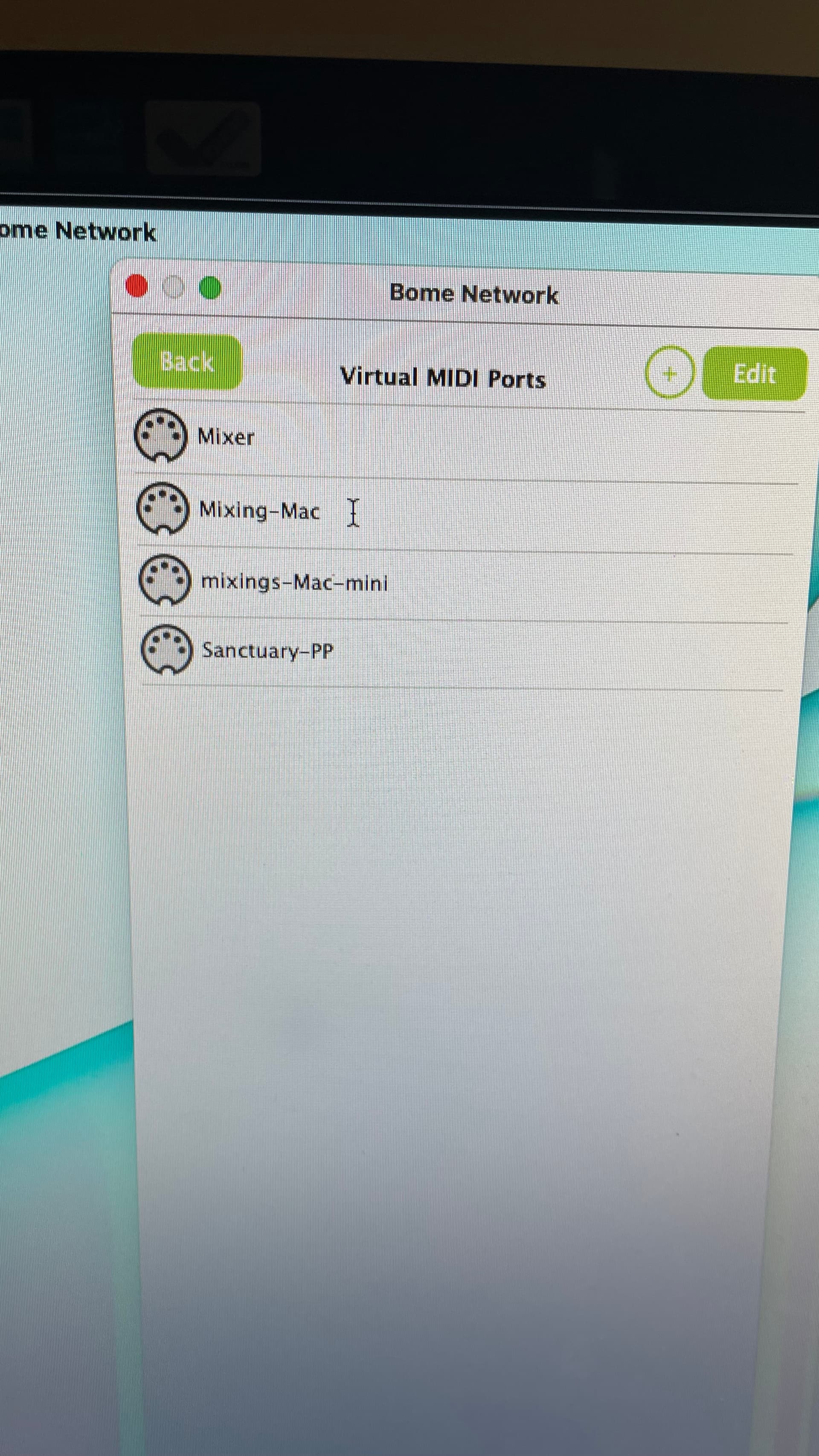
Could you show screenshots of the routes on all 3 machines? By default the BomeBox will create the necessary virtual ports for each machine. These virtual ports created allow a bridge to the physical ports.
You should not have to do any routing if your application just selects the port by machine name (unless you want mutiple distict paths between different applications on the same machine).
Steve Caldwell
Bome Customer Care
Also available for paid consulting services: bome@sniz.biz
… and I don’t know if this would change anything, but my objective once I get this third computer online is to load miditranslater so that I can have my propresenter machine send midi note messages to this machine and have it translate to CC messages so the Berhringer Wing console will change snapshots.
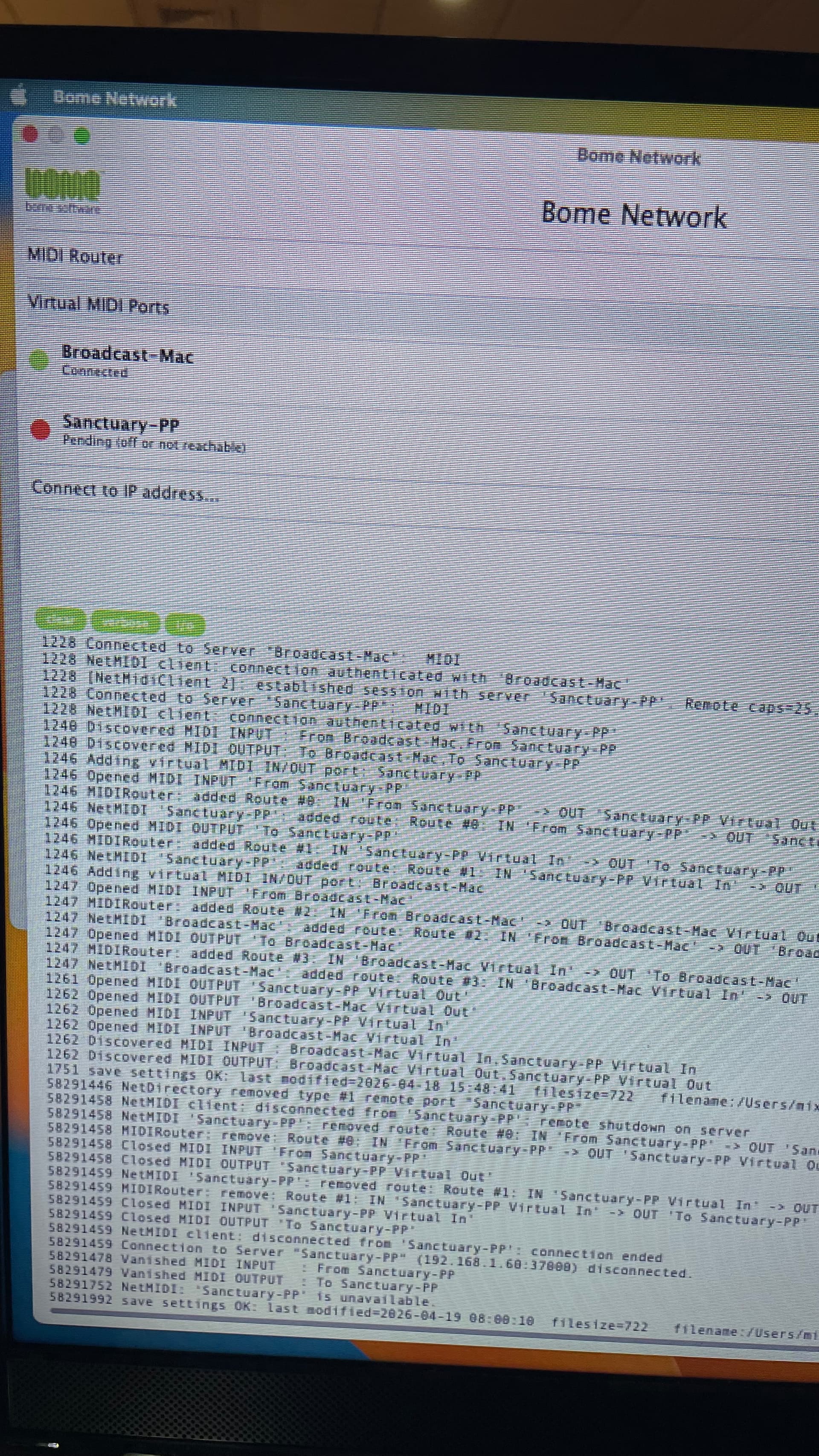
OK, so far everything looks normal except in one of your screenshots, it shows that “Sanctuary-PP” is offline.
What output ports have you selected in Pro-Presenter? Should I assume you want to send MIDI from Pro-Presenter on “Brodcast-Mac” to both “Mixing-Mac” and “Sanctuary-PP”? If so, then you need to select both “Mixing-Mac” and “Sancuary-PP” as your output ports withing Pro-Presenter.
Then if you have Bome MIDI Translator Pro loaded on “Mixing-Mac”, then there, you would select port “Broadcast-Mac” for input and then whatever you target application or device is for output.
What is “Mixer”? Is this a physical device?
The path for the settings file would be:
~/users/{your use name}/Library/Application Support/Bome/Bome Network.bmts
I think I figured out what the issue is, but I am not sure why this happens. So, if for any reason the mixing computer (a slave) loses its connection over Bome, I have to restart the master computer (Sanctuary) and then restart Propresenter. It’s weird because on the other slave (broadcast), I do not need to restart anything. It all just reconnects behind the scene and works.
On the bright side - once I figured that out, I was able to load Midi Translator and get the incoming midi signals to change programs on the Behringer wing sound mixing console. YAY !

 invalid socket. Create a new listening socket.