Yes, the info appears on both devices within Bome NW. I have hopefully followed all the directions to no avail I’m sorry to say. Although the midi is arriving at the Surface Pro as it should, it is not activating any actions on the PC. So I am back to 1.6 on the PC in the meantime, as it works flawlessly.
When you say activations, do you mean in gig performer?
What does global midi show in Gig Performer?
Have you enabled the correct ports?
How have you set up your Rig Manager? Do you see any flashes there?
Steve Caldwell
Bome Customer Care
Also available for paid consulting services: bome@sniz.biz
Huh! I just don’t get it. I loaded 1.7 this morning ready to do screen shots to answer your questions Steve, and everything worked. All issues solved and I did nothing different. Cheers,
The restored-image detail could explain why 1.7 still sees MIDI 2.0 even after Bome Network is set as the preferred protocol. I would try a clean isolation test: stop Bome Network on both devices, disable the MIDI 2.0 connection in the OS MIDI/network settings, reboot, then start only Bome Network and confirm the device list shows one entry.If 1.7 works in that state, reintroduce Gig Performer or the other MIDI clients one at a time. If it still fails, comparing the Bomenet settings file from the working 1.6 image against the restored image should show whether the extra MIDI 2.0 endpoint is being recreated at startup.
Hi Helen,
Thanks for your suggestion. I think that Im going to have to do something drastic. Yesterday when I booted up, the connection had vanished again despite me posting that 1.7 was working. As I had a gig that arvo, I had to reinstall 1.6 again to get the connection working. Maybe your suggestions are worth a try. Not really ofay on what to do next. There doesn’t seem to be much point in trying 1.7 again as it doesn’t bring much to the table that I need anyway.
If it seems to work at home but not at your gig, there must be some configuration difference between the two.
Steve Caldwell
Bome Customer Care
Also available for paid consulting services: bome@sniz.biz
I was at home both times. I used the same setup with no hardware changes.
Since both failures happened at home with the same hardware, I would not make a drastic change before the next gig. Keep 1.6 as the known-good fallback, and test 1.7 only after making a backup or clone of that working setup. For the test, reboot the Surface, start Bome Network by itself, and check whether the peer is missing from the Bome list or present but not passing MIDI. Only after that should you start Gig Performer and re-enable the other MIDI clients. If the peer disappears again, note the startup order and capture the Bome Network log at that moment; also check that the Windows network profile/firewall still allows Bome Network on the active connection. That split should tell you whether this is a connection-state problem or a MIDI-port problem without risking the setup you need for the gig.
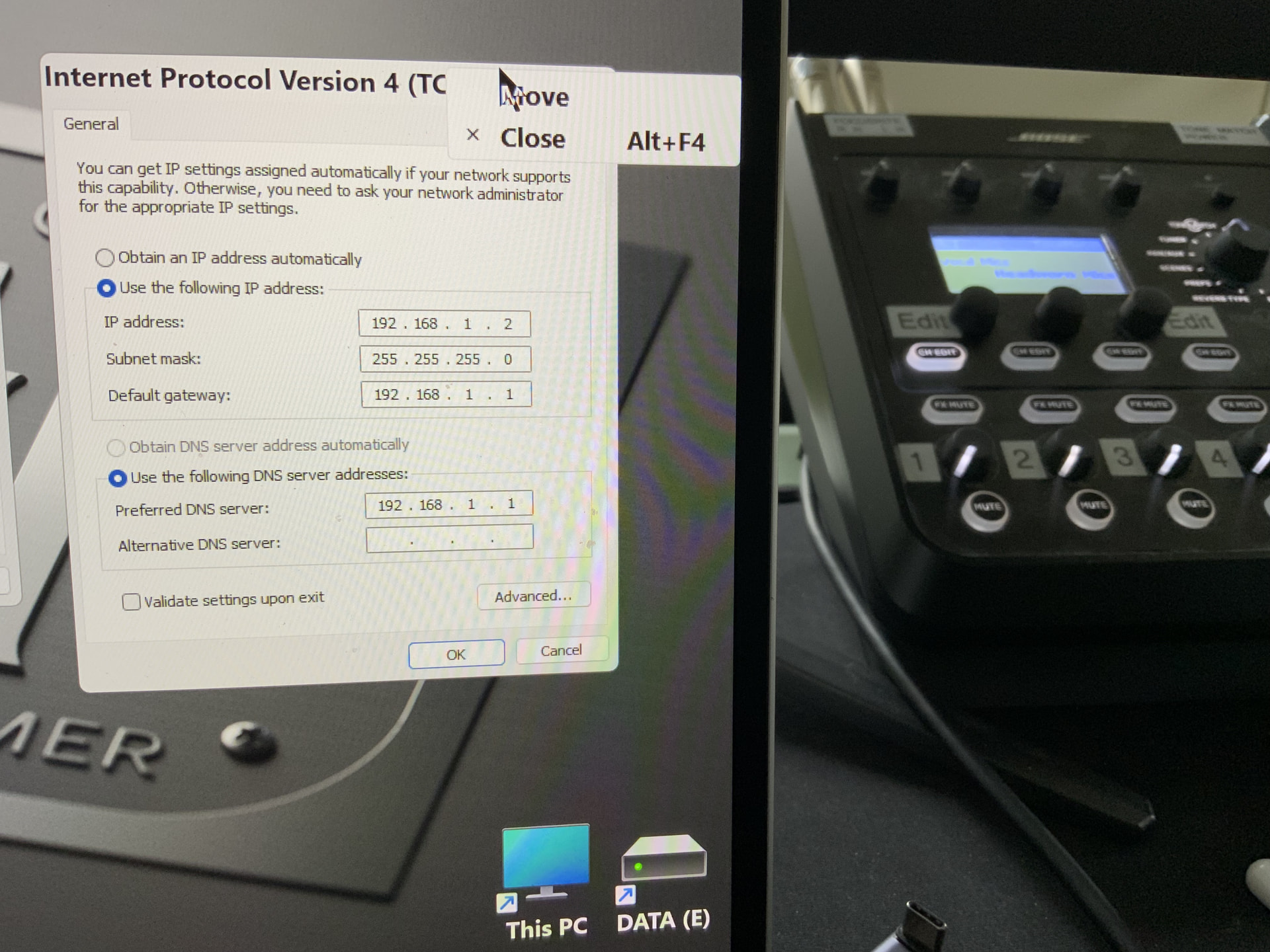
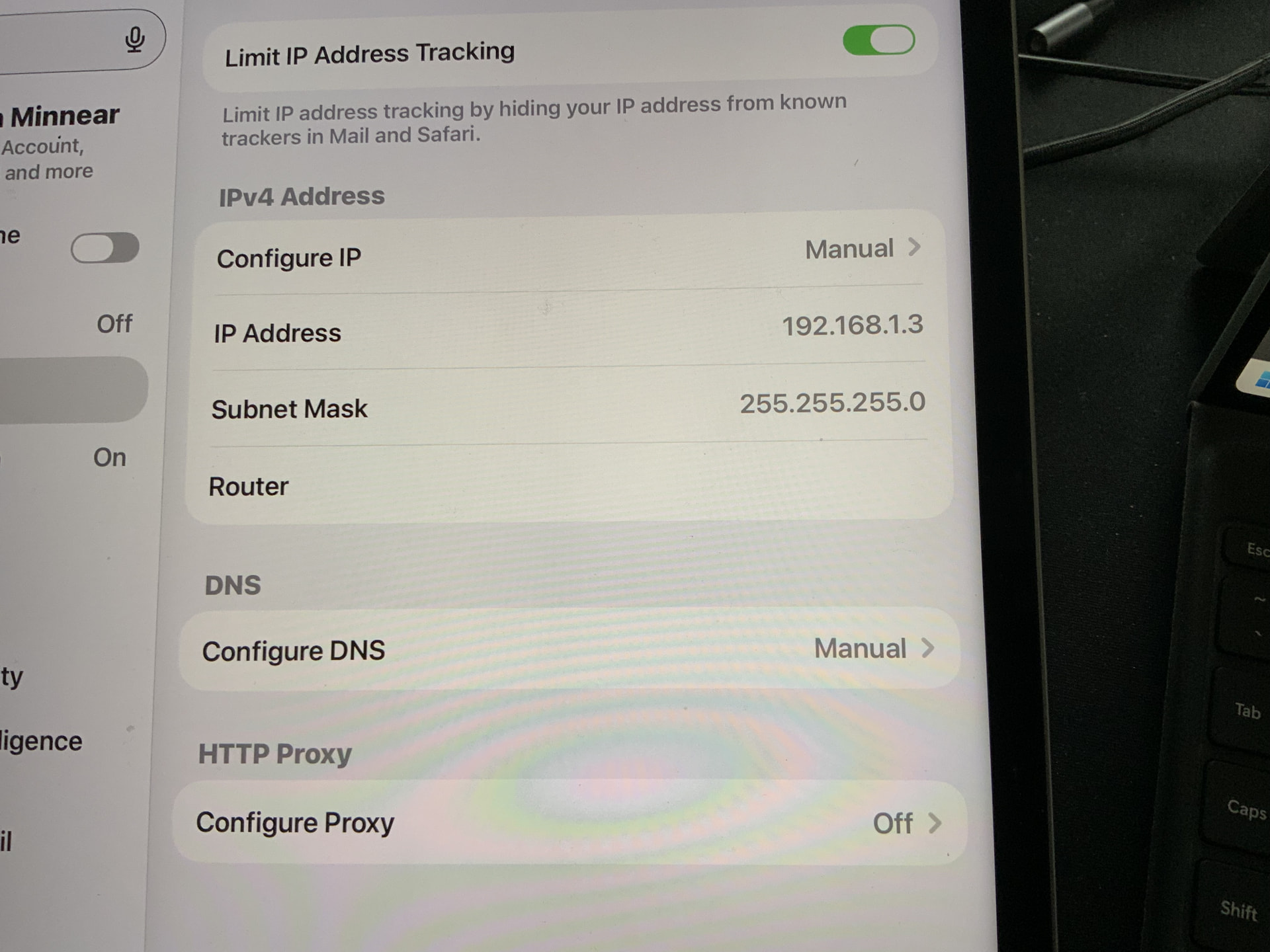
Are you still using fixed IP or did you go back to DHCP. Remember, depending on the startup sequence, if you are using DHCP. If your DHCP server is not working, it is possible that something is falling back to APIPA IP assignments. If it stops working again, look at the IP addresses on your devices to make sure they are on the same network.
Steve Caldwell
Bome Customer Care
Also available for paid consulting services: bome@sniz.biz
IMG_0957|666x500
Still on fixed ip. Do the settings above look ok? When you say correct net work,
How do I tell because I am using an thernet hard wired connection with an adapter at each end.
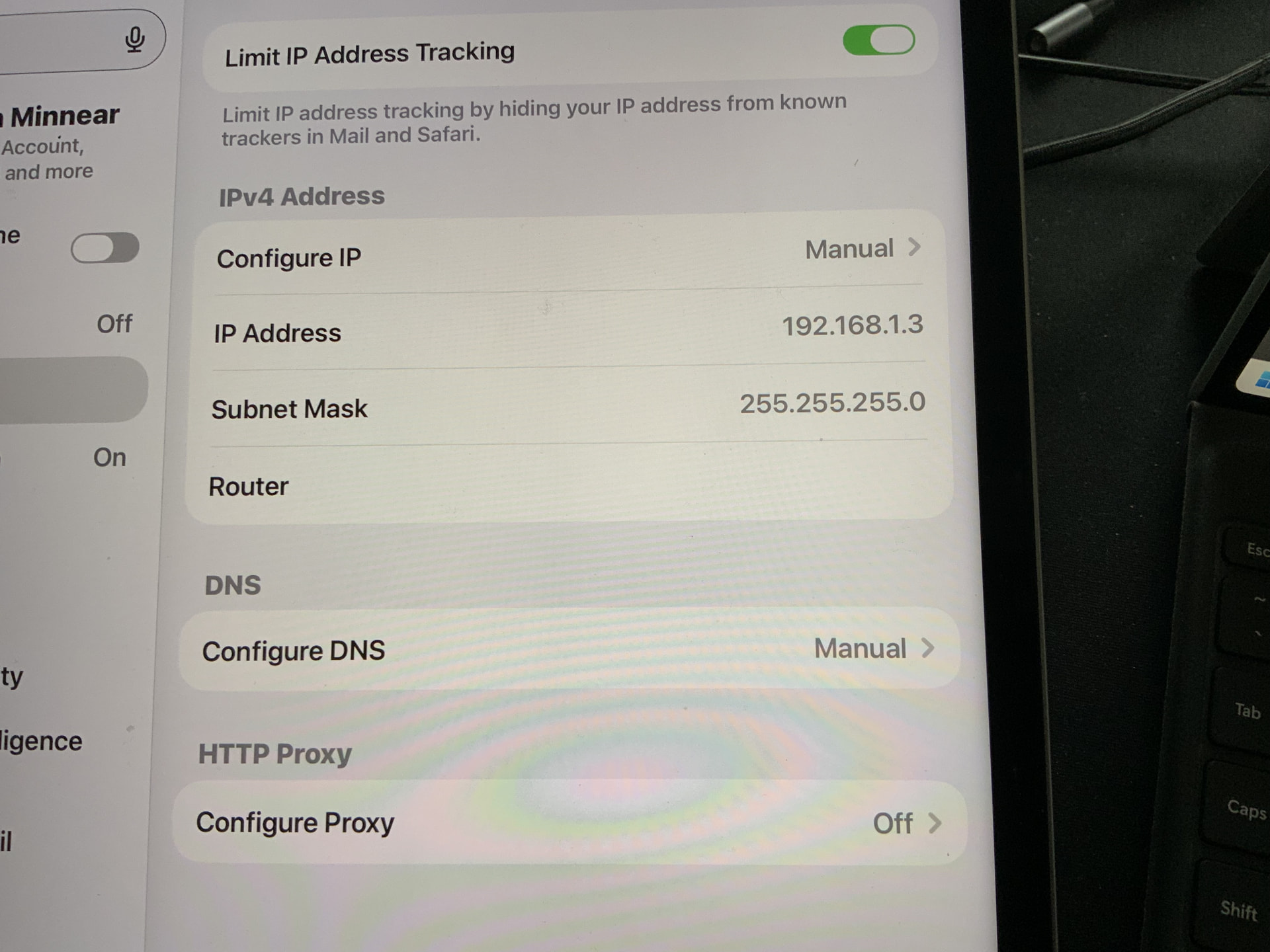
That looks good. You say they do not connect this way? If not, try turning off your firewall and see if that helps.
on your surface pro, go to the command prompt and type the following commands and show me what the return (with both your iPad and surface pro connected).
arp -a

ipconfig
Steve Caldwell
Bome Customer Care
Also available for paid consulting services: bome@sniz.biz
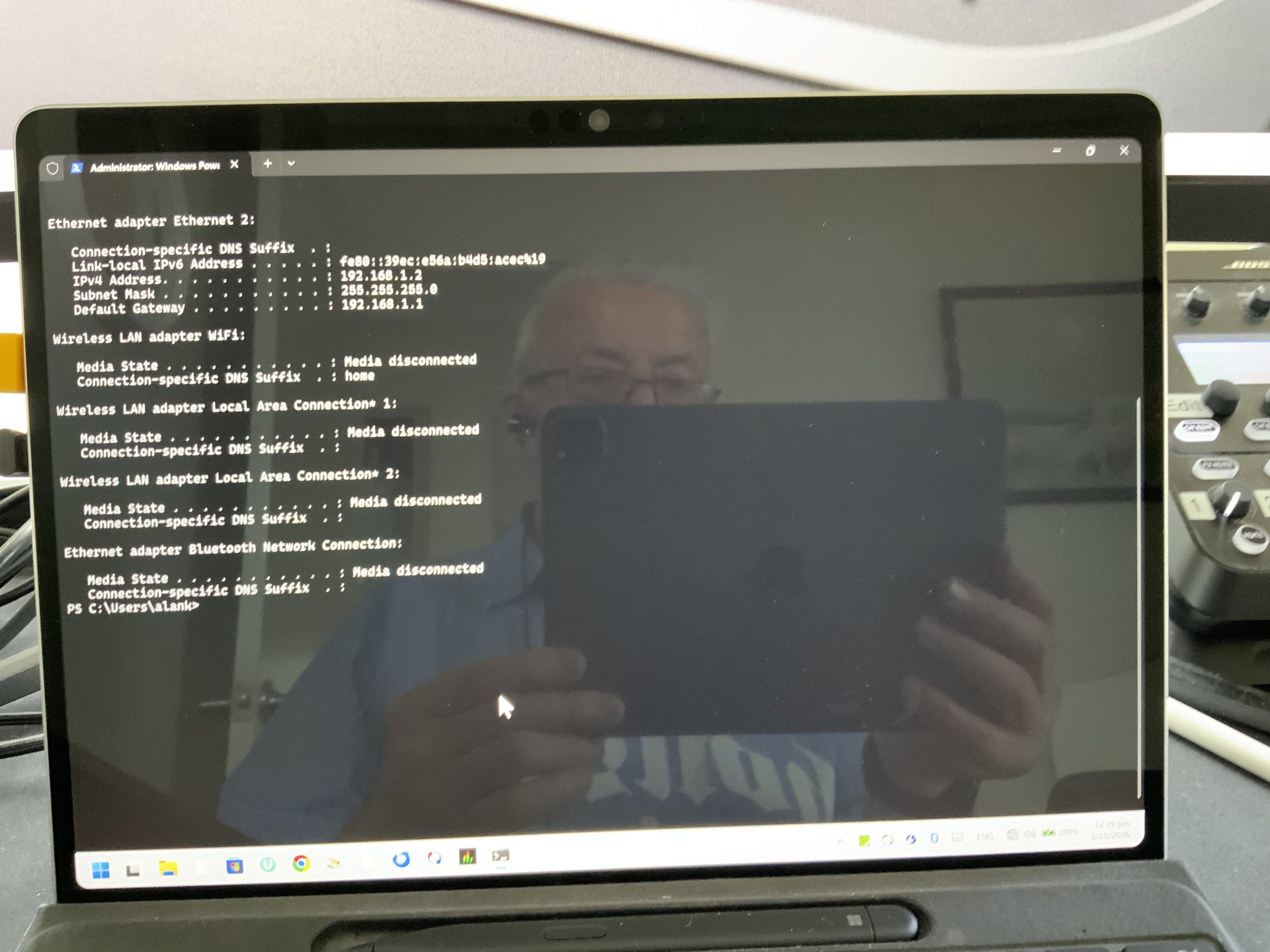
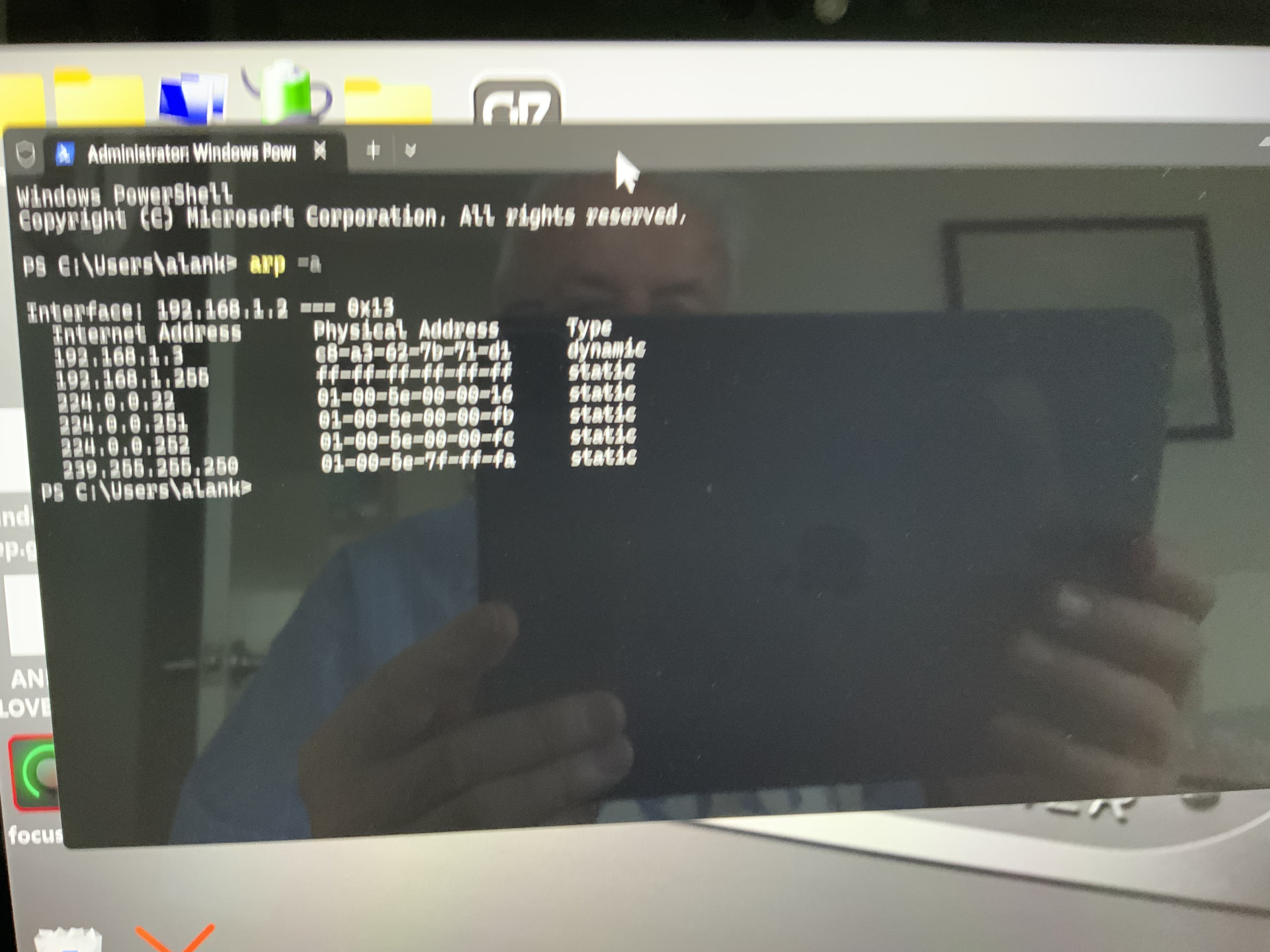
Yes, it is quite a mystery why it works sometimes and doesn’t at others.
Steve Caldwell
Bome Customer Care
Also available for paid consulting services: bome@sniz.biz