A happy Christmas to all.
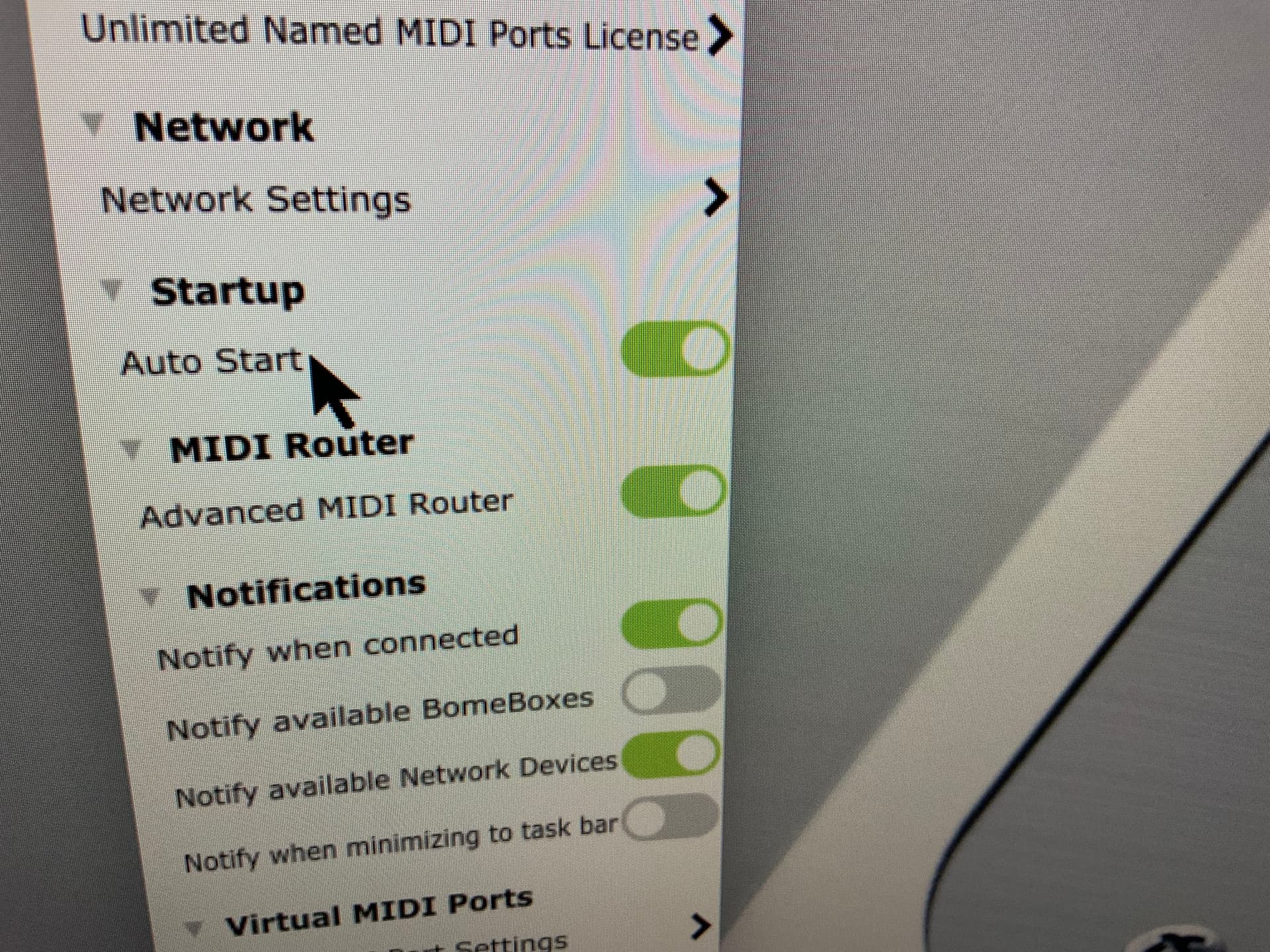
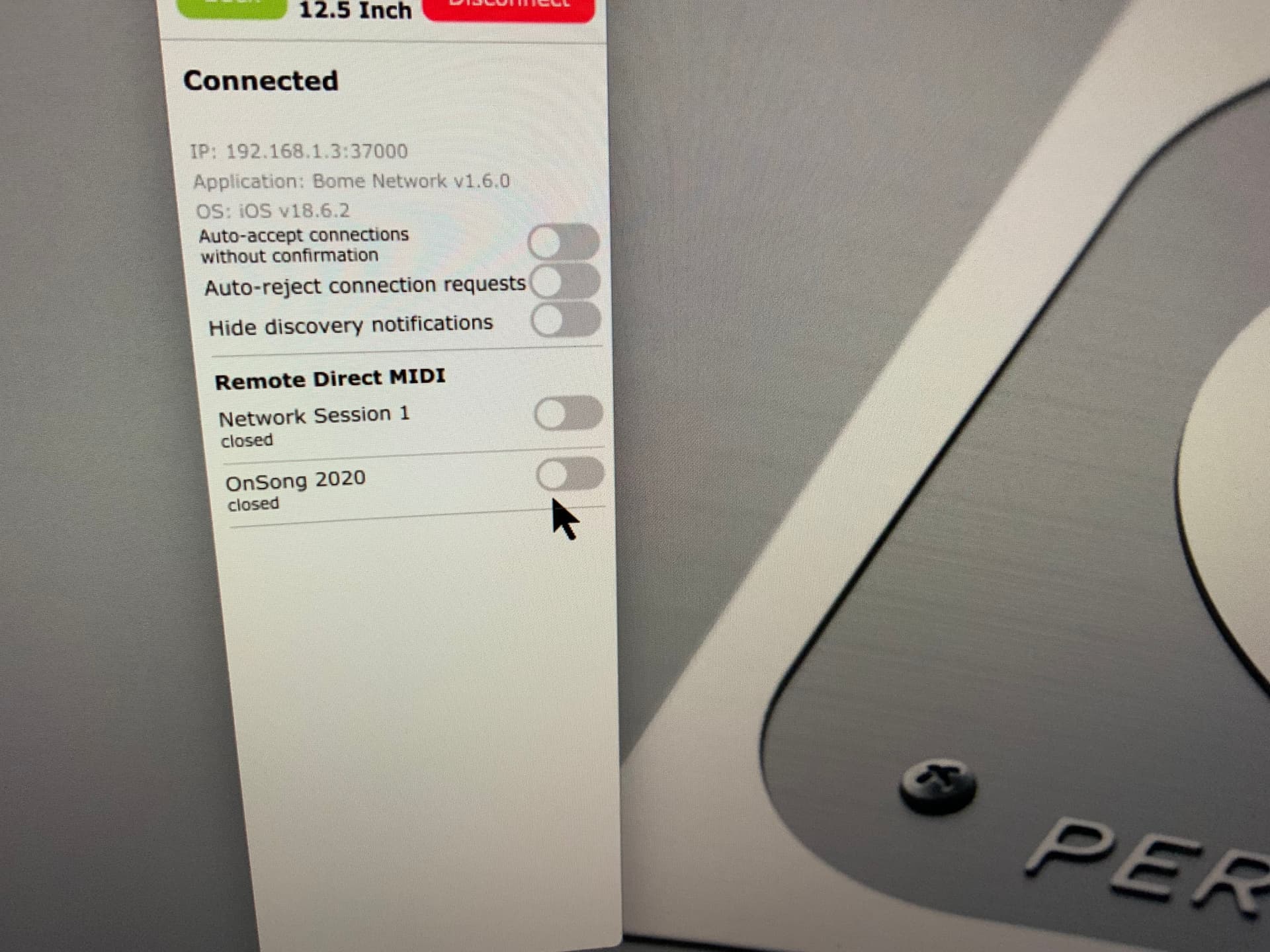
After a long time of many trials, I only have one problem left regarding my iPad to PC connection via Bome Network which is running on both devices. Why will connection not take place automatically (see pics below)?
Why does Bome Network not load on startup when all the settings say that it should? The same old problem holds me up and I find myself rebooting devices, and unplugging cable etc etc. Finally I can get a connection sometimes after many minutes. If auto load would only work correctly and run Bome NW on startup, I’m sure things would be quicker. Any advice and a possible solution please?
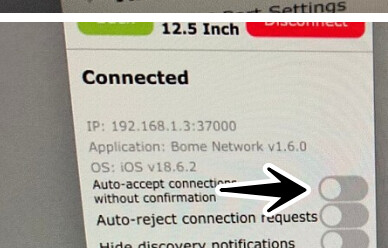
Please turn on Auto Accept Connection Requests. Then when you open up Bome Network on your iPad, the connection request should be discovered and the systems connected.
Everytime I boot up, the ‘Auto accept without conformation’ is always turned off. I cannot get it to remember to stay turned on. Why will it not stay turned on? Is there a script that will make it stay permanently turned on?
*Can you post ss of how both ends should be set please.
*Yes, on 1.6 at both ends.
*Is there a new version of BNW on the way, and will it make connections
easier and simpler?
I’m running a beta version so I can’t show you exactly but if you have both to Auto Accept Connections and have the discovery port at 37000 that should do it. I’m not aware of any issues with Auto Accept turning inself off. I know older versions of Bome Network, occassionally had some issues, especially if both ends were trying to initiate a connection at the same time but AFAIK, these issues were all cleaned up with 1.6.0.
As far as new versions, I think it will be soon but I cannot make that commitment. For beta versions of Bome Network on iOS, it is difficult to set up and unless we can narrow down the reason you are having issues, I don’t thing the effort will be benificial. I would suggest, you try re-installing Bome Network on your iOS device. What version of iOS are you running. I’ll see if I can compare with what I am incase iOS version itself broke something.
Steve Caldwell
Bome Customer Care
Also available for paid consulting services: bome@sniz.biz
Thanks for the reply Steve.
I’ve just realised after all this time since first setting up with your technical help, that this non-connection issue between iPad and Surface Pro has been the cause of most of the problems when I have been out gigging. The number of times that I have setup the gear only to find that I cannot get the two devices to see each other and make the connection, I have run out of fingers and toes to number on. As I said at the start, this is the last major issue that I am dealing with.
The switch to Ethernet just recently was an attempt to obtain automatic, non wireless inference connection. Surely I should be able to just switch devices on while I am setting up other stuff, and then just expect a connection when I need it. Instead I have to muck around restarting, pulling cables etc,etc to get a connection. My computer is running a fresh rebuild and the iPad is up to date. What else can I do or need to do to obtain connection nirvana?
I’ve done more testing and I can confirm that 1.6.0 is 100% stable so there must be something else in your network configuration that is broken.
I know that you use 2 partions, ‘performance’ and ‘home’ and that the performance partition uses fixed IP and the home partition uses DHCP. I suspect something else is in play here when you switch partitions.
I’m happy to set up a call with you if you need as part of paid services. I think that if you take your time and think it through, you might be able to figure this out on your own, but I’m here if you need help.
Steve Caldwell
Bome Customer Care
Also available for paid consulting services: bome@sniz.biz