I’m having trouble automating the mute/unmute functions on my Allen & Heath SQ-5 console with Logic Pro.
The Allen & Heath ‘MIDI Control’ application (CC > NRPN translator) allows me to do this with MIDI notes.
Everything works fine if Logic plays the sequence from the first bar to the last,
but when I try to start playback in the middle of the sequence, regardless of where I start,
the console’s mute settings don’t update as they should at that point.
In rehearsals, it’s crucial to be able to resume my automation regardless of the part of the song I’m working on.
In Logic, I can only achieve this with Automation, not with MIDI notes.
That’s why I’m asking if Bome MIDI Translator can convert any Logic CC parameter
to mute/unmute the Allen & Heath SQ channels?
Ideally, I’d like to be able to use an ‘External MIDI Instrument’ from Logic
to control a SQ channel,
because automating mutes is easier than on a ‘MIDI Instrument’ track (which only sends CCs, notes, and MIDI Commands).
Furthermore, ‘External MIDI Instruments’ have Aux Sends, whereas a simple MIDI instrument does not.
I would need to control the faders and mutes of the Soundtrack
across 48 channels + 12 Aux or Groups + 8 FX returns .
The project file I created last year should get you started. It doesn’t have all faders or mutes but enough that you should be able to use and modify the existing translators for each control that you need.
You would use this with Bome MIDI Translator Pro and if you want network connectivity to your SQ5, you could purchase a BomeBox which support the Allen&Heath network protocol.
The translators convert CC message to NRPN MIDI messages that the Allen & Heath needs. I suppose you could also put it through Allen and Heath MIDI control.
Yes, you can use any incoming message that you would like. You simply capture the message using the capture box. Various messages within the capture box will be shown and then you select the message you want to be put in the the translator incoming trigger by double clicking it. That message then get transferred into the incoming trigger. Alternatley you can hand type your desired trigger in the incoming section.
Steve Caldwell
Bome Customer Care
Also available for paid consulting services: bome@sniz.biz
OK, and will it be possible to use, for example, CC#1 to mute and unmute the SQ’s channel 1, with values 127 and 0, to have automation on a single Logic track?
Yes, is your mute button on your controller momentary or toggle. If momentary it would set a value of 127 on push and 0 on release. If toggle, it would alternate between 127 and one each time you push it.
Steve Caldwell
Bome Customer Care
Also available for paid consulting services: bome@sniz.biz
I only use my Logic DAW to control the SQ mixer (which I still don’t have on hand; I haven’t yet done any real testing to see if the console responds to automation).
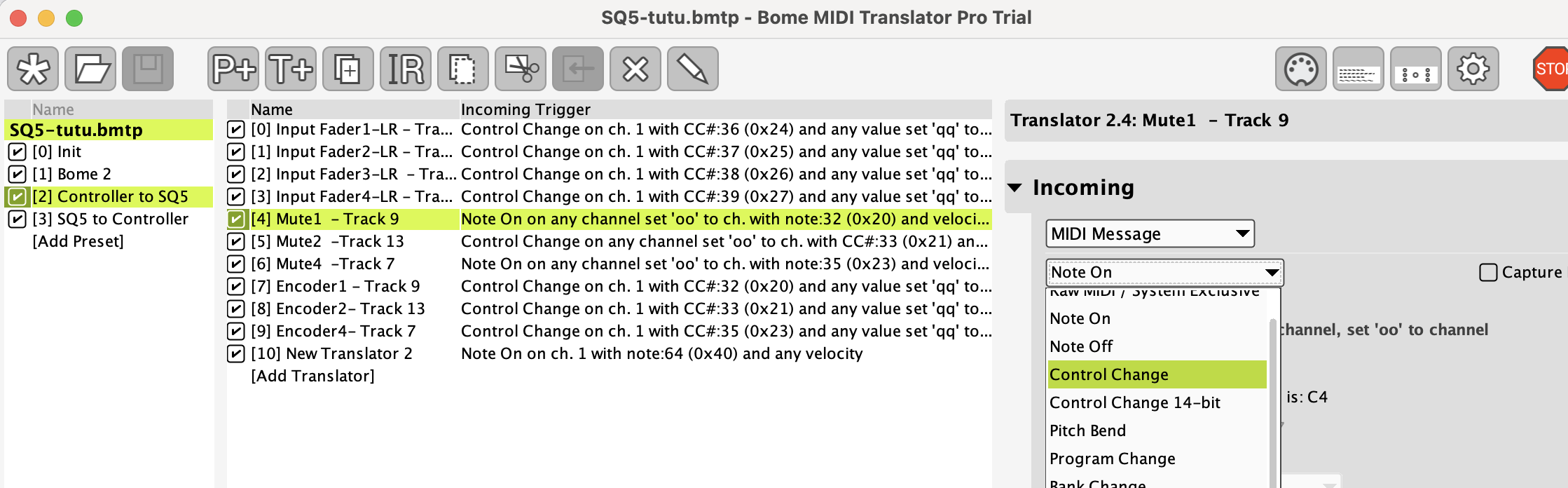
In this simulation, CC#21 should control the Mute/Unmute (by value 0/127) of an SQ channel, and CC#79 its Volume fader:
In order to have enough Control Changes to control everything (mix, main, FX returns, AUX sends, Groups…), I created a second Bome Virtual MIDI Port, so will I be able to control 254 different parameters (2x127)?
There are some CC# that may be reserved for special MIDI functions but yes, we can send MIDI to selected ports so for 2 virtual ports you could have the same CC message and MIDI CH to control two different parameters. Also MIDI has 16 channels so you would be ablue to multiply this all again by 16 and use various MIDI channels on the same MIDI port.
Steve Caldwell
Bome Customer Care
Also available for paid consulting services: bome@sniz.biz
Thanks Steve.
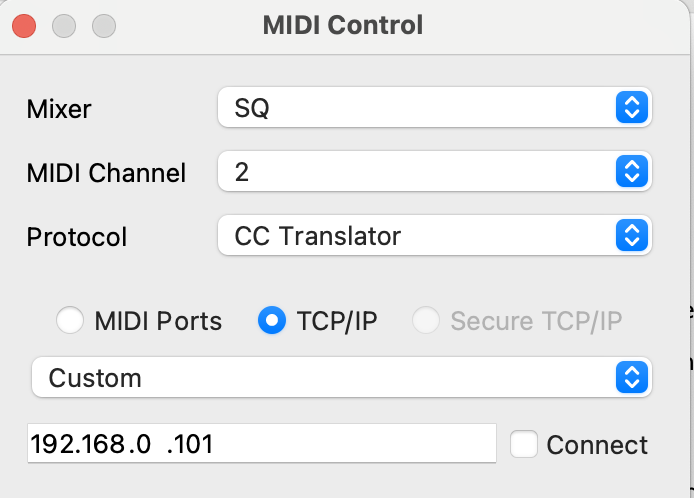
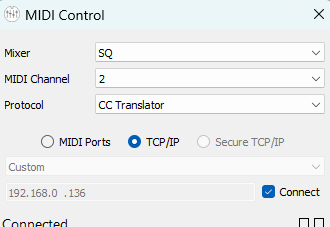
”A&H MIDI Control” allows communication between my MacBook and SQ-5 via TCP/IP.
I can’t find where to enter my console’s IP address in Bome Translator. If network communication isn’t possible, what other methods are available? (USB?)
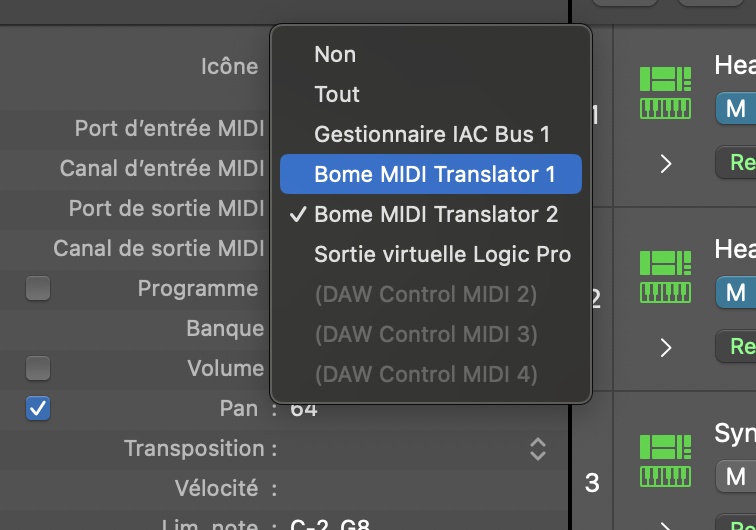
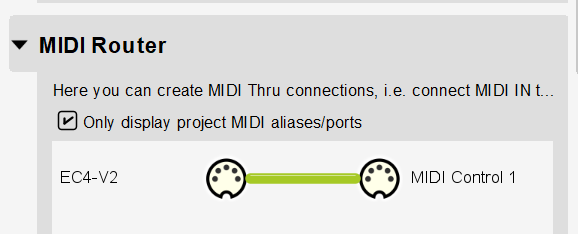
Hi, MIDI Control should create new ports called “MIDI Control 1” (both input and output) in which you can use Bome MIDI Translator Pro to comminicate with from whatever device or application you are connecting with.
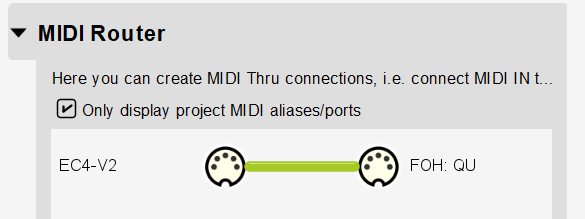
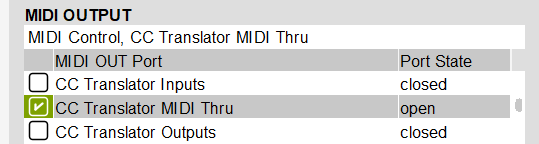
There are also settings there for doing MIDI message conversion and if you wish to use Bome MIDI Translator Pro for conversion instead, you set MIDI Control to “MIDI Thru” as shown below. (except I’m connecting to a QU).
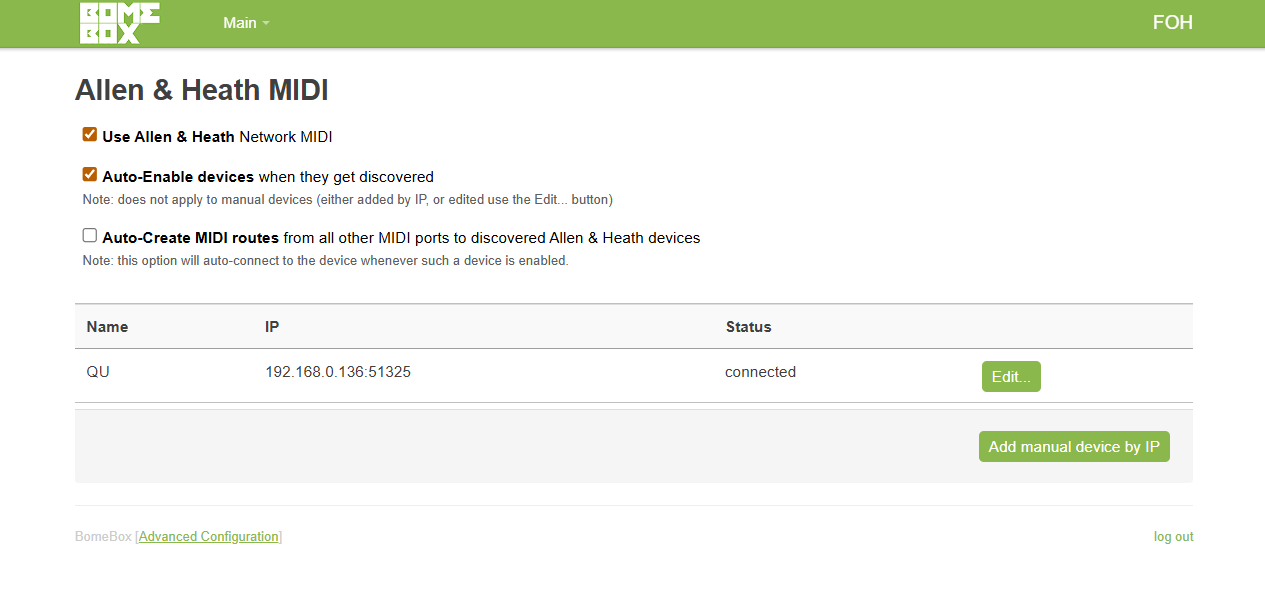
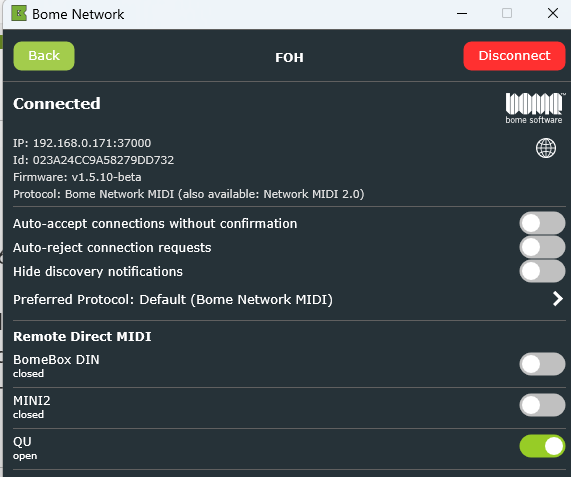
Alternately, if you don’t want to use a computer, you can purchase a BomeBox which supports the Allen&Heath network protoco. You connect to BomeBox useing Bome Network and turn on the Allen & Heath options there. Then BomeBox should discover it and connect to it.
Here is what my QU (simuated) looks like on BomeBox with Allen&Heath enabled.
Bome MIDI Translator Pro does not replace MIDI Control but it can augment it or replace the MIDI translation portion if needed. Is there a reason that you don’t want to use MIDI Control? Bome MIDI Translator Pro does not have any networking built in. It is a translator that can interact with local MIDI devices. We rely on the networking protocols available on the host system to expose the MIDI ports as local MIDI port.
Bome Network allows you to send MIDI over the network using Bome’s Network Protocol. Originally we looked into using rtp-MIDI but it didn’t meet the needs of our users. Bome Network is more auto configurable.
With all this said, an upcoming version of the Bome Network tool is coming that will allow the MIDI 2.0 networking protocol which I believe will be supported by most OS’s. In addition, I hear the Microsoft will implement MIDI 2.0 networking soon.
We added the Allen&Heath network MIDI protocol to BomeBox at their request but it is not built into Bome Network. I believe this was based on user requests to use their mixers without the need of a computer.
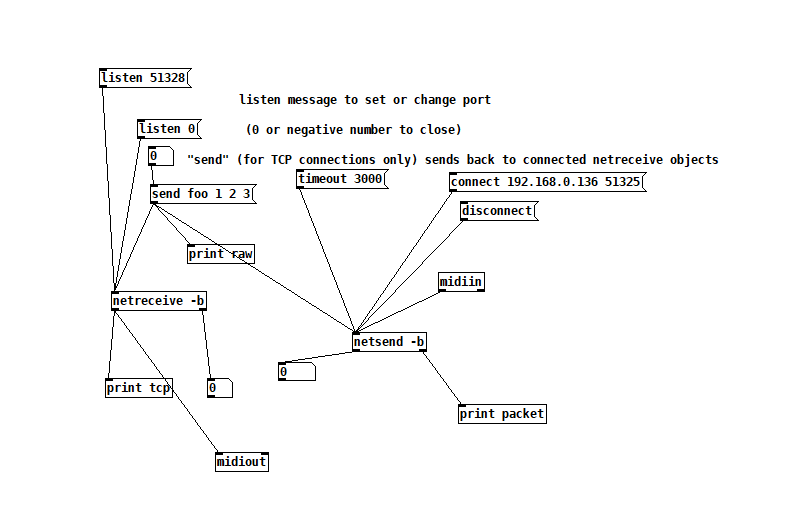
I’ve also been successful in using PureData to handle the Allen&Heath networking portion, although it does not do device discovery. Here is an example of working configuration that I tested with a little bit of debugging built in. I’m not sure what it will buy you over using “MIDI Control” though. It just sends simple raw MIDI TCP/IP packets.
Note that Bome Network is free between computers and BomeBoxes however an upgrade to Bome Network Pro is required for it to communicate with non BomeBox devices.
I hope this clarifies things!
Steve Caldwell
Bome Customer Care
Also available for paid consulting services: bome@sniz.biz
I would like to use Bome Translator to automate only the channel mutes,
but according to what you said earlier, the protocol would need to be set to ‘MIDI Thru’ to use Bome Translator?
Yes, it should work but the port names exposed will be different from MIDI Control. It looks like they expose 3 input and 3 output ports. I’m not sure how they should be used but you can ask them or many read the manual for MICI Control.