Hi - finally got all elements of my somewhat random project working, only to find the device I’m driving via the Bome box is being overwhelmed by every message from every step of the fader travel. Is there a sensible way to effectively filter messages when a fader is stepping quickly? In other words go 1, 5, 10 etc instead of 1, 2, 3, 4, 5 etc.
Hi,
Please see the attached example.
Translator 1.0 captures the fader input on channel oo with CC pp and value qq.
The value of ga is populated with the value and then a 50 ms timer is set passing the parameters of oo an pp to the timer called “Send Fader Value”.
When the timer triggers after 50ms of not moving the fader, the value is sent by translator 1.1.
You may need to play with the 50ms output timer value to get the effect that you want. As long as the fader is moving before the timeout value, nothing will be sent.
I have my aliases set as follows:
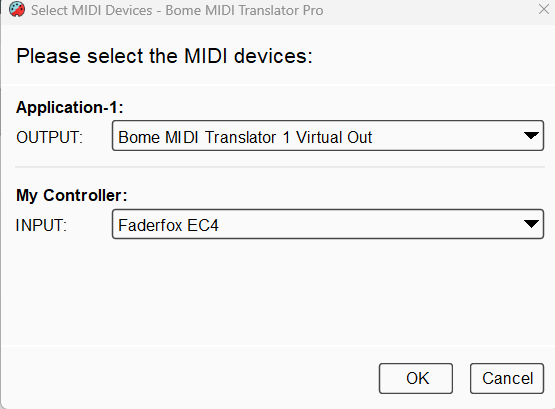
You can learn more about aliases from [this tutorial](https://youtu.be/CrE391VJL0s).
fader-delay-2026-08-14.bmtp (2.5 KB)
Steve Caldwell
Bome Customer Care
Also available for paid consulting services: bome@sniz.biz
Finally getting the chance to read and understand this. I think what I want to create are two timers then:-
- A timer that runs every 100ms, triggered on fader movement start, that takes the most recent value of the current fader position and forwards it to the BomeBox.
- A final position fader read timer that triggers 50ms after the fader stops moving, to ensure the last position is forwarded and the 100ms timer is killed.
Does that sound feasible? Will start giving it a play…
M
Actually - I think I can do this even more elegantly.
A timer start on fader touch, stop on release.
Cache the value of fader on fader move.
Send the value to BomeBox on timer active - so I effectively only sample the timer at the maximum update rate of the box I’m driving:-

Oh, I didn’t know you had capacitive touch sensitive faders. Yes, something like that should work.
Steve Caldwell
Bome Customer Care
Also available for paid consulting services: bome@sniz.biz
Two small guards worth adding to the touch-gated version, learned the annoying way. First, have the timer only send when the cached value actually differs from the value you last sent, otherwise a held-but-still fader keeps re-sending the same number at your tick rate and you are back to flooding the device for no reason. Second, treat the touch-off as a chance to flush: on release, send the cached value once unconditionally, since the very last movement before you let go is often the one that never made it out. It is also worth having a watchdog that stops the repeating timer after a second or two of no movement, because a missed touch-off message otherwise leaves it running forever.
Very cool tips; I’d wondered about adding similar but was going to see what performance was like. Have put something in to cover. Re the watchdog - how have you approached that? I can see the value but don’t want the watchdog process killing a second valid movement of the fader…
Great tips @helen.marsh , and welcome to the Bome Community!
Steve Caldwell
Bome Customer Care
Also available for paid consulting services: bome@sniz.biz
The trick that stopped mine from eating valid movements is that the watchdog is not a fixed countdown from touch-on, it is an idle timer that gets restarted on every single touch-move. Concretely: every incoming move handler does two things, cache the new value and then re-arm a one-shot timer at about 250ms (I settled between 200 and 300ms; below that a slow crawl on the fader trips it, above that the sender lingers too long). If that one-shot ever actually fires, it means no move arrived for a quarter second, so it kills the repeating sender and clears the ‘we are in a gesture’ flag. Because the timer keeps being pushed forward while you are moving, a second valid movement can never be cut off - it just resets the clock again, and a new move after the kill simply starts a fresh gesture.
On top of that I keep a hard max-age: a timestamp stored when the gesture starts, and if the repeating sender ever notices it has been alive longer than a few seconds it shuts itself down regardless. That is purely a seatbelt for the case where both the touch-off and the idle timer get lost, which is rare but leaves you with a timer running forever if nothing catches it. The idle timer does the real work day to day; the max-age has only ever fired on me when I unplugged something mid-move.