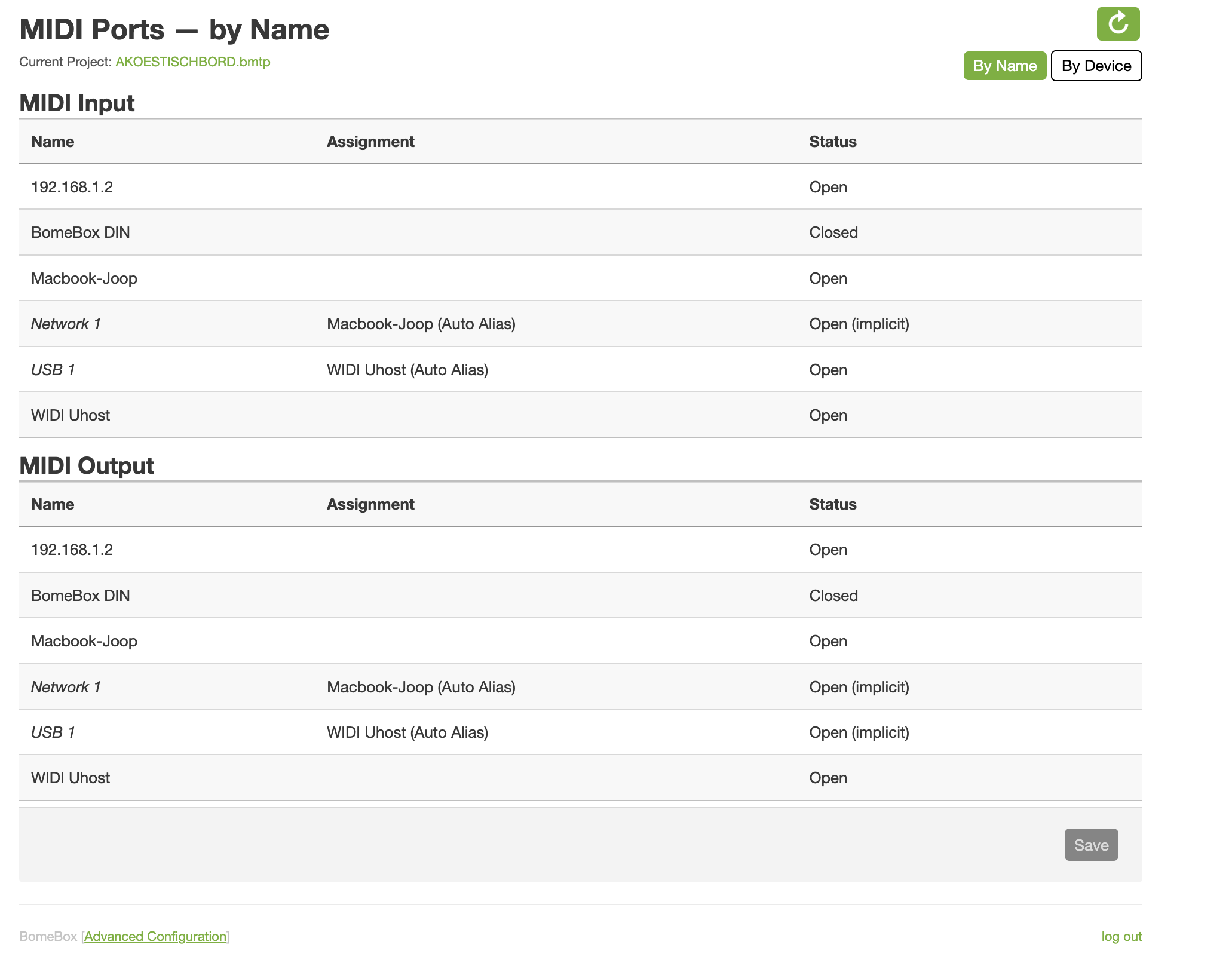
I’ve been using a bomebox for some time now. I use a translator project file loaded in the bomebox. It translates messages from a midi controller to and A&H CQ20b mixer. It also passes through messages to Gig Performer on a MacBook over the second network port. The CQ20b is also controlled from the MacBook. The bomebox usb port is used for midi input in this case.
Sometimes it just stops working, usually after some time has passed. Only remedy is to shut off everything, mixer and bomebox and let it reconnect. Then the mixer and gig performer responds as usual again. Yesterday I had to do this just before a live show and during a break.
What could I be doing wrong here? And should I consider other I/O ports of the Bomebox ?
I’m using v1.5.4 firmware.
The CQ automatically connects to a fixed IP: 192.168.1.2
I haven’t checked if the port configuration / routing is changed after the de midi stops. The BomeBox seems to be working fine, but I’ll check tomorrow.
No midi messages are coming in when opening Bome Network app. Usually they a displayed here. Gig performer is not receiving as well. I don’t know if it has the do with sleep mode on the Mac? (Which actually should be prevented by mixing station or gig performer?)
Also , I have added a 2 presets (the last 2 .. “accordion to mon 1 / 2”) that outputs a mirrored message from the input. That’s because strangely the presets swallowed the incoming message even when unselecting the option. This only occurs when I’m using the file loaded into the BomeBox. Not when I’m using the translator app with virtual ports on the computer.
Swallow only works on MIDI thru paths and you you have to outputs selected for this preset. 192.168.1.2 and Mackbook-Joop. So you are only swallowing Mackbook Joop and not 192.168.1.2.
Your preset and translators are set up to go to both ports (The project default ports).
You might want to change the output ports on the translators that you want you use for monitoring.
I assume that Gig Performer is running on your Mac.
The good new is you are running the lated firmware and the CQ is being automatically detected. If MIDI is neither coming into your Mac or your CQ, then something must be messed up between your connection and your BomeBox. Maybe a flakey USB connection. The BomeBox should recognize USB devices automatically when connected.
If you are still getting messages to your CQ but not to your Mac, then maybe a Bome Network connection error of sorts. It is important to try and figure out where the connections are broken.
Also, how are you powering your BomeBox. I flakey or marginal power support could potentiall cause issue. I always recommend POE since it has a locking connector and POE power is usually more stable.
Steve Caldwell
Bome Customer Care
Also available for paid consulting services: bome@sniz.biz
For more information about device selection, see this tutorial.
Hey, I could only reproduce the issue once (partially). This time the midi to the CQ20b stopped working and to the computer (gig performer) kept working fine.. This would indicate the network port is still working. However, I rememberer the incoming messages not displaying on the computer as well.
I’ll try to leave the setup for a few times today, untill the issue comes up again.
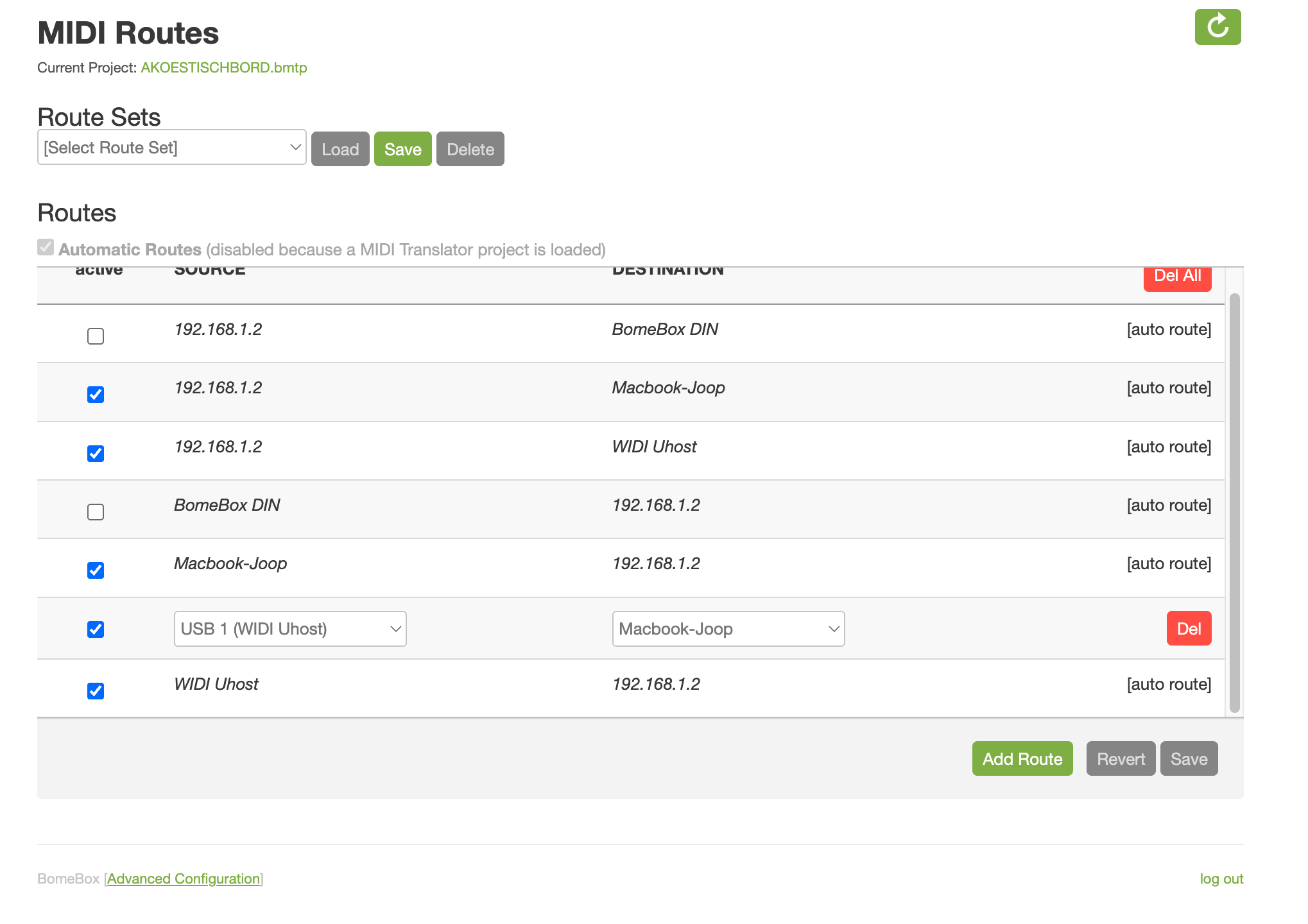
I’d like the swallow midi function not to work. These messages should be passed through. I have the routing as in the uploaded picture. But I guess I’ll have to define these separately in the translator project. This way the pass through the incoming midi messages as well as the translated ones?
I’m using PoE with the suggested PoE injector on the sites FAQ.
The routing of a project file will override the routing of the BomeBox when the project is loaded. I would turn autoroutes off and let the project prevail otherwise MIDI thru messages will go to any attached output ports from all attached input ports.
MIDI thru will only happen if there is a MIDI thru route.
Swallow on a given MIDI thru route will only work if:
The outgoing action completes
or
The outgoing action equals NONE
MIDI thru routes are defined at the project level, however you can add/delete, or enable/disable thru routes with the outgoing action of translators.
If your intent is to pass through messages then make sure the thru routes are set and swallow is not set in the translator. The routing of the translator output is defined at either the project level, the preset level (overrides project level), or the translator level (overrides project and preset level).
If you intent is to block the MIDI thru route in a translator make sure the conditions are set as outlined above. In some cases you might need a “blocking” translator that has the desired incoming trigger and out outgoing action of none. To prevent other translators from acting on the same incoming message, you put the blocking translator first and then also use the “stop processing” option so that translators further down the list do not execute.
I hope this helps!
Steve Caldwell
Bome Customer Care
Also available for paid consulting services: bome@sniz.biz
Thanks for your advice. I’ll make the suggested adjustments. In the meantime everything worked perfect. No dropouts after long break / sleep mode / or disconnect/ re-connect. Hopefully it stays this way.. Maybe a cable is malfunctioning, so I’ll try that when it happens again. I’ll reach out if the problem re-occurs.