In Bome midi translator pro, in log window, there are filters for in/out/rules…
But is there a source (port) filter?
How to see what is going on a certain port only?
Thanks!
In Bome midi translator pro, in log window, there are filters for in/out/rules…
But is there a source (port) filter?
How to see what is going on a certain port only?
Thanks!
Hi, and welcome back!
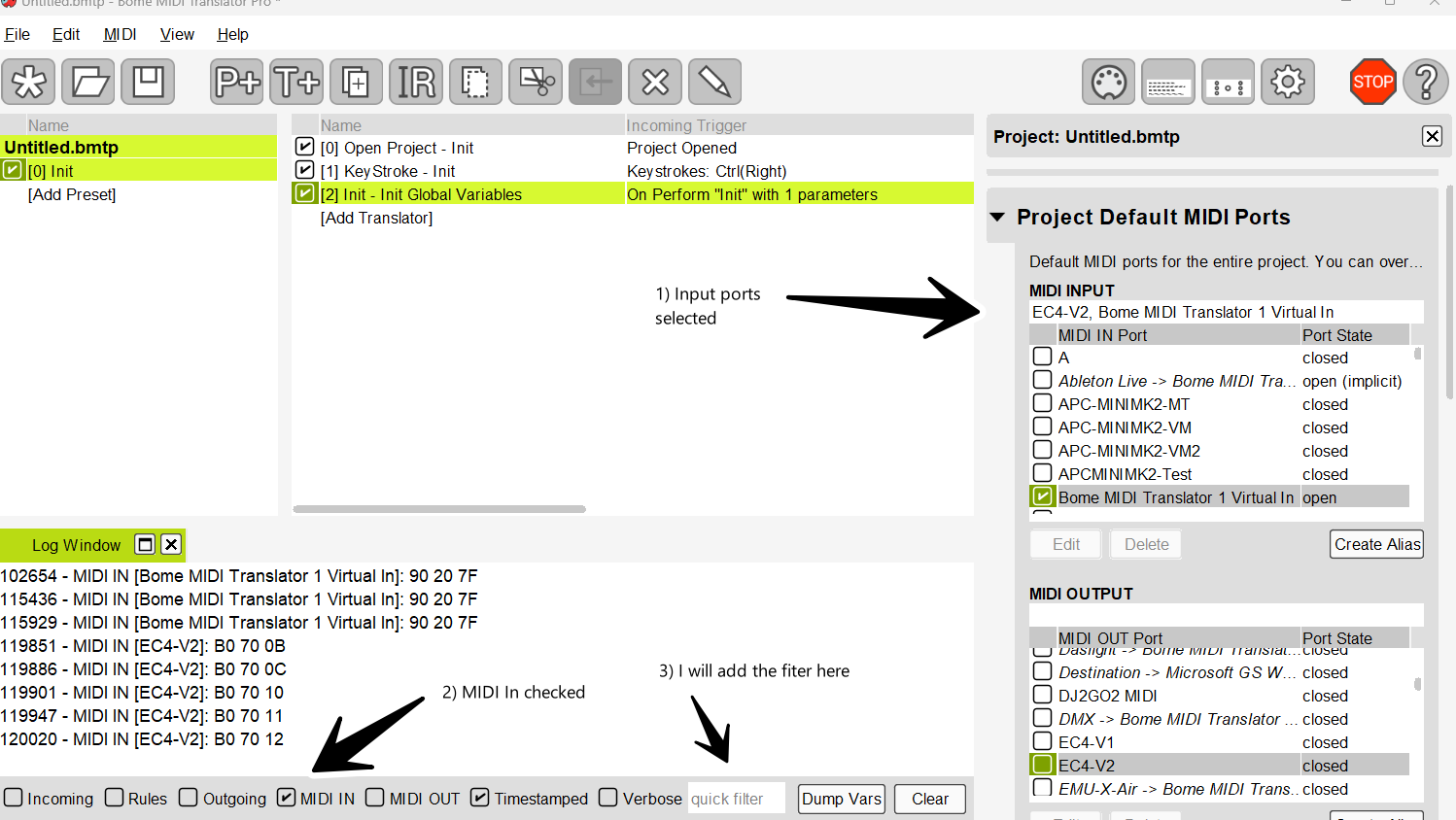
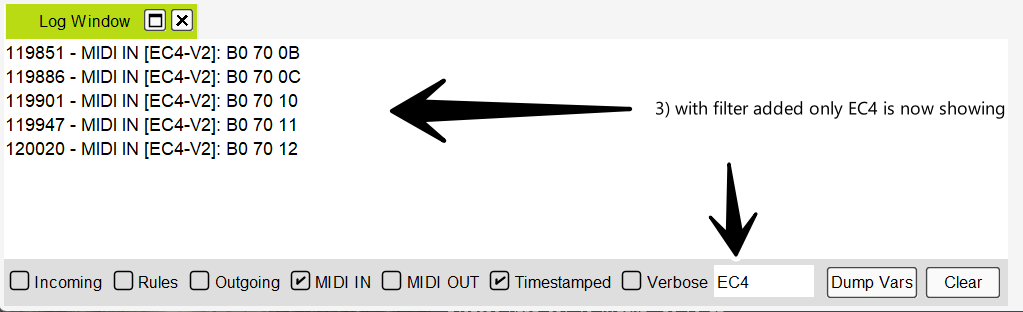
If you want to only monitor in the log window a given MIDI port, you can use a unique port match string in the filter box.
To monitor a given input.
Now if you want your translators only to act on a given input port, please look at the tutorial about device selection.
For more information about device selection, see this tutorial.
Steve Caldwell
Bome Customer Care
Great!! Didn’t knew that I can type in midi port name in a filter, huge!
Thank you!