Hi, I used MT about 10yrs ago and have forgotten everything. Read the manual, but still lost.
I want to send test PC and CC to an Axe FX III via Roland UM-One cable. I haven’t succeeded yet.
What am I doing wrong? My settings:
Midi Output: Um-One
Midi Router: Bome Virtual Port 1 to Um-One
I’ve tried other settings.
By the way, didn’t there used to be a “Send” button on the interface 10 years ago? Maybe I’m not even sending MIDI. I’m toggling the checkmark by the Preset.
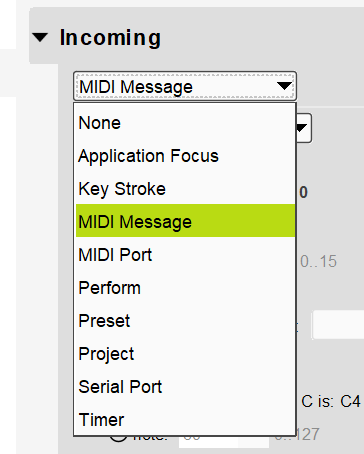
In order to send MIDI you need an incoming trigger of sorts. It can be an incoming keystroke, incoming MIDI message etc. The selected ports used for MIDI routing are valid only for MIDI thru messages (messages not handled by any translators). What is your desired trigger to send the PC or CC message? If it is a MIDI message, where is it coming from?
Thank you for the quick reply. I got it! It was your first sentence that helped. …that I needed a trigger. I feel silly. Of course. That’s why there is no “send” button on the interface.
I just wanted to do a simple test to see if I could get midi from Bome MT to external hardware at all. Success.
The goal is for an app (that plays backing tracks, shows lyrics and sends midi) on my laptop to send midi to a Midi Foot Controller (Liquid Foot ProPlus). Bome MT will allow me to test and troubleshoot a lot faster than the mentioned app. So far so good. If I run into any difficulties, I’ll write again.