Hello Steve! I apologize for resurrecting an old thread but I felt the topic here, specifically with your above quote, clearly establishes the issue as a jumping off point than if I were to start a fresh thread.
This is because like you’ve probably seen I’m one of the many who came to Bome via Will/Music Chef’s template, using his same setup logic of Port Name (src) –> Port Name (dest). I should clarify in my case I haven’t had any technical issues after following his video tutorial, and it runs smoothly.
However I ended up scrapping his template in favor of names that are easier for my brain to grasp = (send) + (recv) for each port. I also do a lot of hybrid (non-orchestral) music so I needed to create manual ports for many synths and alternative instruments I use. So I basically followed in Will’s footsteps by using the same logic but with my own naming conventions:
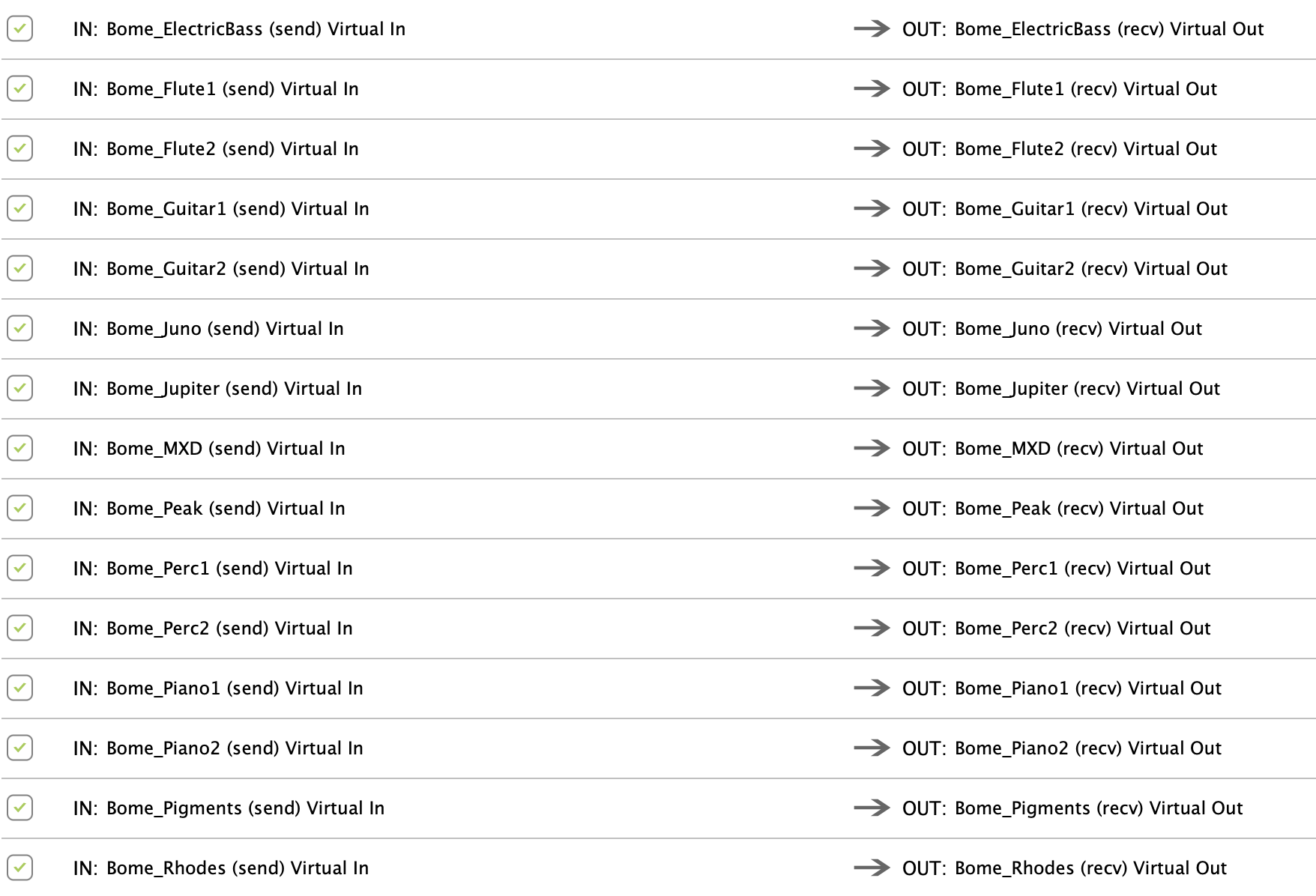
So my issue is not that it doesn’t work. Everything runs fine. However that as my setup grows I find it’s soooo tedious going through the process, and as the list of ports gets longer it increases the potential for confusion and mismatching when I route.
-
Create a new instrument port labelled ‘Instrument (send)’ (Dorico side)
-
Create another port labelled ‘Instrument (recv)’ (Cubase side)
-
Next I go into Dorico and have to uncheck BOTH ports from its midi inputs in order to avoid feedback issues.
-
Then I go into Cubase and have to first uncheck all ports from midi outs (since I’m not going out from Cubase, only in); and then I need to uncheck all ports labelled ‘(send)’ from the midi inputs, since I only need Cubase to use the ‘(recv)’ ports. I then also remove these all from showing up in the ‘All Midi Inputs’ because I don’t want any unforeseen conflicts.
-
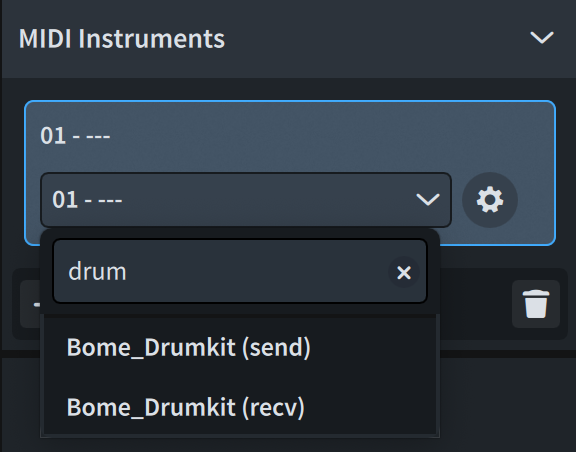
Then of course I need to do the manual routing: That I know of Dorico does not have the same menu preference as Cubase above where I can specify exactly what I want to show populated in an input list. So in Dorico, both the (send) and (recv) ports populate its midi list when I add an instrument. For example if I want to use my Drumkit port:
Fortunately they recently added a search function, because otherwise I’d have to manually scroll through a massive list! But nevertheless, with Dorico since I’m only going OUT, I do not even need to see the port named (recv), only (send). Luckily on the Cubase side for the reasons mentioned above I only see the (recv) port.
So then recently I started observing more closely how in Bome when I go to add a route, both virtual ports for each instrument (send and recv) populate the list on both sides:
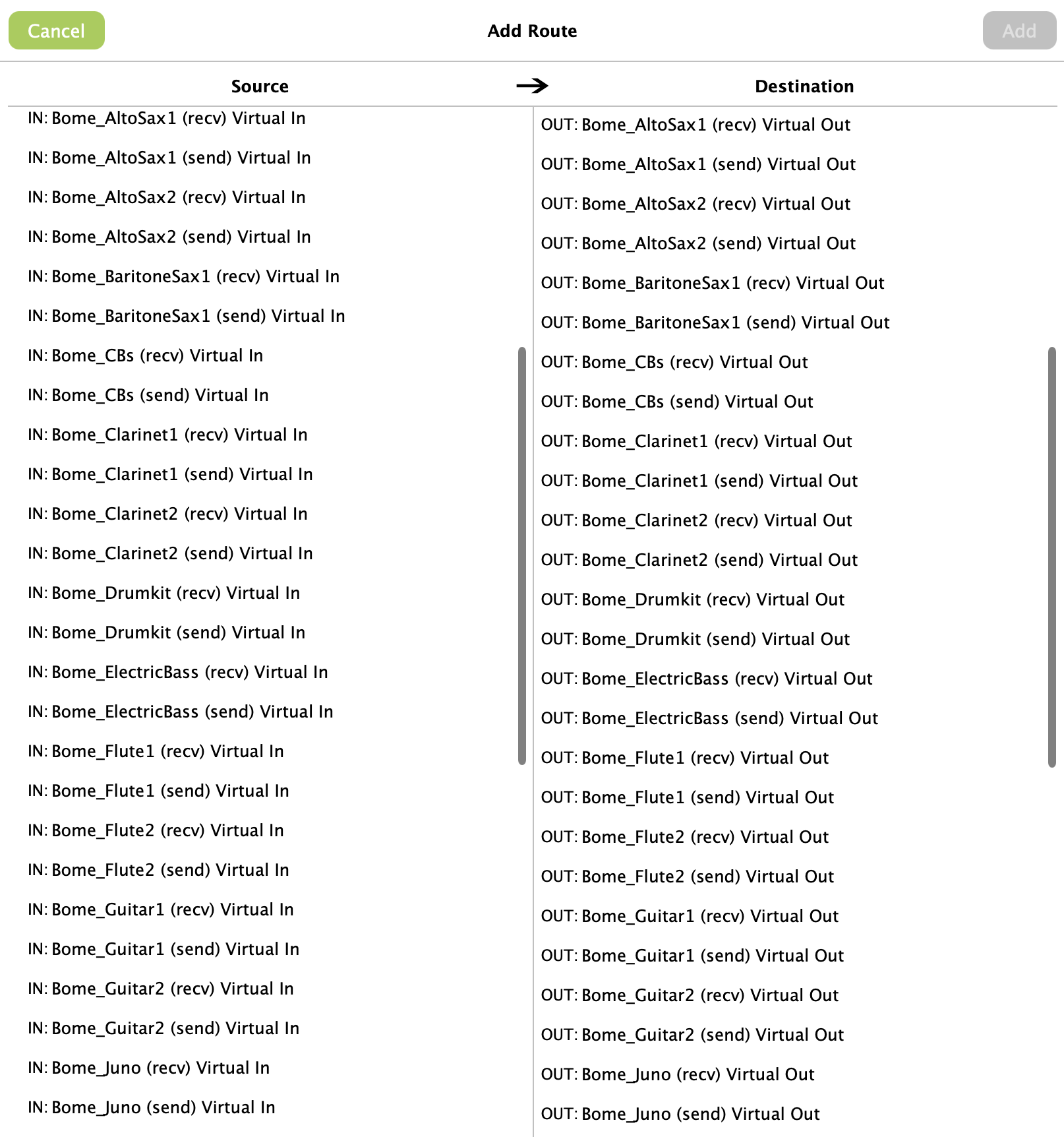
And then I noticed the labels Virtual In and Virtual Out, as well as the arrows designating the direction of the ‘signal path.’
So I thought to myself… wait a second… do I really need two ports for every instrument? Maybe I can just create one and then its more about how it’s routed. So I decided to test with a single Piano port, in an empty project:

And then in both Dorico and Cubase, I just have the one port to manage - Bome_Piano. The test was a success! No issues that I can tell.
Again to clarify I am only intending to go in one direction: Dorico to Cubase. I’ll never need to go the other way. So I just wanted to make totally sure I understood your quoted post correctly, and that I would be safe to delete all my old ports and start fresh with single port names for every instrument, thus simplifying my list in half?
To be safe I’ve exported my Bome settings as a backup but before I do a major template overhaul across all 3 programs, I want to be totally sure this is the way and I won’t run into any crazy midi issues down the line taking this approach.
Thank you!