Hi Peter,
I know this must be frustrating so I loaded VSTHost and figured it out.
In VST Host for MIDI IN Select BMT 1 - Do not select any other devices. To unselect a device press and hold control while clicking it.
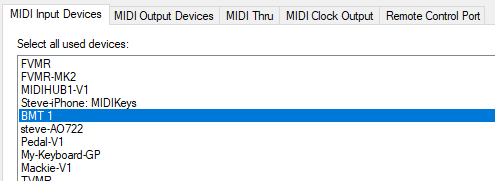
For MIDI OUT unselect all
For MIDI Thru unselect all
For MIDI Clock unselect all
Leave Remote Control Port Blank '—"
To assign a VST parameter to a plugin:
Make sure you have a path between your MIDI IN Engine and your plugin

Select the VST that you want to learn
Goto Plugin MENU as shown here
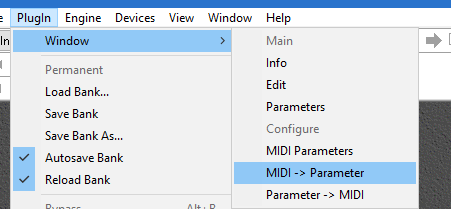
The following window should open up.
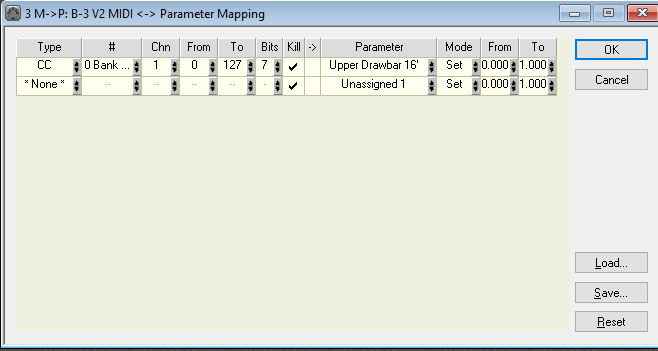
Under type, click ‘Learn’ and then move your MIDI control.
Under parameter right click and select the parameter you want it to map to.
Then click OK
In my case I set my drawbar settings from CC 0 on my incoming controller that I had set up ‘BMT 1’
I hope this helps.
If you want further assistance PM, me and I will provide you my rates and set up a Zoom call with you.
Steve Caldwell
Bome Customer Care
Also available for paid consulting services: bome@sniz.biz