Translate duplicate "all notes off" to one "note off," notes hanging as it is in DAW

Hi thanks for this translation software it is helping me get very close to fixing a problem but I’m not quite there yet, but maybe there is a solution.

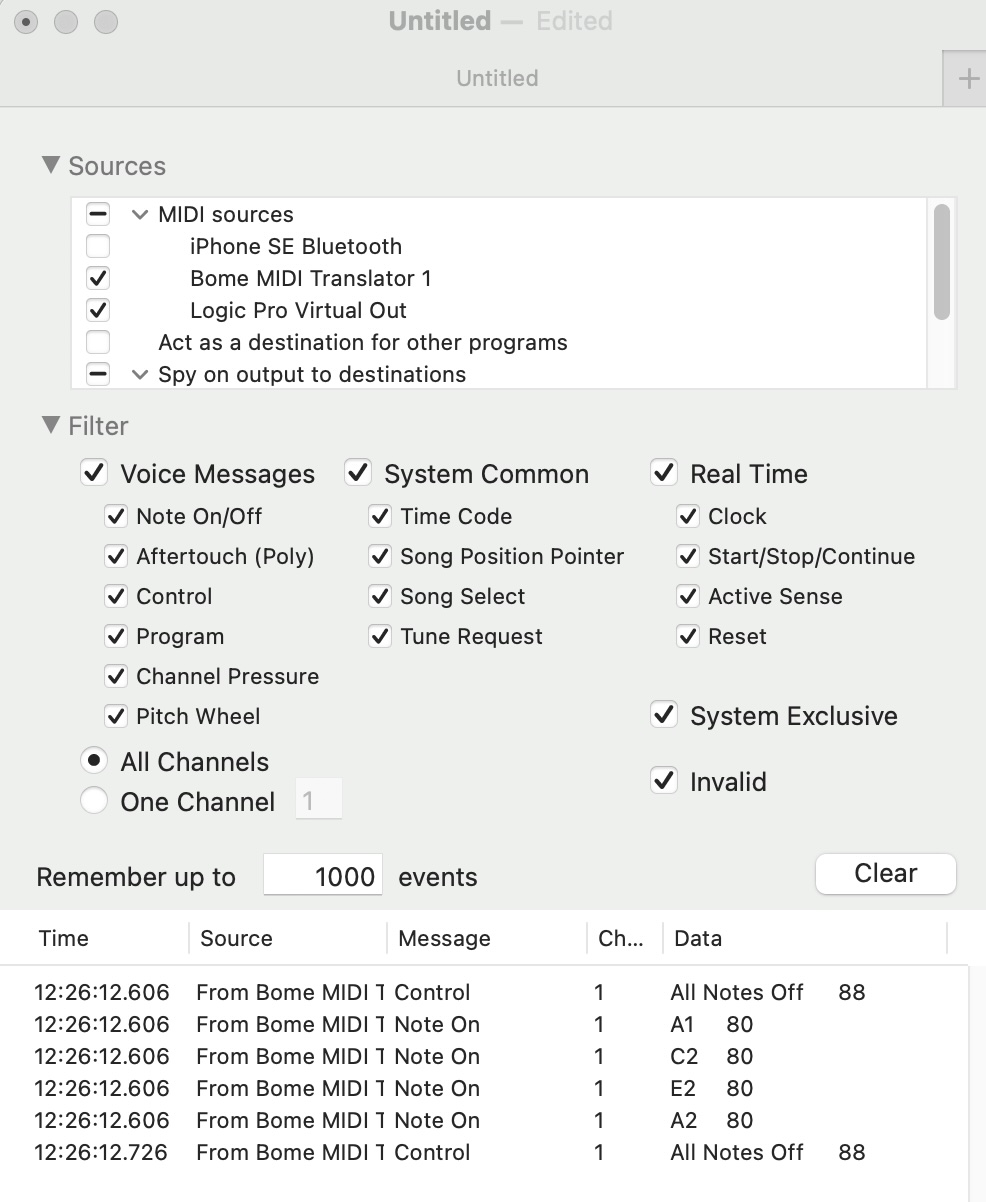
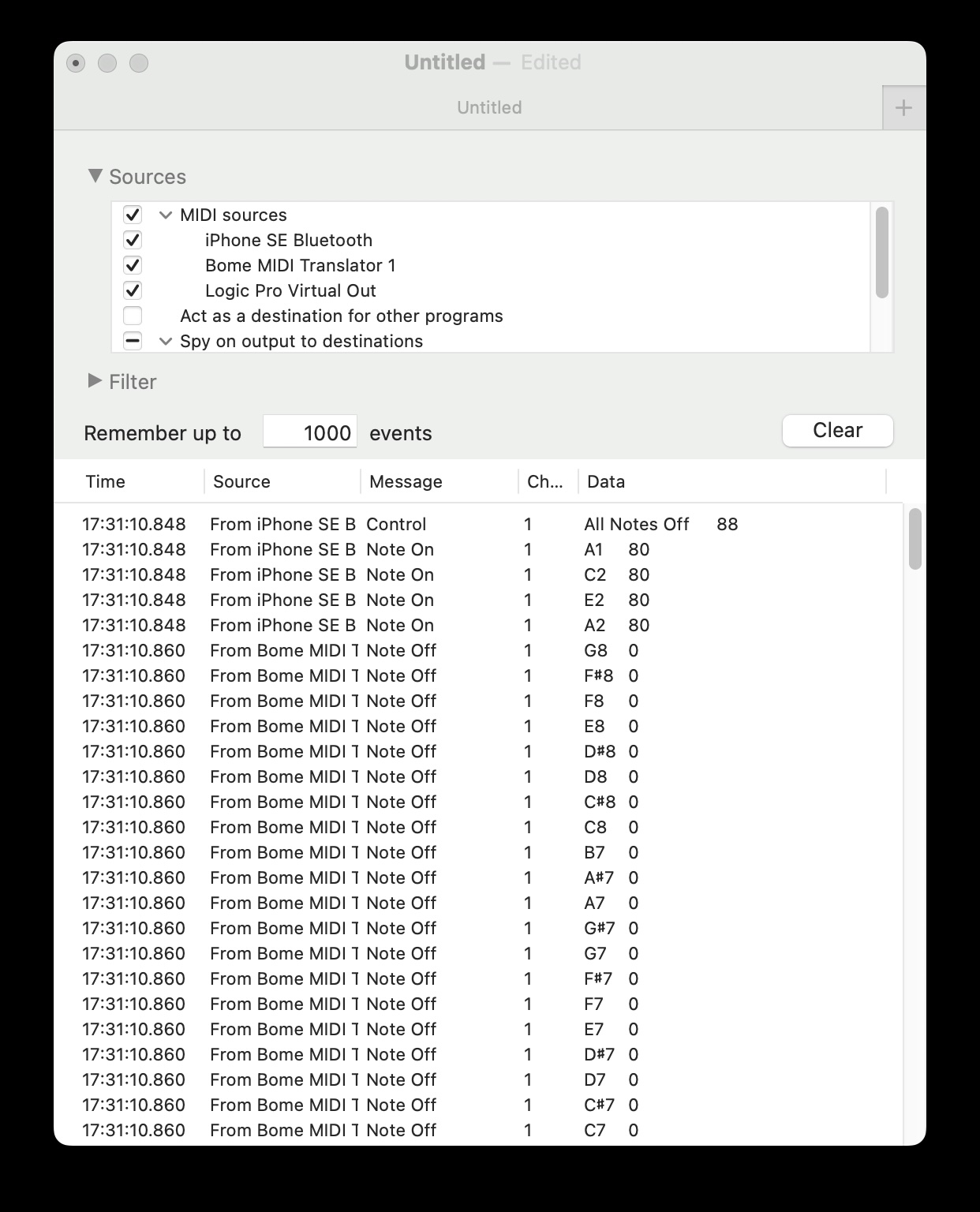
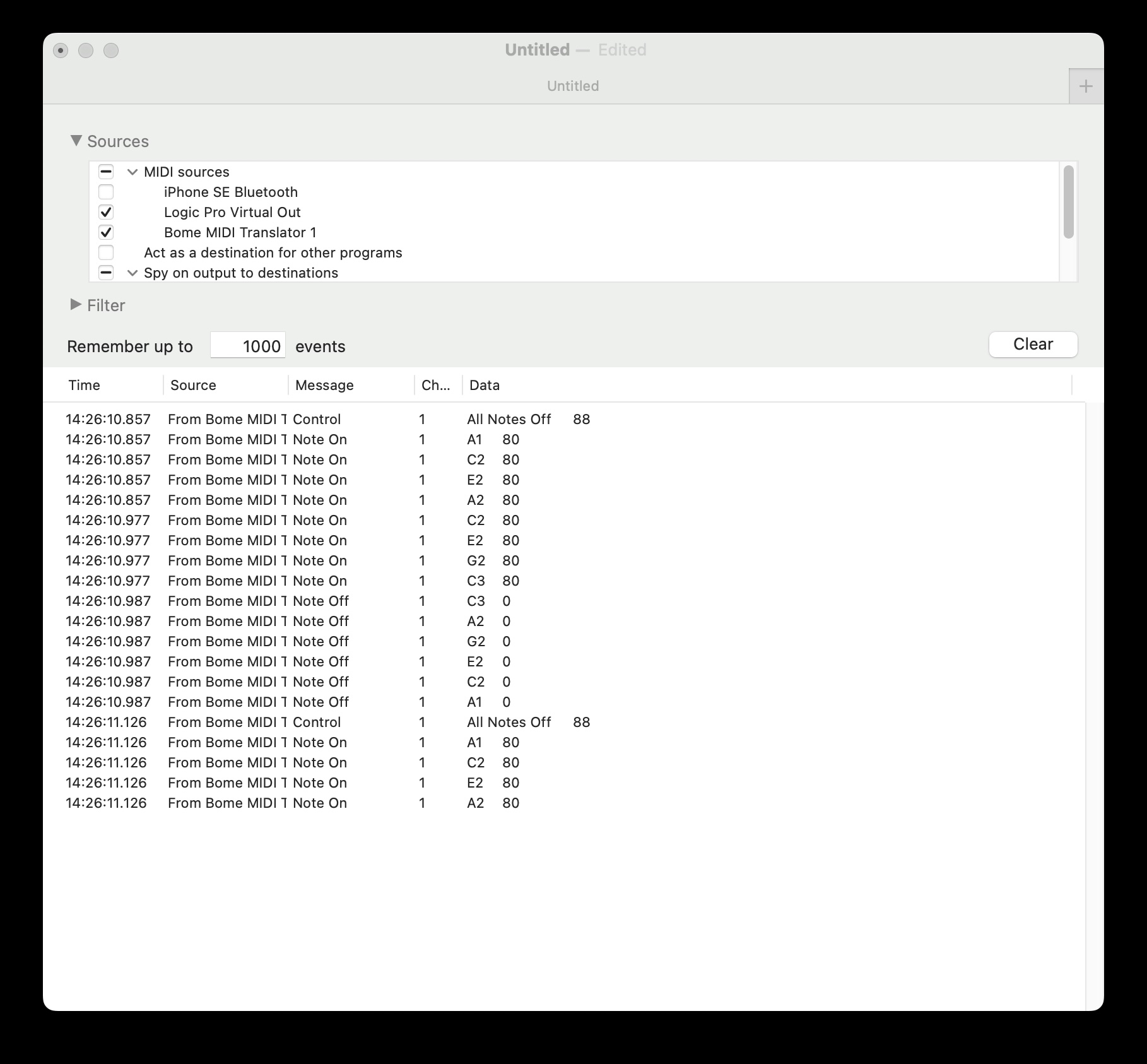
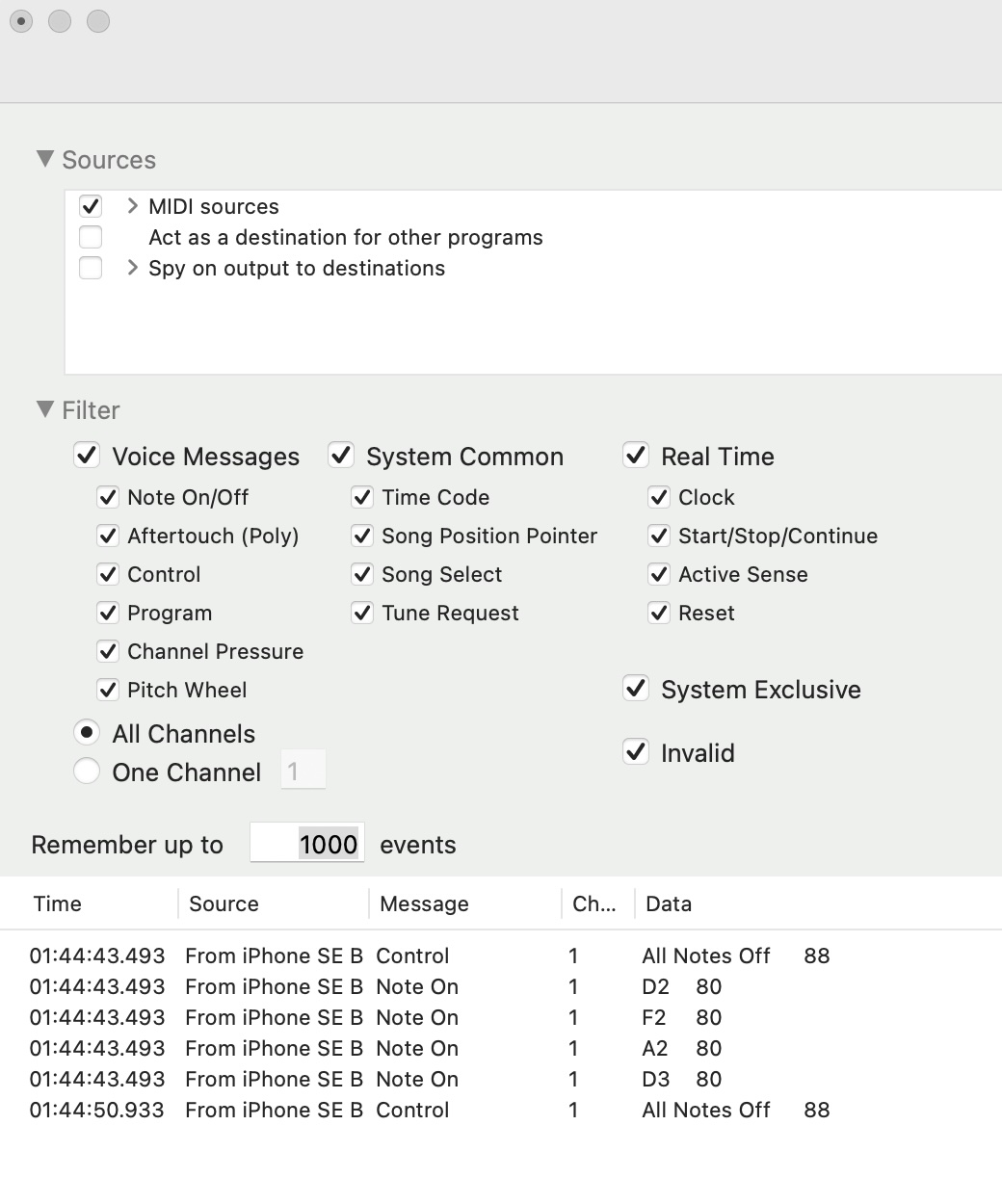
I am using an IOS chord instrument as a midi controller going into Logic on a Mac. It actually works fine on another DAW Reaper but that one has been more laggy, and I use Logic and in that DAW the chord notes all hang indefinitely. In Midi Monitor (shown above) it looks like it sends a control “all notes off” before all the “note ons” and then another control “all notes off.”

The best fix I have so far in Bome is to just translate “notes on” to “notes on” then “notes off” but then have to use the delay to turn off the notes and it is usable but I can’t control how long the notes are held for by playing. The other method was to translate control “all notes off” to “notes on” then notes off” but that had the same end result as they only way to get it to make a sound was to put a set delay time that can’t be controlled by playing. Perhaps the extra all notes off at the beginning cancels things out. Also the control method added extra notes at the highest key of the keyboard for some reason perhaps due the way the IOS app writes it.

I’m wondering if a rule that ignores only the first control “all notes off” and then only translating the ending control “all notes off” to “notes off” could solve the problem of both ending the notes in the DAW and being able to control the length by playing. Is there a way to write a rule to ignore the first control “all notes off” unless it is preceded by “Notes on” messages or some better suggestion?

There will also be melody keyboard notes from the same instrument on the same channel that may further complicate the translation rules (and sometimes also has hanging notes) but for now I’ll see if just getting the chords straightened out works.

Thank you
Hi and welcome to the Bome community!

Some devices do not recognize the all-notes-off CC message so you might need a timer to iterate through all note turning them off one by one. I would also suspect the device sending MIDI messages as the MIDI specification states that for every note-on message, it should (eventually) send a note-off message. I’ve seen drum machines that never sen note-off messages, however an just rely on the the drum release to happen naturally.

Maybe you should post your project file?

Steve Caldwell
Bome Customer Care


Also available for paid consulting services: bome@sniz.biz

carp test 2.bmtp (1.1 KB)

carp test.bmtp (1.0 KB)

Thank you Steve, I’m attaching the two versions of the translations I have tried (just notes on to off, and one that tries to translate the control all notes off message which sounds the same as the other in terms of note length determined by the delay setting only but also adds extra unwanted high notes ).

I guess I would ask, why you are getting stuck notes. Is the application not sending not off messages?

I don’t see any translators that allow note-off to pass through or MIDI thru paths that allow note-off through.

What exactly do you want Bome MIDI Translator Pro to do here? If it is just MIDI routing you should just draw lines between the input device and the destination application.

Steve Caldwell
Bome Customer Care


Also available for paid consulting services: bome@sniz.biz

Do you mean my attachments don’t look like they should work or you don’t see them? When i play the IOS app by midi into the computer Logic or GarageBand DAW controlling a software instrument yes the notes do not turn off. They just play indefinitely despite the “all notes off” message in midi monitor and the midi input note dot turns off in Logic, but the midi regions recordings also shows the notes lasting indefinitely. I tried it on two different version of Logic on two computers. It does work correctly in the Repaer DAW, the notes turn off. When I use both of the Bome midi translations presets that I sent, then notes do turn off successfully in Logic and using the Bome presets are the only way I have gotten the notes to turn off while controlling with that app. So I guess Logic does not understand the “all notes off” this app sends only the Bome’s individual “notes off.” However the notes last as long as I set the delay in the Bome preset, I can’t control the length by playing the keyboard. I was trying to adjust the preset so the “all notes off” can be translated in a way that stops the notes successfully when i stop playing them rather than whatever delay time i set up in the preset.

Sorry you are right about carp test 2.bmtp, that one doesn’t seem to work anymore though i was using it yesterday I thought, but now it only triggers unintended extreme high notes now and none of the intended notes. Only carp test.bmtp (1.0 KB) is playing correctly, as long as it has a delay set to turn off the note (your youtube video showed me how to do that). Even if I can’t find a way to control the note lengths when playing, the Notes Off translation already is making the IOS instrument more usable, which it wasn’t at all before.

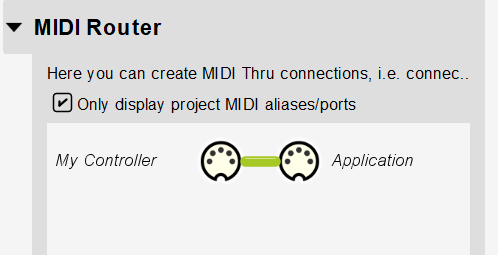
If all you want to do is pass thru MIDI messages from your one controller or application to another you can use the attached. There are no translators, but any message arriving on “My Controller” will pass thru the “Application”. If for some reason, your controller is not sending note-off messages than we would need a translator to intervene.

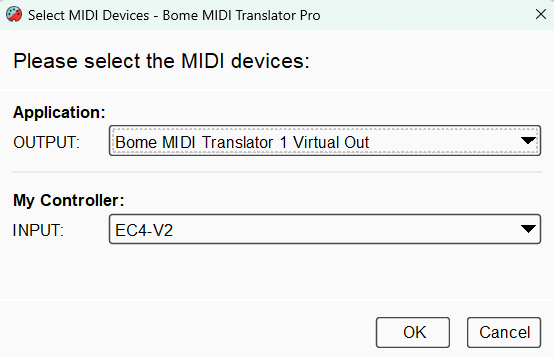
Here are how my aliases are set up.

You can learn more about aliases from this tutorial.

And here is the MIDI router showing the default MIDI thru path.

MIDI-Pass-Thru.bmtp (1.4 KB)

Steve Caldwell
Bome Customer Care


Also available for paid consulting services: bome@sniz.biz

Hi thank you, i tried the IOS controller through the pass-thru you sent, that has the same effect as playing the controller directly into the DAW, where the notes turn on but don’t turn off. I don’t think the DAW is understanding the control “all notes off” message the controller is sending, or perhaps because the “all notes off” is also being sent twice also before the notes turn on it is not understanding it. In my first pic there is pic showing what the controller sends. If there is a way to translate the “all notes off” message to individual “notes off” without that first duplicate “all notes off” interfering perhaps that would fix it.

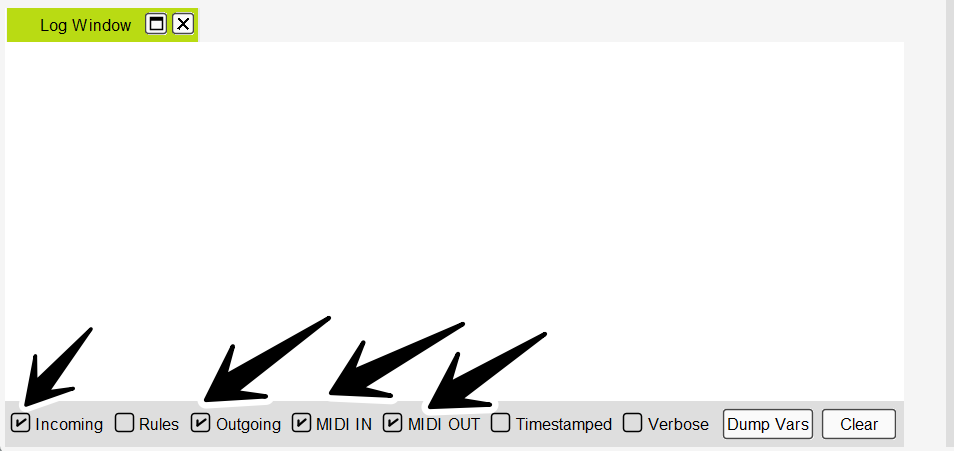
To see what is going on, you can open the Log Window of Bome MIDI translator Pro.

![image|689x225](upload://v4EaPMzoZjgY8uBscJfgREV6a1J.pn

Then once it is opened, chack the boxes as show below.

The play something. After playing, copy and paste what you see into a posting here on the forum.

It is odd that your device is not sending note off messages.

Steve Caldwell
Bome Customer Care


Also available for paid consulting services: bome@sniz.biz

1: MIDI IN [iPhone SE Bluetooth]: B0 7B 58
2: MIDI OUT [Bome MIDI Translator 1 Virtual Out]: B0 7B 58
3: MIDI IN [iPhone SE Bluetooth]: 90 32 50
4: MIDI OUT [Bome MIDI Translator 1 Virtual Out]: 90 32 50
5: MIDI IN [iPhone SE Bluetooth]: 90 35 50
6: MIDI OUT [Bome MIDI Translator 1 Virtual Out]: 90 35 50
7: MIDI IN [iPhone SE Bluetooth]: 90 39 50
8: MIDI OUT [Bome MIDI Translator 1 Virtual Out]: 90 39 50
9: MIDI IN [iPhone SE Bluetooth]: 90 3E 50
10: MIDI OUT [Bome MIDI Translator 1 Virtual Out]: 90 3E 50
11: MIDI IN [iPhone SE Bluetooth]: B0 7B 58
12: MIDI OUT [Bome MIDI Translator 1 Virtual Out]: B0 7B 58

I see, so your deviced never sends note-off messages and the DAW does not recognize “all-notes-off” so you can try the attached project. When it receives and all-notes off message on MIDI CH 1 (Translator 0.0), it starts a repeating timer (Translator 0.1) which iterates through all 127 notes turning them off.

All-Notes-Off-Iteration-2026-02-18.bmtp (2.4 KB)

Steve Caldwell
Bome Customer Care


Also available for paid consulting services: bome@sniz.biz

Thank you for your continuing help, seems that is working similar to my prior translations where it cuts off the notes very quickly. Maybe because the timer perhaps get triggered right away because the controller send a control “all notes off” at the beginning of the notes too? Instead of after the second “all notes off” (which is the one triggered when I actually stop playing)? This is probably very close to working though if there was maybe some way to ignore that first extra “all notes off?” Perhaps if there was a way to write a rule to ignore control “all notes off” unless it follows a “note on”?

1: MIDI IN [iPhone SE Bluetooth]: B0 7B 58

2: IN 0.0 Control Change on ch. 1 with CC#:123 (0x7B) and any value=88

3: MIDI IN [iPhone SE Bluetooth]: 90 2D 50

4: MIDI IN [iPhone SE Bluetooth]: 90 30 50

5: MIDI IN [iPhone SE Bluetooth]: 90 34 50

6: MIDI IN [iPhone SE Bluetooth]: 90 39 50

7: IN 0.1 Timer Notes-Off Timer

8: OUT 0.0 Timer pp times ‘Notes-Off Timer’: 0 ms (initial delay: 0 ms)

9: MIDI OUT [Bome MIDI Translator 1 Virtual Out]: 80 7F 00

10: OUT 0.1 Note Off on ch.“pp”=0 (ch.1) with note:qq=127 and velocity:gf=0

11: IN 0.1 Timer Notes-Off Timer

12: MIDI OUT [Bome MIDI Translator 1 Virtual Out]: 80 7E 00

13: OUT 0.1 Note Off on ch.“pp”=0 (ch.1) with note:qq=126 and velocity:gf=0

14: IN 0.1 Timer Notes-Off Timer

15: MIDI OUT [Bome MIDI Translator 1 Virtual Out]: 80 7D 00

16: OUT 0.1 Note Off on ch.“pp”=0 (ch.1) with note:qq=125 and velocity:gf=0

17: IN 0.1 Timer Notes-Off Timer

18: MIDI OUT [Bome MIDI Translator 1 Virtual Out]: 80 7C 00

19: OUT 0.1 Note Off on ch.“pp”=0 (ch.1) with note:qq=124 and velocity:gf=0

20: IN 0.1 Timer Notes-Off Timer