I could use your help please in getting Bome Network to route Dorico source ports to a Cubase destination ports all on the same Windows 11 PC. It should be Dorico out to Bome Network and Bome to Cubase (one way traffic). I am using the Bome Network software and I bought a Unlimited Names Ports license. Bome Network indicates that the llcense is valid.
I received a .bmts file from MusicChef that should have all the instrument ports for instruments in his Dorico template defined and mapped, but no ports appear n my Dome Network interface even after copying his .bmts file to the Bome folder and renaming it as BomeNet.bmts and removing the original BomeNet.bmts file.
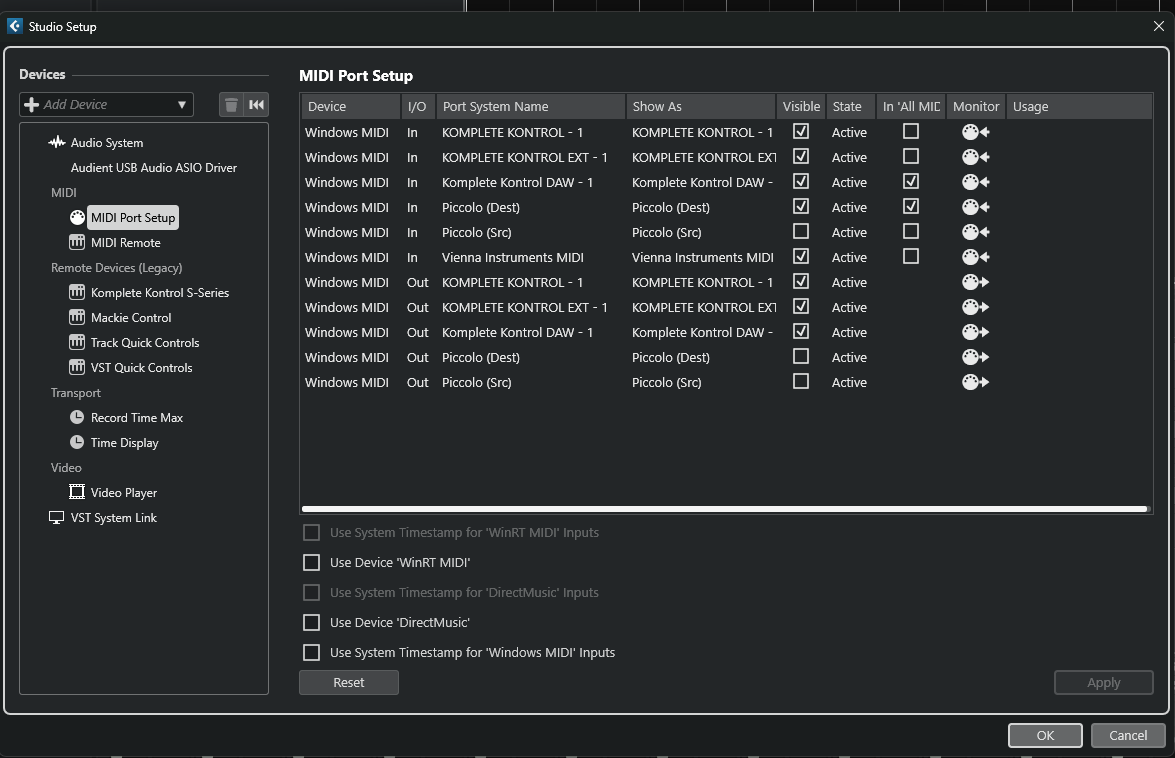
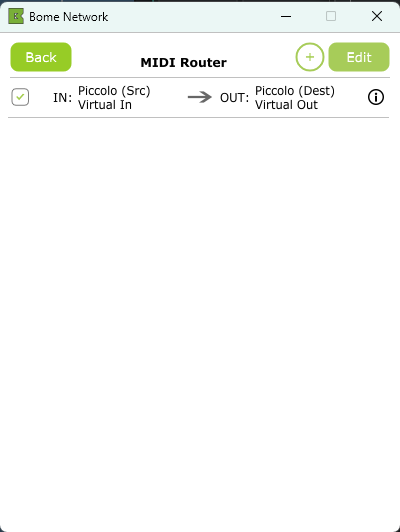
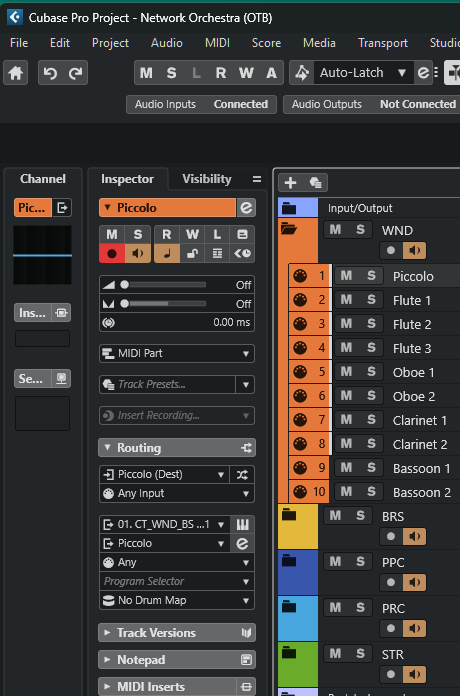
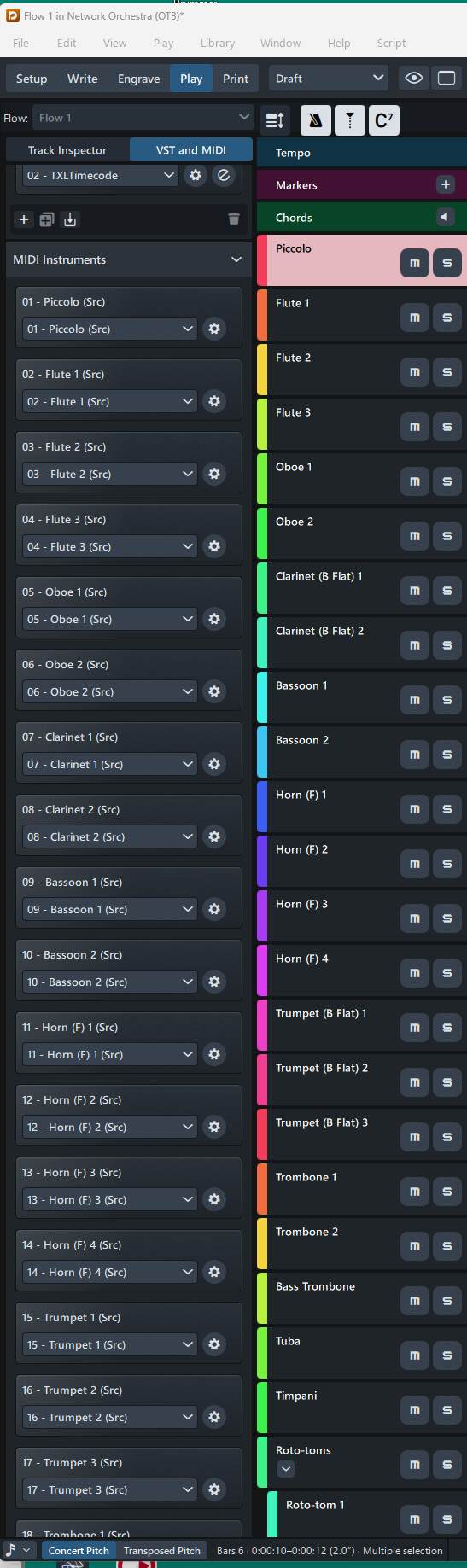
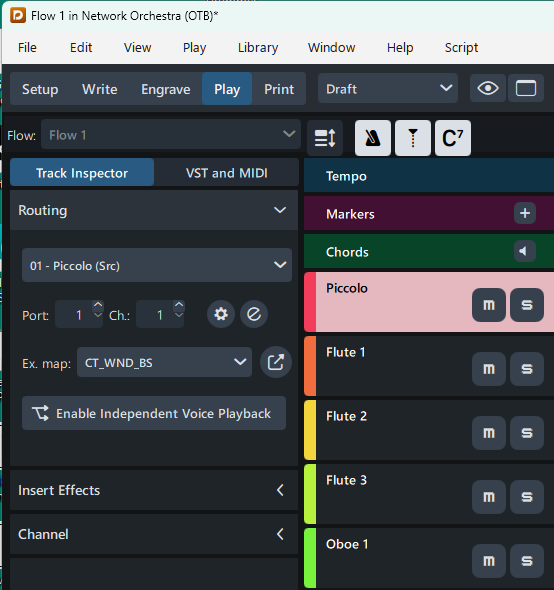
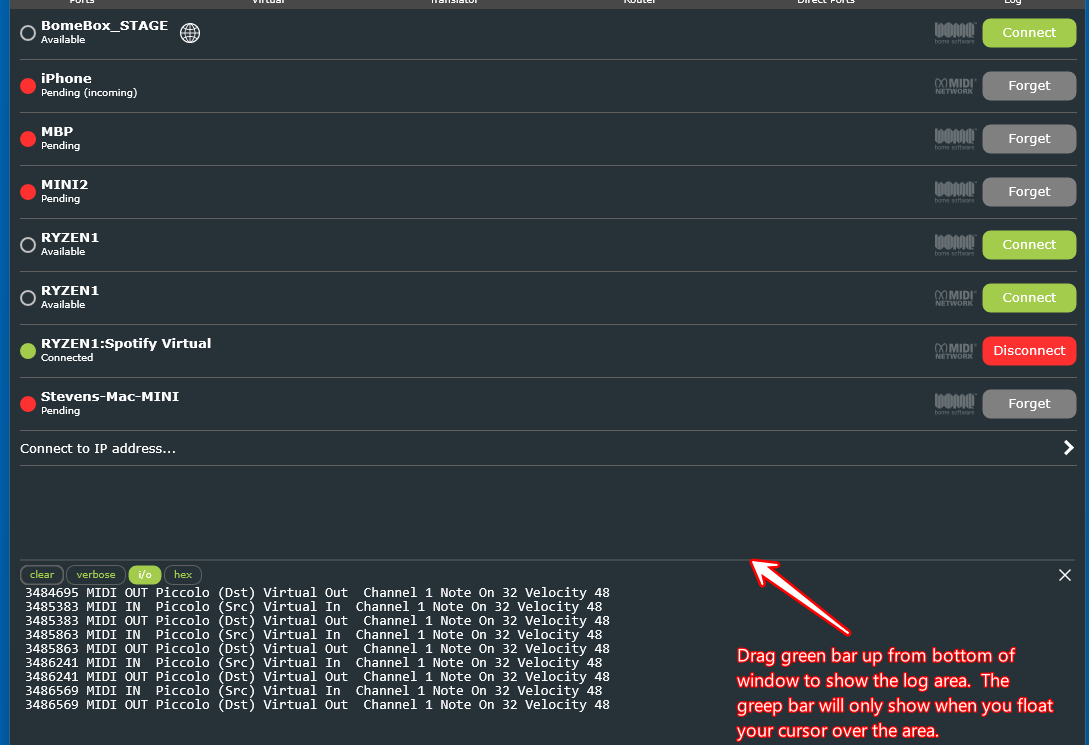
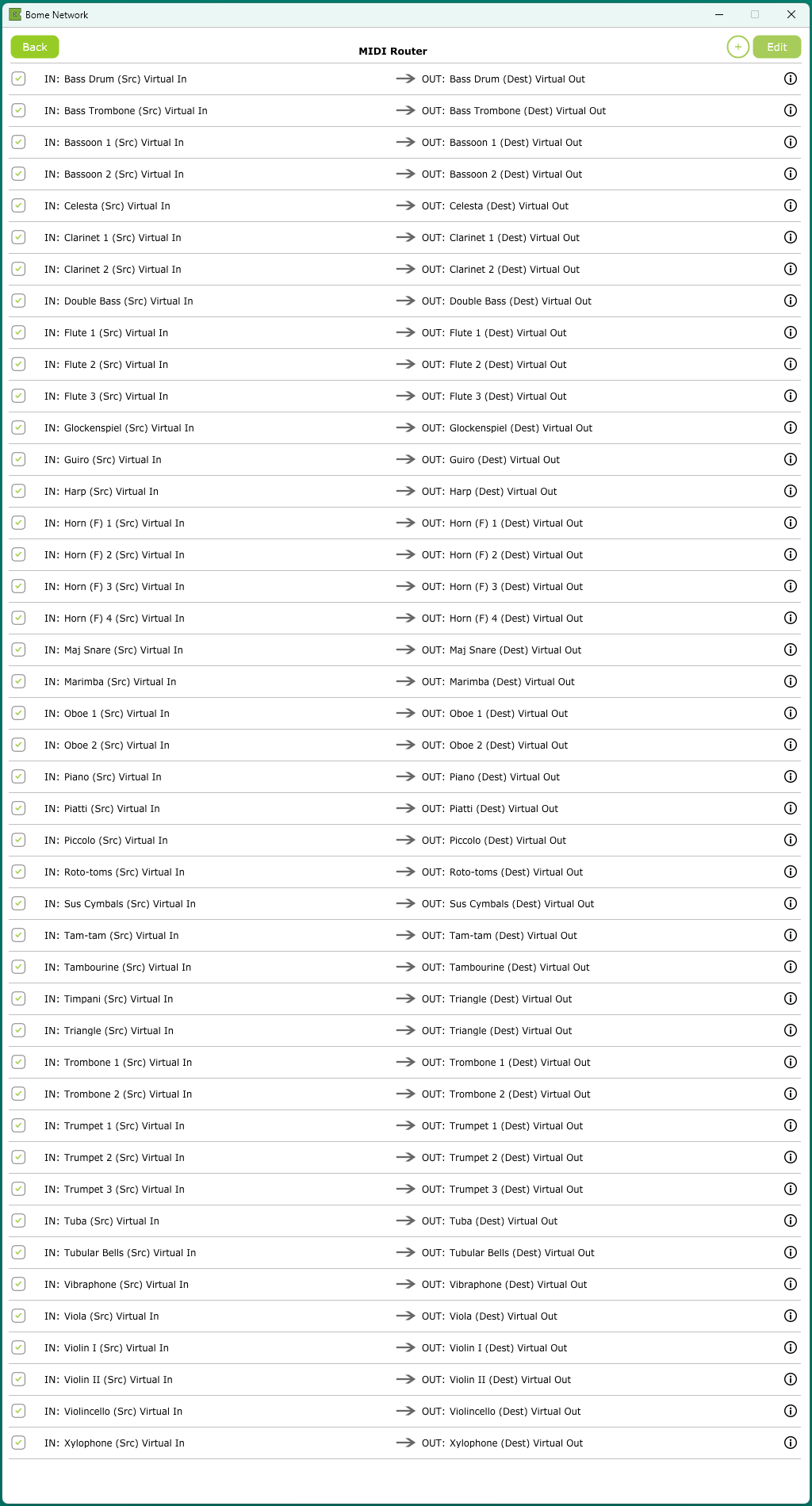
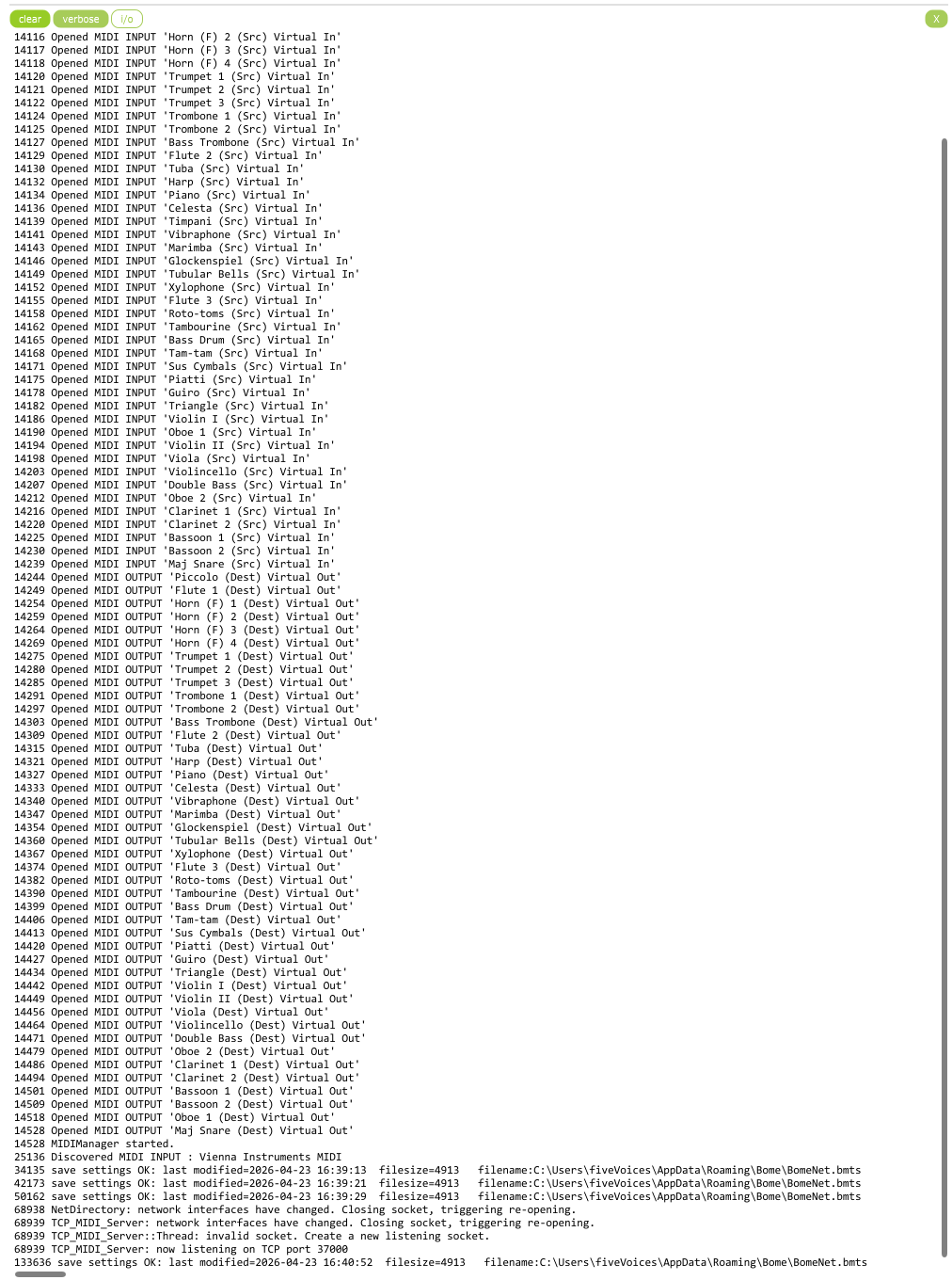
I then created a couple of ports in Bome to match what he provided in his Dorico and Cubase templates. The port names are consistent in Bome, Dorico and Cubase. The destination port, PIccolo (Dest) shows up in the correct track in Cubase. The Dorico port is entitled Piccolo (Src), so I mapped Piccolo (Src) to Piccolo (Dest) in the Bome Network MIDI Router. All of the instrument tracks are suppose to have that same format: instrument name (Src) to instrument name (Dest). I have included screen captures so that you can see how everything is configured. If you open the screen captures in a pictures application, the title at the top of the window should tell you what each screen capture is. Please let me know what I am doing wrong so that I can fix it.
Furthermore, if you know why Bome Network doesn’t populate with the ports defined and mapped in the .bmts file that MusicChef provided, please let me know. I see where one of your other customers (Martin) was trying to get this toolkit provided by MusicChef running too, but I don’t think that my problem is feedback in Dorico as all of the MIDI input devices are deactivated. If you need anything else from me, just let me know.
The reason the ports aren’t created by the .bmts file is that ports are only created based on user input and not the content of the .bmts file. Once you create the ports, and the route names are exact to the port names, things should work. You may need to disable and re-enable a route however.
In a nutshell, sharing a .bmts file across different computers is not something that is currently supported.
As far a why it isn’t working, it looks like it should. I see that you have Piccolo (Src) in Dorico routed to Piccolo (Dst) in Cubase. The only thing I can figure is that maybe there is a miss spelling or an extra space in the name or something. Also if you are on Windows 11, and have the new MIDI services, there are still a few bugs with them so you may need to either restart MIDI services or restart the computer, so that the proper endpoints are found by the MIDI services engine.
I created similar ports on my system and tested by using the log function of Bome Network.
Steve, thanks for the reply and info. I opened the .bmts file using a text editor to observe the format and syntax and I could see that when I created the Piccolo (Src) and Piccolo (Dest) ports and routed them that the .bmts file had been updated with that information. I then opened MusicChef’s .bmts file and it used that exact same format/syntax and all the correct assignments appear to be there. That led me to believe that like in my case, the .bmts file was being updated automatically by typing in the ports and routes in Bome Network, which is good.. I was very careful in typing in the port names into Bome Network. I don’t think that the screen captures reveal any typos. I have uninstalled Bome Network and restarted my computer several times now. I also go into Device Manager and remove all Bome Network ports before restarting and reinstalling Bome Network.
I am not familiar with new MIDI services in Windows 11, so you know more about that than I do.
I will open MIDI Services and restart that and also checkout the log window that you sent a link for.
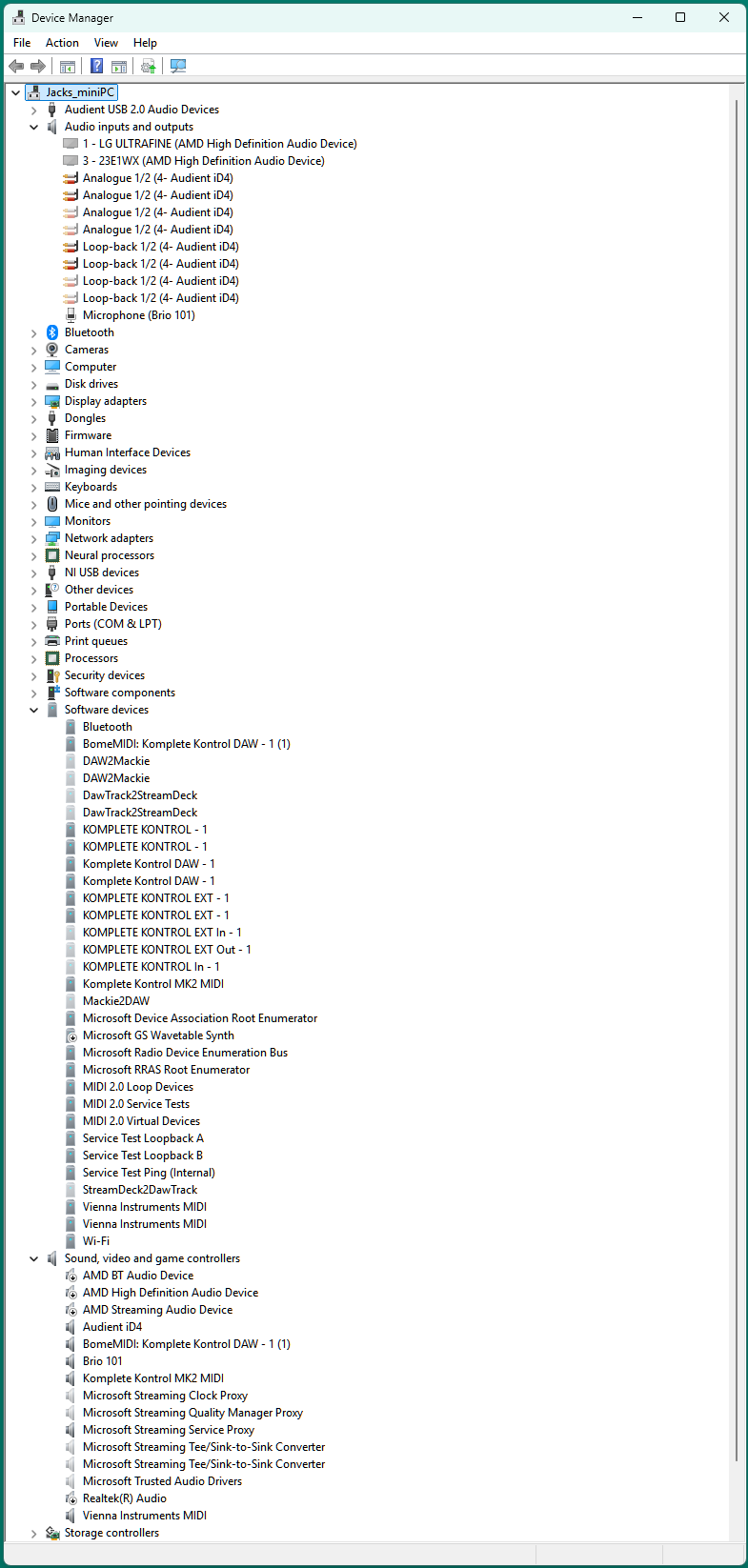
I have attached a screen capture of my Windows 11 Device Manager. Maybe that will reveal something. Presently, I have MusicChef’s .bmts file loaded but I renamed it BomeNet.bmts. I thought that it was interesting that when I created the Piccolo ports in Bome and used that file as the main .bmts file that those ports showed up in Device Manager, but with Music Chef’s .bmts file loaded as BomeNet.bmts, his ports do not.show up in Device Manager.
If I have any luck, I will let you know. If you think of anything else, please do the same.
Thanks again,
Jack
Hi, you should never have to delete ports in device manager. You should use the Bome Network tool to do this.
Edit Not correct> (As I said, the port is not created because of it’s presense in the .bmts file). It is created when you create the port using the Bome Network UI (User Interface). At that time the .bmts file gets updated with the port names. If the port name is already there it is just re-written to the .bmts file.
I believe routes, however, are available, but the probably will not show up in the UI unless there are valid ports that match.
Edit the below is not correct see later posting >
(
In a nutshell, if you use someone elses .bmts file, you will need to manually create all of the ports and I believe also disable and re-enable any routes to them after they are created.
)
The .bmts file is handy if you want to recover a given configuration on a particular system which should work as the ports are already present.
I’m having Florian (owner and engineer) fact check me on this. I’m stating this based on my years of experience working with Bome Network.
Thanks for the reply and verification, Steve. Yes, I had to go into Bome and manually enter all of MusicChef’s ports and routes, but they are there now. All of the ports showed up in Cubase except one named “Maj. Snare (Dest). I am guessing that it was because there is a period in that port name.
Also, I selected “Verbose” in Bome as you suggested and there were a lot of sent and received messages which was good to see.
Next, I plan to go into Dorico and ensure that no midi INs are activated and do the same in Cubase to make sure that only the (Dest) midi ports are active. I’ll be surprised if that will result in Cubase responding to the midi passed through by Bome, but I feel like the solution has got to be close.
Thanks,
Jack
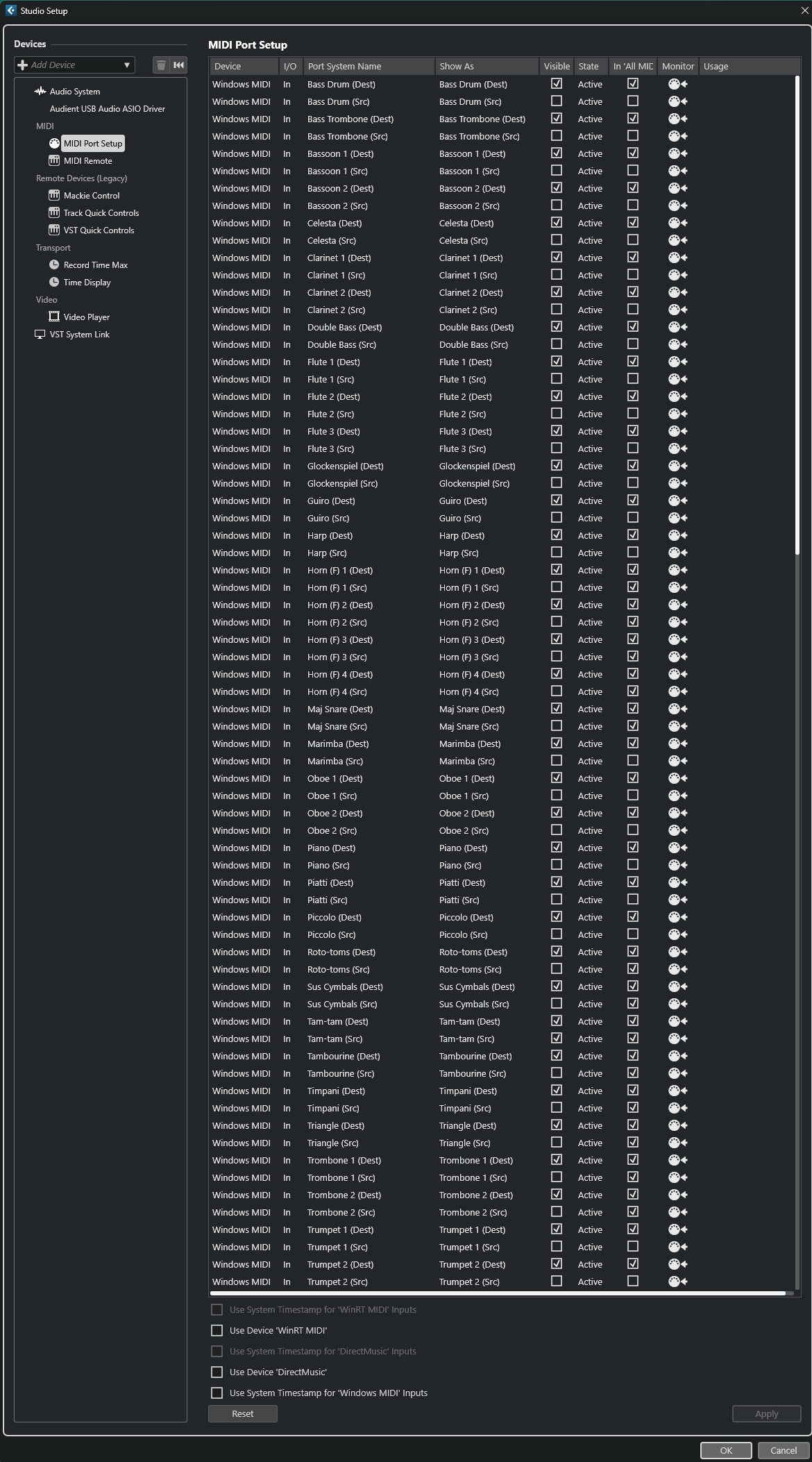
Steve, following up on my last email, here are some screen captures of what is showing up in Bome Network and the edits that I made to the Cubase 15 MIDI Port Setup. Please note that I deactivated ALLof the associated MDI Outs in the Cubase MIDI Port Setup. The list was so long that I thought it best if I just tell you that. Also, all of the MIDI Inputs in Dorico 6 have been deactivated. Cubase is still not doing anything when I enter and playback notation in Dorico, but I am hopeful that the solution is close.
Did you try closing both Cubase and Dorico and opening them back up again. This should work.
I found that I was wrong about creation of MIDI ports. If someone sends you a .bmts file and the ports are there, Bome network should see this and create them for you. Although with so many MIDI ports it might take a while.
If you click the I/O button in the Bome Network log, then you should see the MIDI messages there.
Could you tell me what version of Bome Network you ar running?
Steve Caldwell
Bome Customer Care
Also available for paid consulting services: bome@sniz.biz
Yes, I did that, but it hasn’t helped yet. BTW, thanks for the info about using a .bmts file that has already been populated by from someone. Even though I have all the ports in Bome Network now, that’s a great thing to know for the future. Also, I will remember the tips on checking the I/O and waiting a bit to see if all the ports load when using a lengthy .bmts file in the future. Thanks again for your help, Steve.