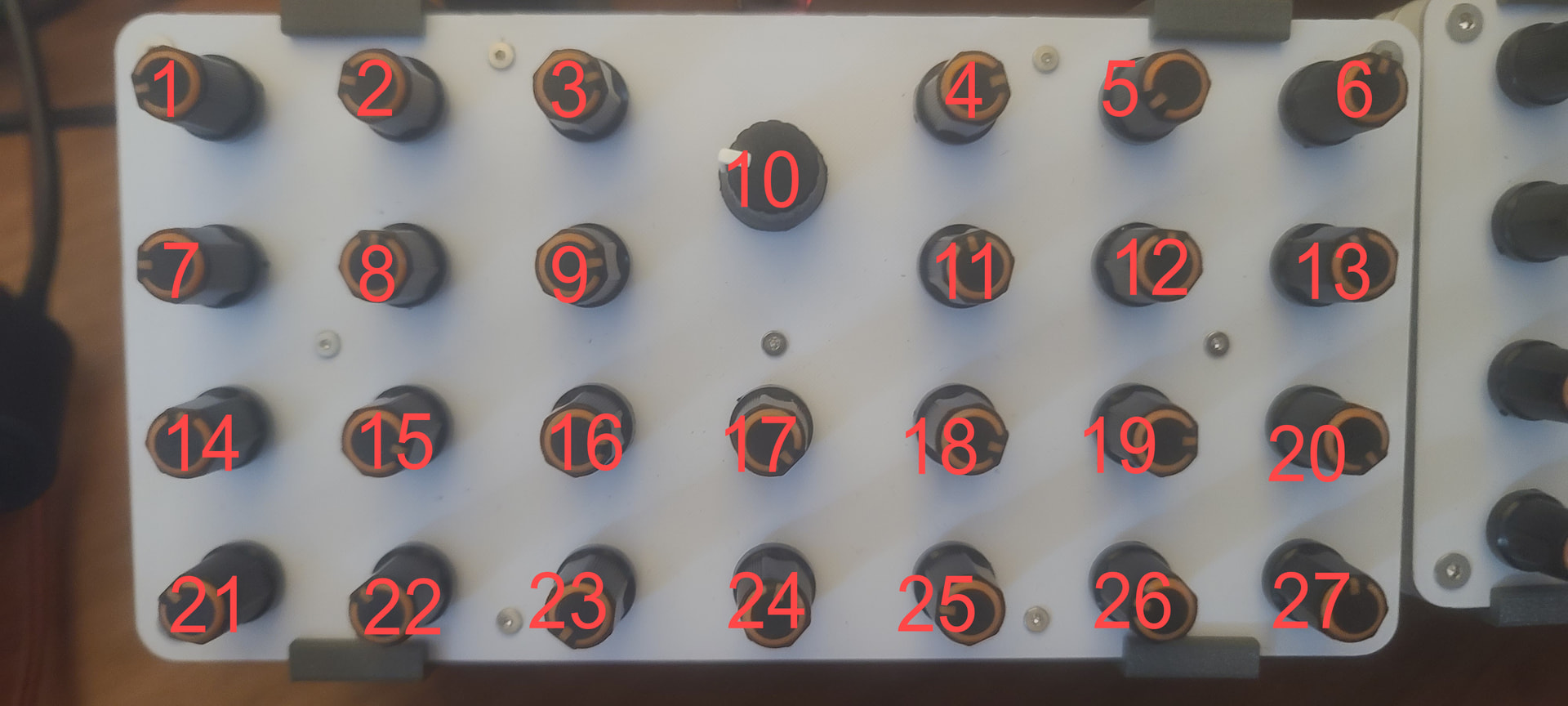
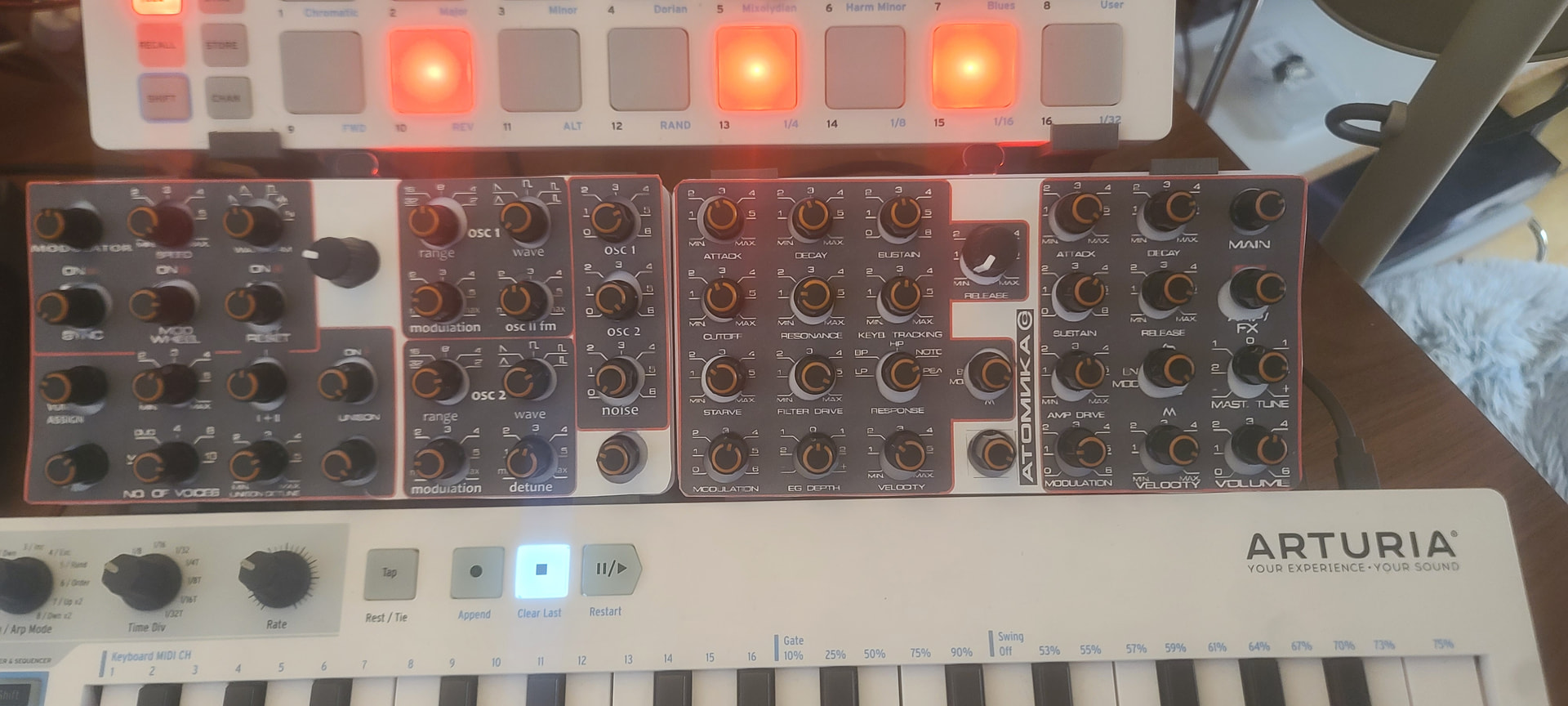
I have 2 identical controllers I want to use in reaper and with standalone vst synths. They are 27 knob rotary boxes with no drivers and no.imterface software. They have no unique id or serial. Windows sees them as the same thing, duplicated so when I attempt to map vst functions across the array of knobs, starting on 1 - 27 on #1, #2 is mapped as 1 - 27 rather than 28- 54
I’ve used free tools to alias them but this is not enough
Can bome help here? What do I search for as far as workflow to do this?
Probably the easiest way to handle this is let the CCs and values on one controller pass through untouched and then map the CCs to a different MIDI channel on the other controller.
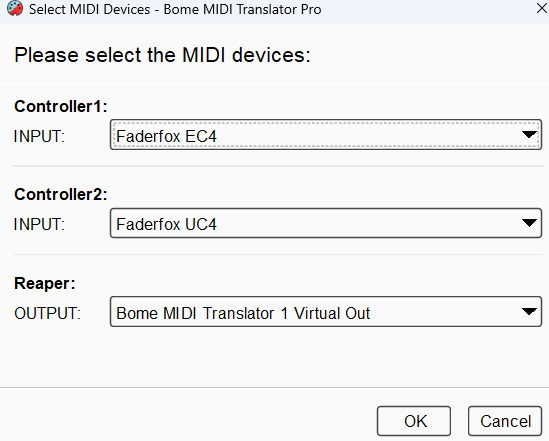
In the below example, I have two controllers that are aliased “Controller1” and “Controller2”. I have aliased “Reaper” to BMT 1.
You can learn more about aliases from this tutorial.
Preset 1’s translator reads input from 'Controller1 and just passes the same CC’s and values over to Reaper
Preset 2’s translator reads input from “Controller2” but maps the output CC from MIDI CH 1 to MIDI CH 2.
With this configuration, Reaper should see it as one 54 knob controller with controller 1 on MIDI CH 1 and controller 2 on MIDI CH 2.
You need to set reaplers input to “BMT 1”.
I have done the device selection at the preset level.
For more information about device selection, see this tutorial.
Note, that your system will not know which is Controller1 and which is Controller2 but will have the names distinctive, so if you have the backwards, just move them on you desktop so that they line up the way you want them to.
Steve, I thank you for the file. Opening it I see that the single Reaper output needs to be assigned to a port, so I chose Bome Midi Translator 1.
Then I open reaper and route input on the controller midi channel to Bome translator 1
Both knob controllers work but they work as the same not as extended.
Very confused, anyway. I’m feeling like I may just bag it and get two different controllers. I’d need someone explaining it to me as if I’d never routed anything before, which is sort of true. Anyway, thanks again but I’m sure I’m lacking some essential fundamental knowledge
Interesting. Indeed the input from both the controllers should be the same, however one controller should pass through information to BMT-1 on MIDI CH 1 and the other to the same port on MIDI CH 2.
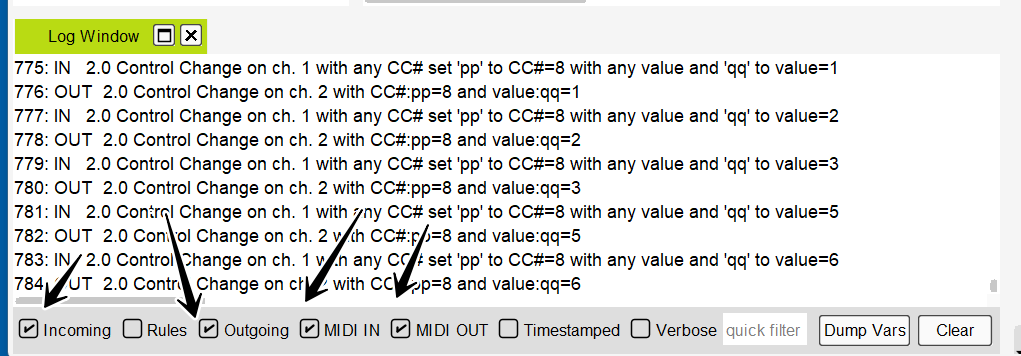
Could you open the log window and check incoming, MIDI IN, MIDI OUT and outgoing and move a knob on each controller (the same knob) and capture the messages Then copy and paste it into this posting.
Oh, OK I see you are sending on MIDI CH 8 instead of MIDI CH 1. I have changed the project to reflect that. I’m now assuming input is on MIDI CH8 for each controller (the same) an am converting output to to MIDI CH1 for the first controller and MIDI CH1 for the second.
Thanks Steve. I’m afraid this isn’t working. Still the same. I’m sure it’s me though as I don’t really know how I should be routing into Reaper. I seem to have tried every config.
cont. 1 on midi channel 8, BMT 1 input
cont. 2 on midi channel 8, routed to controller 1, BMT 1 input
Synth channel receiving from cont. 1 channel. midi channel 8
1: MIDI IN [4AC2CC27]: B7 01 0C
2: IN 2.0 Control Change on ch. 8 with any CC# set “pp” to CC#=1 with any value and “qq” to value=12
3: MIDI OUT [Bome MIDI Translator 1 Virtual Out]: B1 01 0C
4: OUT 2.0 Control Change on ch. 2 with CC#:pp=1 and value:qq=12
5: MIDI IN [4AC2CC27]: B7 01 0D
6: IN 2.0 Control Change on ch. 8 with any CC# set “pp” to CC#=1 with any value and “qq” to value=13
7: MIDI OUT [Bome MIDI Translator 1 Virtual Out]: B1 01 0D
8: OUT 2.0 Control Change on ch. 2 with CC#:pp=1 and value:qq=13
also, I believe this should be working in a standalone synth as well. same story
Your virtual synth MIDI track input should be set to receive on MIDI CH1. Not MIDI CH 8
If you want the knobs on both controllers to change the same synth, then I will need to modify the file so that I use different CC numbers instead of different MIDI channels for the second controller.
Steve Caldwell
Bome Customer Care
Also available for paid consulting services: bome@sniz.biz
Yes, this is the goal. two controllers, 27 knobs each, 54 knobs total acting as one to control a synth. In standalone or in Reaper, or any other DAW.
In the setup you have provided, both controllers act as the same, so mapping knob 1 on controller 1 is fine but knob 1 on controller 2 is read as knob 1 again, not 28 as it should be
I’m quite sure the reaper routing issues in on my end and can be worked out. I am most concerned with the standalone mode as this is sans routing (midi input ports chosen in the synths midi setup) and should just be reading data from the translator
Assuming both controllers put out the same CCs, can you tell me what they are? If consecutive CC numbers, that would help, but if not, I would need to know each CC# for a given controller. I could then include rules to alter the CC numbers on the second controller thereby having all CCs on the same MIDI channel.
Steve Caldwell
Bome Customer Care
Also available for paid consulting services: bome@sniz.biz
I think this is what you’re asking for. This is the layout as I map each one into a standalone synth. this repeats exactly on the second one next to it.
OK, give this a try,
The first controller will not map so will output CC1-27 on MIDI CH 1.
The second control maps each CC higher by 27. Again on MIDI CH 1.
Brilliant, Steve. thanks so much for working this out. I will certainly buy the software, and I have the feeling you didn’t do all of this for that reason alone. I appreciate your help very much
It works in Reaper and standalone. Now I just have to adapt my graphic overlays for each synth and figure out how to apply this to more synths on different tracks. I would only record one at a time, of course
My only question now is, what tutorials would I watch to understand what you did?