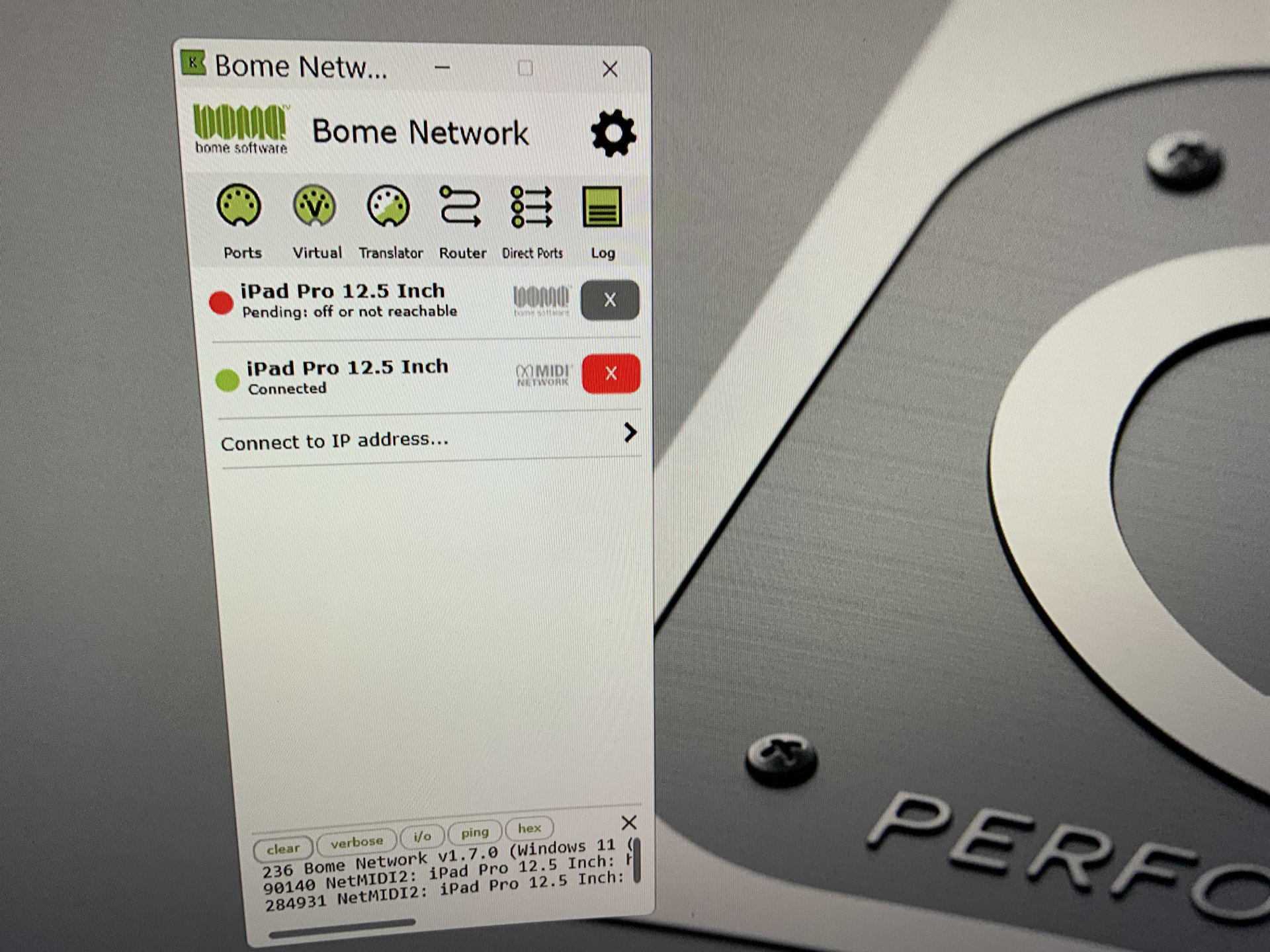
Hi Alan,
If you look carefully these are two possible network connections to the same iPad. The first one uses Bome Network Protocol and the second one uses MIDI 2.0 network protocol. If you don’t want to see them both, go to your network settings for preferred protocol instead of selecting ALL, just select Bome Network. Then the MIDI 2.0 entry should no longer be visible.
Steve Caldwell
Bome Customer Care
Also available for paid consulting services: bome@sniz.biz
Im still getting multiple instances of connection options on both my iPad and Surface Pro. However, I have been able to install V1.7 of Bome NW on both devices. But, for some reason, the Ethernet connection between iPad and S Pro had been extremely difficult to make work. Yesterday at home, I could not connect the two devices for about 45 minutes. I was unplugging cords, rebooting over and over etc, etc until finally there was a connection. Anyway, to ease my frustration, I’ve gone back to a wireless connection (the iPad and Surface are only about a metre apart) using my Bome Box as an access point. Instant connection!! Strange that wireless can be more reliable than ethernernet, when Ethernet is supposed to be rock solid and realiable.
Finally, is there any advance on when I might lose all the double up connection options?
Hi Alan,
The only time I’ve ever seen issues with ethernet, is when the devices are configured as DHCP. In your case, I think you are using fixed IP, right? The other possibility would be bad ethernet cables, hub or switch.
Steve Caldwell
Bome Customer Care
Also available for paid consulting services: bome@sniz.biz
You were spot on with your diagnosis Steve. I took all the 90deg adapters out of the system and all was good then. Thank you for such simple and practical advice.
Glad I could help!
Steve Caldwell
Bome Customer Care
Also available for paid consulting services: bome@sniz.biz