Hi, I wish to create a universal translator using Bome Midi Translator on a Mac which would ensure the MIDI volume level (velocity) was at least 100 with any controller (well, any USB MIDI keyboard anyway). What steps would I need to do to achieve this?
I’ve asked Grok and Perplexity and they have some tips but in the end their suggestions didn’t work! Many thanks for any ideas!
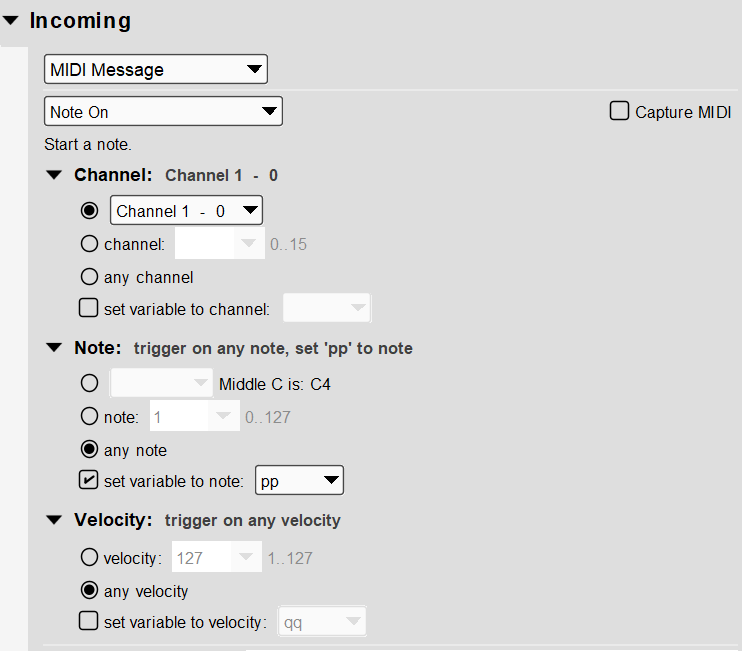
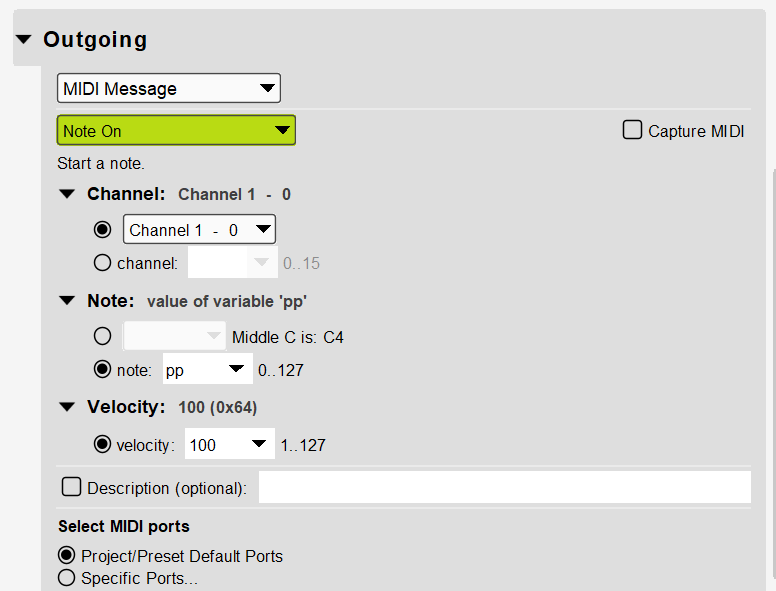
Please find the below example which converts any incoming velocity to a velocity of 100. MIDI values are 0-127 so this would put the velocity at 100/127 or at about 78.7% of full velocity.
With that said, velocity is not the same as volume which is controlled separately and affects not only the struck key but all keys on the playing keyboard (on that given MIDI channel). It is usually CC7.
The use of velocity is usually up to the receiver regarding what to do and usually will effect the tonal quality of just the note being struck. Some receivers actually even change the instrument played based on velocity and some may change the balance between instrument layers. Some instruments have it control the attack curve of a given instrument. It is all pretty much up to the receiver (program or instrument) what to do with velocity.
You could tie velocity to volume but again, it would affect all notes currently being held down.
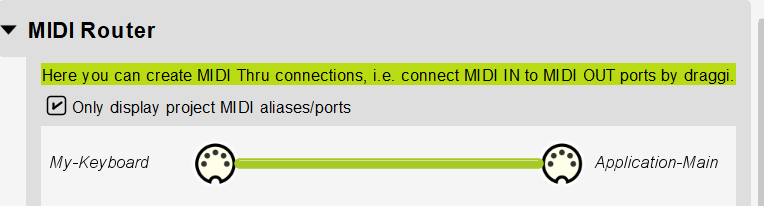
In the attached example we take any note (set to local variable pp) on MIDI CH 1 with any velocity and convert that to a velocity of 100 (64 hex) on output. We swallow the message (so that it doesn’t also go through the MIDI thru path).
Many thanks for this, Steve! I’ll have a go at implementing it & if I run into any problems I’ll get back to you. (Have to admit, I got confused at first, because I’ve been working with some MPE synths which rather mix up the concepts of midi channels and polyphony (and so I was forgetting that most keyboards will often communicate chords and polyphony on just one Midi channel. Obviously, I’m trying to implement this on polyphonic chords played on the keyboard - not just lead solos. But since all the keyboards I use implement Midi chords on just one channel, I think this will be fine.)
You can change the incoming trigger from MIDI CH 1 to any channel set to oo, Then the outgoing action uses channel oo, then it should work across all MIDI channels.
Simple adjustment.
Steve Caldwell
Bome Customer Care
Also available for paid consulting services: bome@sniz.biz