I’m using about 80% of the controls of my AKAI APCmini to control various programs with keyboard shortcuts via BMTpro, nothing fancy. But there are 3 rows of buttons and the 9 sliders I’d like to use to control Lightroom Classic via the free plugin “Midi2LR”. However it seems that Midi2LR listens to any and all incoming midi signals and if BMT can receive signals from my APCmini then Midi2LR cannot, they cannot share the controller which is very annoying.
I would like to know if I can use BMTpro to take incoming signals and translate them to channel 2 as a virtual midi controller which I HOPE midi2lr can pickup and work with.
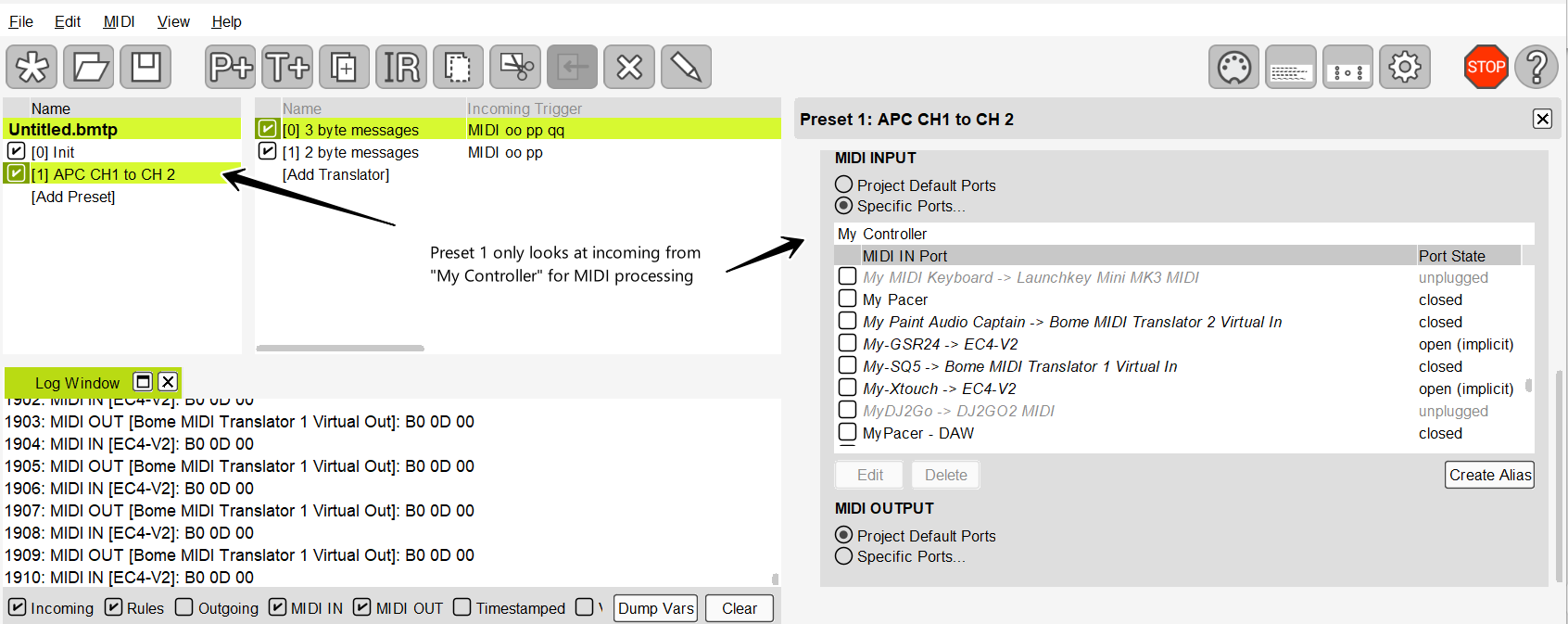
The attached example will take any 2 and 3 byte messages (which include channel information) and translate from MIDI CH 1 to MIDI CH 2 use the 2 translators in preset1.
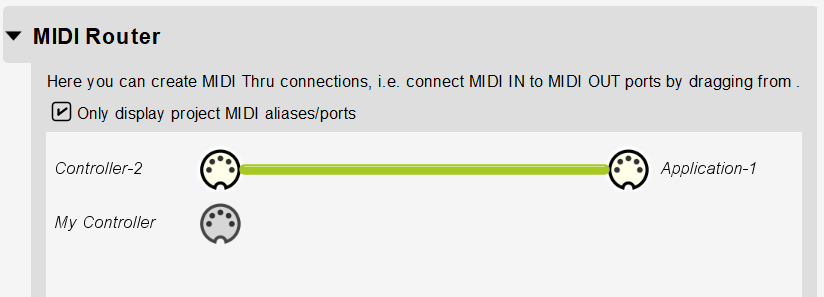
I have also added a MIDI thru path from “Controller-2” to allow for all MIDI messages coming coming from that controller to pass through untouched.
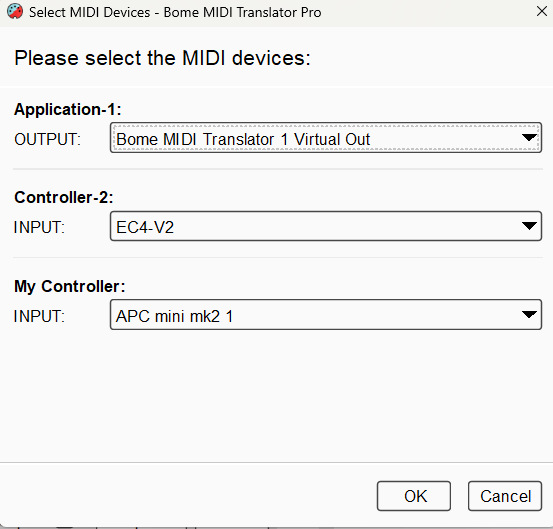
Here are how my aliases are set up. In your case, maybe Application 1 is set up to go t MIDI2LR.
You can also set up multiple destinations if you want and either translators or thru paths to allow port sharing.
Windows only allows one application or device to access a given port at a time which is why we use Bome MIDI Translator Pro to route to differnet ports thereby allowing them to be shared by different applications (each using thier own virtual port)
If you look at the rules of translators 1.0 and 1.1 you should be able to see what we are doing. We are basically looking for MIDI CH 1 messages only and converting them to MIDI CH 2.
Preset 1 is only used to look at the “My Controller” alias.