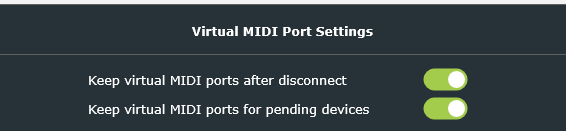
I am using Waves Superrack Performer in a live mixing context. Superrack receives its tempo information via MIDI across the network using Bome Network Pro. I have the “Keep virtual MIDI ports after disconnect” and “Keep virtual MIDI ports for pending devices” options enabled on the Superrack device and the device sending MIDI clock.
Superrack does all of its device discovery on open, so if any devices are added later Superrack will ignore them. If Superrack is opened and then the device that sends the MIDI clock is booted and connected via BNP, Superrack will not respond to any messages on that port even though the messages show up in MIDI monitoring software on the same device as Superrack. If Superrack is opened, or quit and reopened after the sending device is online and connected via BNP, Superrack responds to the MIDI information.
Are there setting I need to enable in BNP so that Superrack sees the assigned virtual port as an active port so that if the sending device is booted after the Superrack device, Superrack sees and responds to the incoming MIDI data?
The settings you have are correct and it should work as long as Bome Network Pro is opened before Superrack. What version of Bome Network Pro are you running? The latest is 1.6.0.
What OS (Windows or Mac) are you using and what version?
Do you have Superrack start automatically when you start your computer? If so, you might need to find out how to add a delay or just manually start it when you computer starts instead.
Steve Caldwell
Bome Customer Care
Also available for paid consulting services: bome@sniz.biz
BNP is v1.6.0 running on a 2019 Mac Pro on MacOS 14.5
I ran a few more experiments.
Having BNP start and then waiting 30 seconds did not have Superrack detect the MIDI port. Connecting from the other device and sending MIDI was ignored by Superrack.
Rebooting the Mac Pro, connecting and disconnecting BNP from the remote device, opening Superrack, and then reconnecting BNP resulted in Superrack following the MIDI inputs sent from the other device.
2 is not a normal workflow, but the audio infrastructure is often up and running well before the device sending the MIDI to Superrack, making the process of quitting and reopening Superrack mid-soundcheck/rehearsal once the sending device is online unviable. The results of test #2 do indicate that Superrack will see the virtual MIDI port if it is “woken up” before Superrack is launched and that this virtual port is present but not “awake” until it makes its first connection. From there, the port is detectable.
Is there anything you would recommend I do to initiate the “wake up” on that virtual MIDI port in the absence of the remote device?
Could you tell me the source of the remote MIDI port? For instance, is it a hardware controller on on Windows, Mac or BomeBox? Or maybe it is a virtual port on the remote machine. What version of Bome Network is running on the remote machine (or firmware version if BomeBox). What version of OS is on the remote machine (if not BomeBox)
Are you using virtual ports of any kind on the remote machine (instead of a hardware controller). My objective is to determine your environment as close as possible in attempt to duplicate the issue.
Also, instead of opening Waves Superrack after 30 seconds, try to open a different application and see if it recognizes the MIDI port OK. You could try the trial version of Bome MIDI TRANSLATOR Pro if you do not have any other app to test with. Essentially, I’m looking at your test #1 but using another application instead of Superrack to determine if other applications can indeed see the MIDI port in question.
Edit: Another question. Are you using Remote Direct MIDI for the selecting the remote MIDI port?
Steve Caldwell
Bome Customer Care
Also available for paid consulting services: bome@sniz.biz
The source device is an iMac and the source of the MIDI data is Chataigne software. I am connecting the 2 devices in the main UI of BNP and using a Virtual Port on each device, not Remote Direct MIDI.
I am using MIDIView to monitor incoming and outgoing MIDI messages on the Waves device. If I boot the Waves device and then open MIDIView, I can select the BNP MIDI port but the port label in MIDIView is orange. While MIDIView documentation does not exist, my best guess is that the “orange” status shows that MIDIView sees the port as available and is listening, but there has not been a successful handshake. If then, I enable Waves’ BNP connection to the Chataigne device, the port name turns green in MIDIView and I am able to successfully pass MIDI from Chataigne to the Waves device as shown in MIDIView. If I then subsequently disconnect BNP, quit MIDIView, reopen MIDIView, and select the BNP port, the port shows as green in MIDIView, even though there is no connection to the Chataigne device. If I reboot the Waves device, open BNP, wait 30 seconds and open MIDIView, the BNP port name displays in orange until I connect the Chataigne device again.
Hi, thanks for the detailed response. Are the virtual ports on each device Bome Network Ports, are they Mac IAC ports or are they something else?
Could you provide a snapshot of their routing within BNP on both machines?
I’m not sure about MIDIView and how it displays port status. Could you load the trial copy of Bome MIDI Translator Pro on your receiving Mac (the one with Waves) and show me the status using the same procedure. It should show open or pending or not shown as all.
Is there something that shows the port status on Waves? Does it show the port available but you don’t get MIDI or does it just not show the port at all?
Thanks for your patience while we try and figure this out!
Steve Caldwell
Bome Customer Care
Also available for paid consulting services: bome@sniz.biz
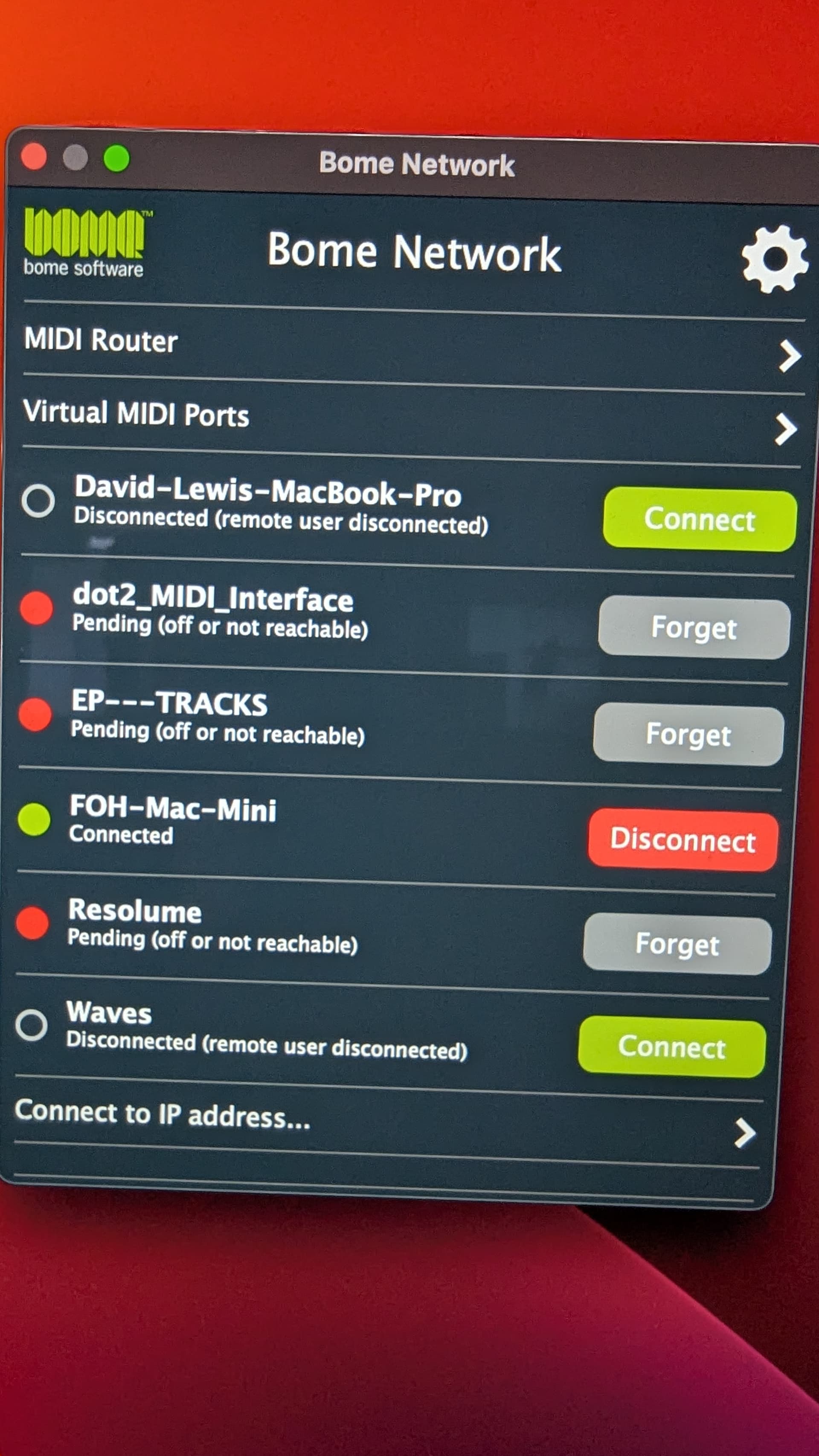
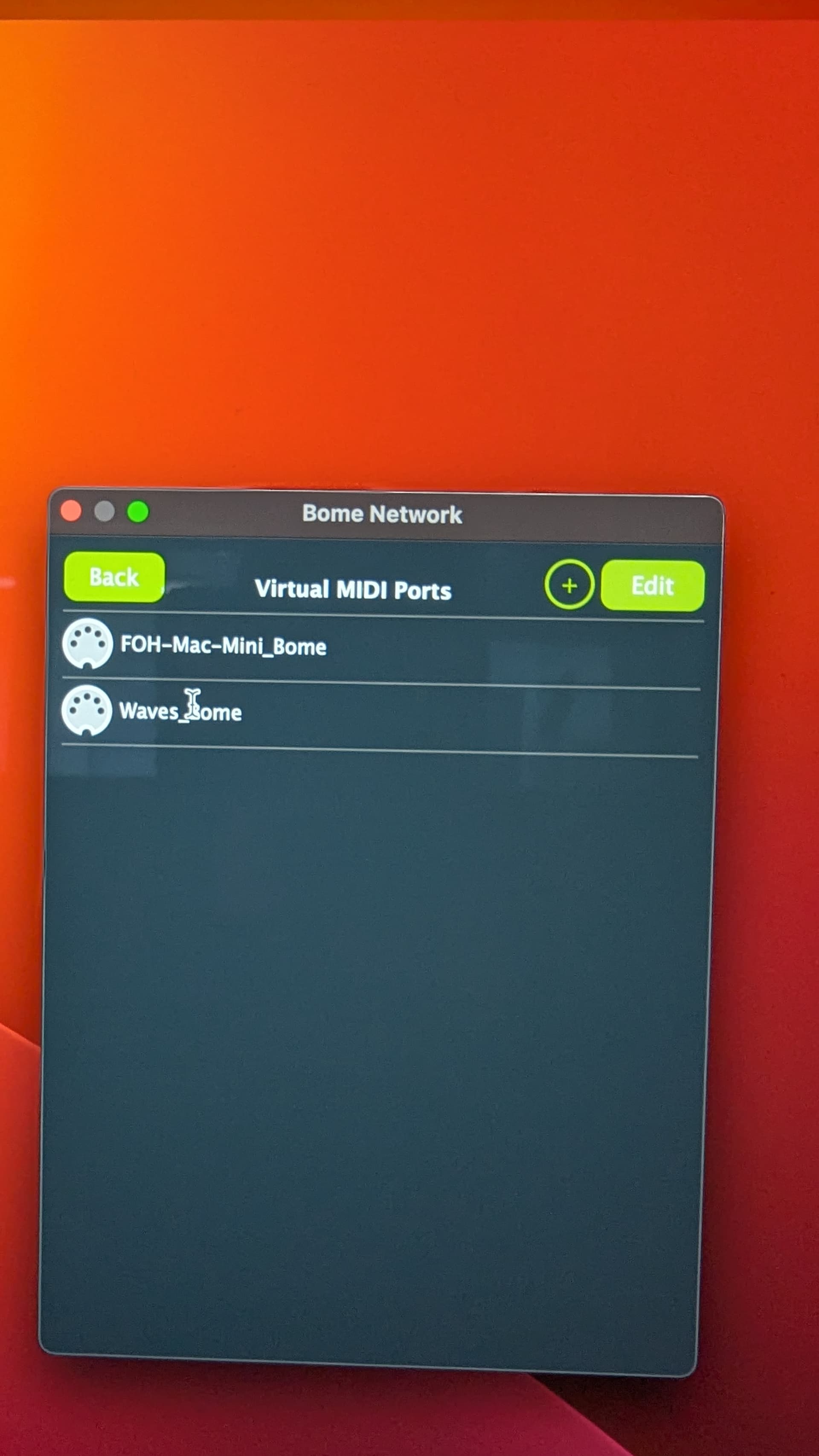
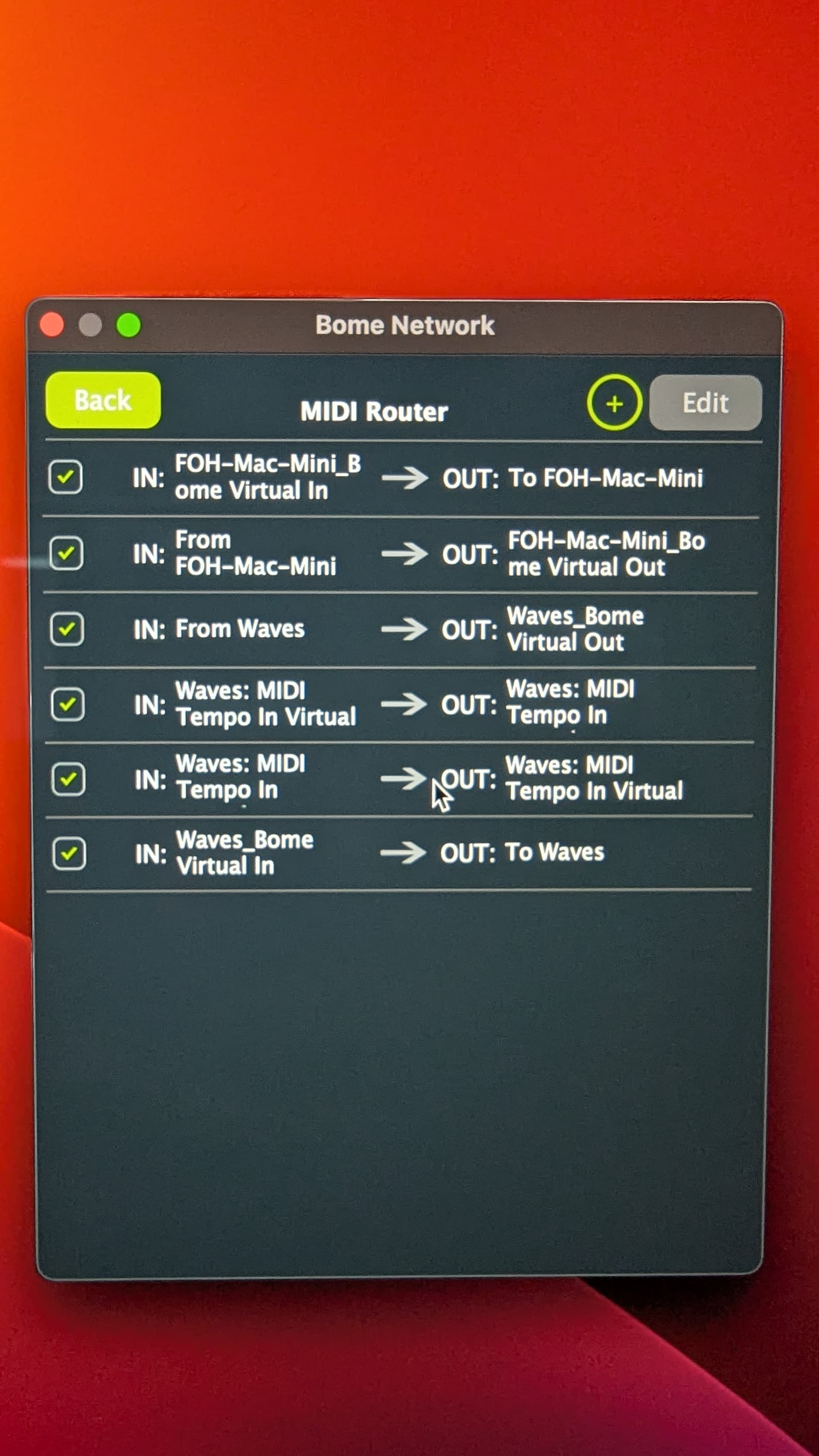
These are from the device called “Show Control”. This is the device running Chataigne that is sending MIDI data to Waves. The module in Chataigne used to control Superrack has its output set to “Waves_Bome”.
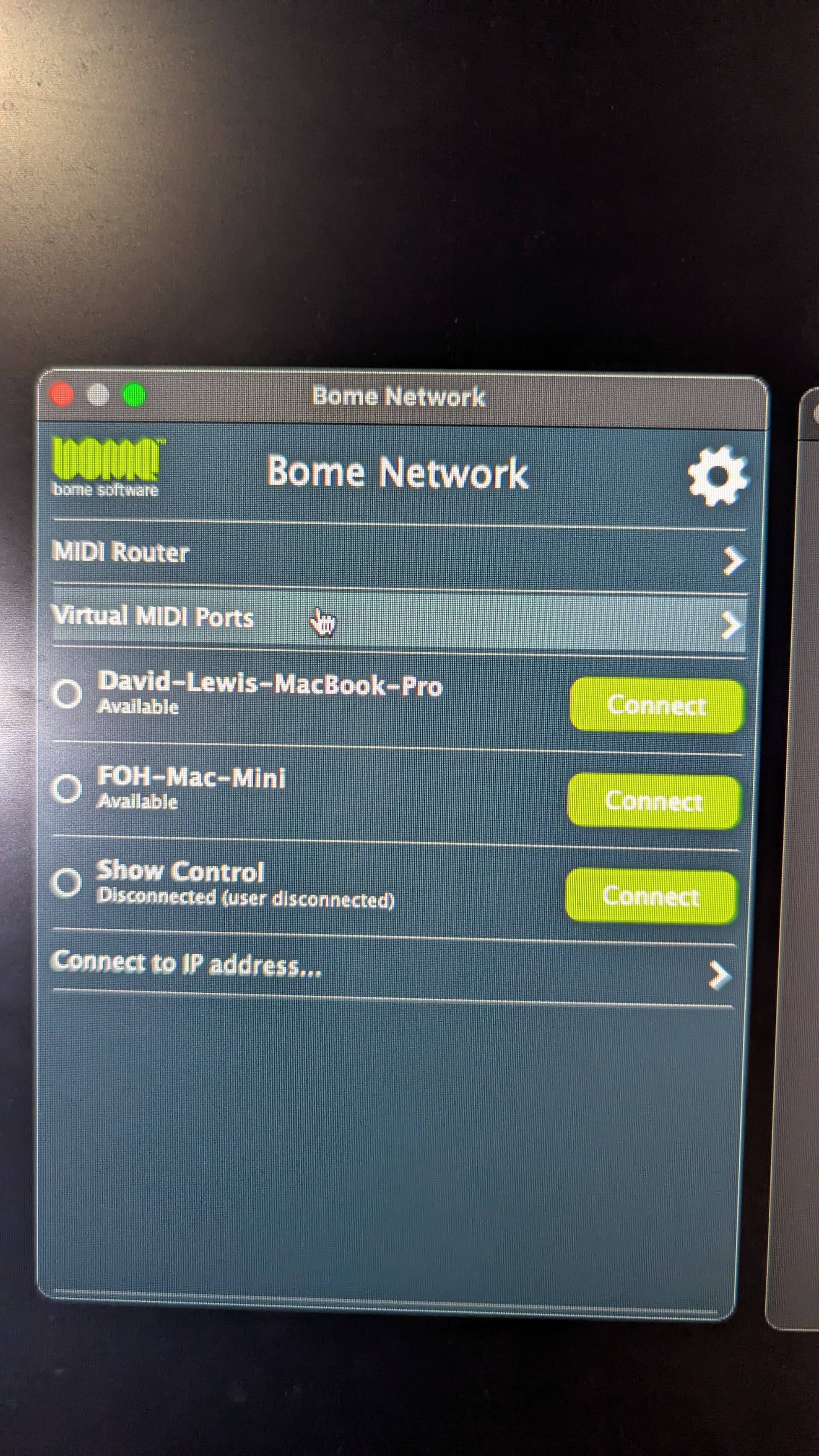
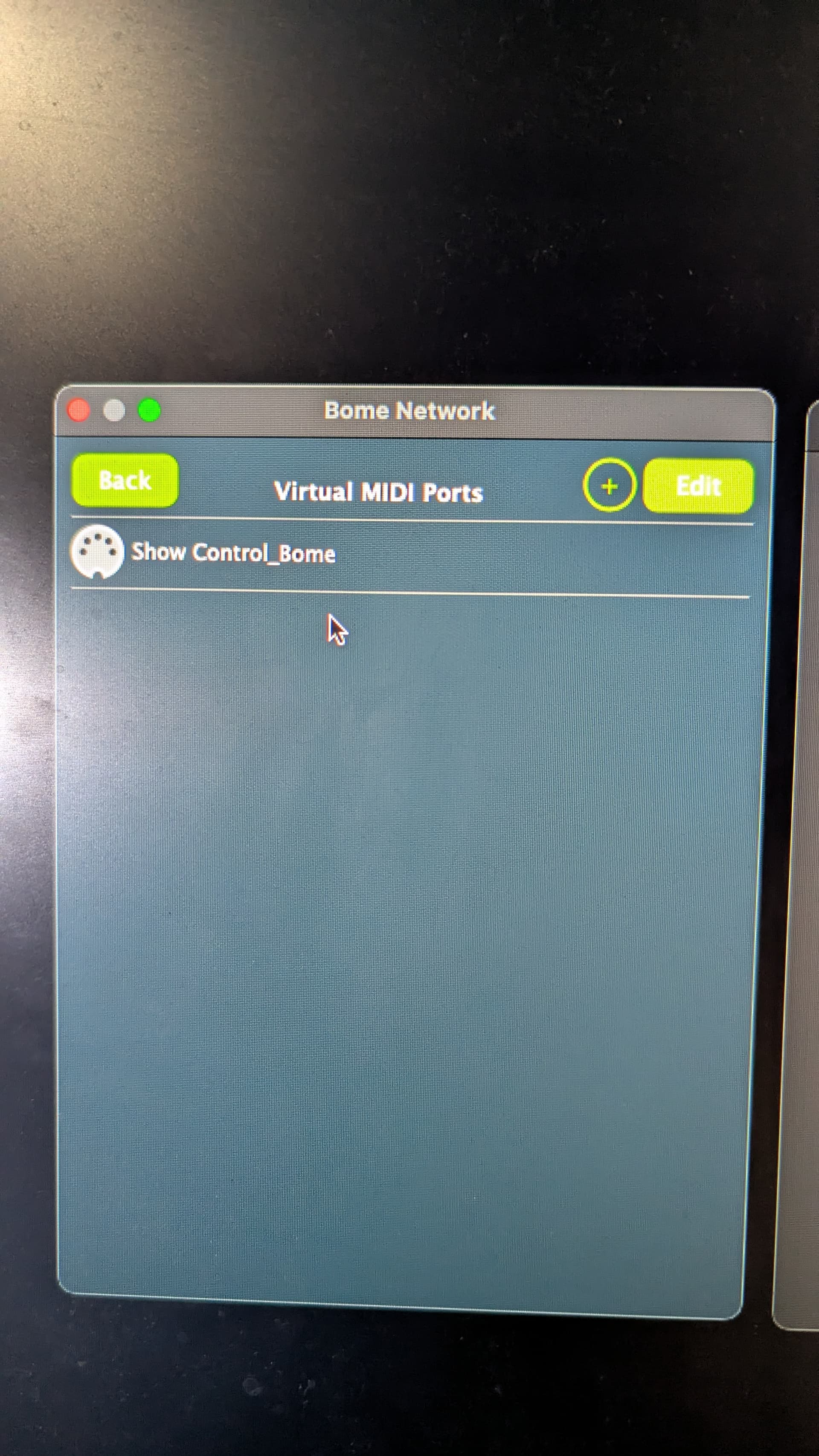
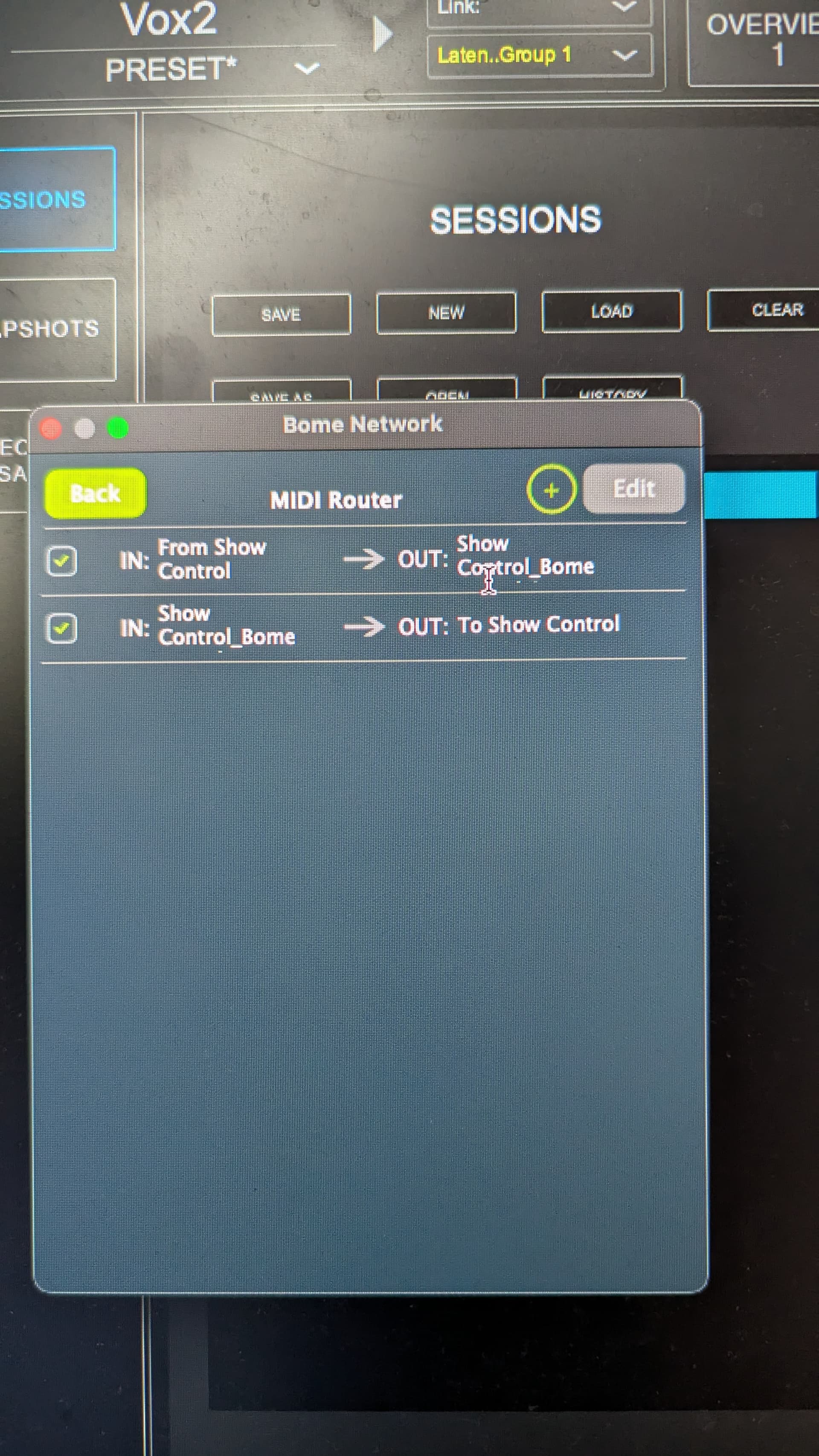
These are from the device labelled “Waves”. This device is running Superrack and receiving MIDI data from Show Control. Superrack is listening for MIDI on the “Show Control_Bome” MIDI port.
On the Waves device, the Virtual MIDI Port “Show Control_Bome” does not show up at all in MIDI Translator until the connection between Waves and Show Control is made. As soon as the Waves device and the Show Control device are connected in BNP, the Virtual MID Port shows in MIDI Translator as “closed”.
Waves does not give any indication as to whether the MIDI port is accessible or not. It has a list of MIDI ports that were last saved in its configuration and expects them to be there when Superrack is launched. To maintain high levels of stability for the live audio environment, Superrack does not do any device discovery after launch. If MIDI device is not there at launch, Superrack gives no indication apart from doing nothing.
If not, then turn them on and try again. If they are also on, then let me know and I will test your configuration with BN 1.6.0 . I have to repurpose my computers because I’m currently on a new Beta Build which seems to work fine.
Steve Caldwell
Bome Customer Care
Also available for paid consulting services: bome@sniz.biz
At the moment, the Virtual MIDI Ports are the ones created by each device. I will add a custom Virtual MIDI Port then test with that to see if the result is different.
Add a custom Virtual MIDI Port on the Waves device
Connect BNP on the Show Control device to BNP on the Waves device
On the Show Control device, click on the Waves device and open the Remote Direct MIDI list
Open the custom Virtual MIDI Port on the Waves device
Now that this routing is established and both devices hold onto the Virtual MIDI Ports, Waves is seeing the custom Virtual MIDI Port even when Show Control is not connected. Once Show Control is connected the MIDI data is being passed through to Waves and Waves is responding as configured.
Also, show me your routing on each computer since you have added virtual ports instead of direct connections between the computers’s main network ports.
I’m not clear on how anything is getting through unless you are either using remote direct MIDI or have other routes set.
Steve Caldwell
Bome Customer Care
Also available for paid consulting services: bome@sniz.biz
Yes, either Remote Direct MIDI is required or you would need to add additional routes as adding virtual ports by themselves simply creates “endpoints” with no routing. Remote Direct MIDI is the simplest solution. If you haven’t marked ths postin as solved yet, please do.
Let me know if you run into any more trouble and thanks for your patience!
Steve Caldwell
Bome Customer Care
Also available for paid consulting services: bome@sniz.biz
This is the routing on Show Control. “FOH-Mac-Mini_Bome” and “Waves_Bome” are the Virtual MIDI Ports created by the devices “FOH-Mac-Mini” and “Waves”. The “Waves: MIDI Tempo IN” is the custom Virtual MIDI Port that I created.