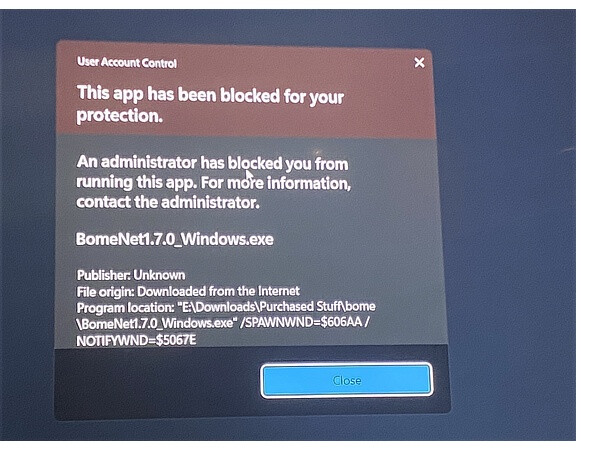
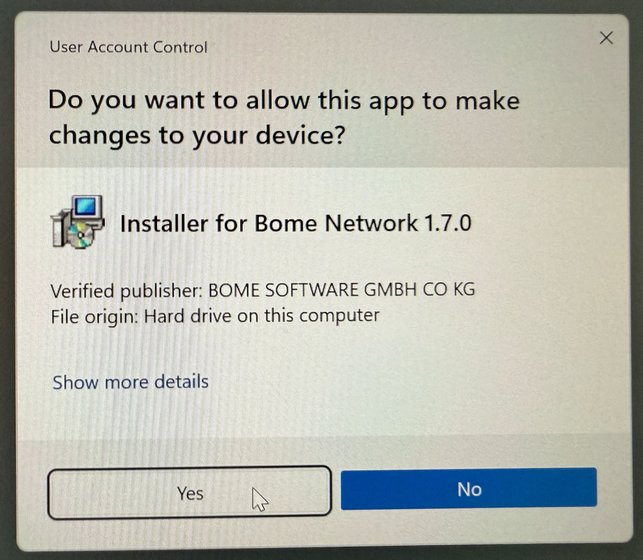
Unfortunately I cant install it on any of my windows 11 pro machines. UAC blocks it outright. Putting the UAC slider down to 0 doesn’t help. Opening as admin didnt help either.
Hi Ben,
thank you for reporting; sorry for the bad experience on Windows. We have tested on a number of Windows 11 machines and found no problems ourselves. We have enabled all security measures on our machines.
Moreover, our software is EV-signed (the highest standard for digital signatures), but Microsoft has changed its policy to not automatically trust those signatures.
Some things to try/consider:
It is very important to run Windows Update and make sure everything is up to date. This helps with the various issues explained here, but also installs the latest drivers of the new Windows MIDI Services.
Most likely, ‘Smart Screen’ blocked execution of the installer (in conjunction with ‘Reputation-based protection’) . You may temporarily disable both, run the installer, and then turn the security features back on. Windows Settings → Privacy & security → App & browser control
(this may not work if the installer was already blocked)
Another thing you can try:
right-click the installer BomeNet1.7.0_Windows.exe
Properties (Alt-Enter)
on General tab, check Unblock
click OK
Last but not least, you can run the installer with elevated rights: open an elevated command prompt (‘run as administrator’), and type the path to the installer in quotes, e.g. for username florian: "C:\Users\florian\Downloads\BomeNet1.7.0_Windows.exe"
Followed by pressing ENTER.
After the installer finishes, go into Bome Network settings and disable Auto Start. Then exit Bome Network by right-clicking the tray icon, and restart it from the start menu – this time as normal user. Go back into settings and make sure Auto Start is enabled.
For your information: when Windows blocks an application, the error message is generic and often misleading. It does not tell you why the app was actually blocked. Also, saying ‘Publisher: Unknown’ is an outright lie, because the file is signed with proper credentials.
For more information, ‘Reputation based protection’ monitors downloads on Windows users’ machines. At first, it would block unknown installers, but over time, with more downloads of the same installer world-wide, it will increase the reputation.
Earlier this year, Microsoft failed to update an intermediate certificate, which expired May 31st. Our EV signature depends on that intermediate certificate, so new installers from us (created after May 31st) failed certificate verification (with an error like the one you’ve shown). Microsoft distributed the updated certificate to Windows machines end of June.
Microsoft’s answer is that we should publish software via the Microsoft Store. We/Bome may go that route in the future, but we also like to be independent…
I’m afraid that I may sound slightly frustrated here. Sorry for that!
I updated win11, turned off all smart screen stuff and still blocked. I then right clicked the updater, checked unblock in general tab. Double clicked, still no.
Finally ran elevated from CMD and got success. Had to enclose the path of the .exe in quotes.
Edit: I can confirm RPi 64bit installs fine.
I found in all platforms the old connections became redundant and new connections were available. Deleted the old ones. Up and running with 1.7 Using elevated CMD worked on other Windows 11 pcs without making changes to Smart screen etc.
Hi Ben,
thanks, that’s great to hear! I’ll update my post above to include your ideas.
If possible, don’t run Bome Network with elevated rights or as admin.
Hmm, the settings should be compatible. We’ll look into this (even though that will not help you anymore…).
Thanks,
Florian
Yesterday (late morning Sunday in New Zealand), I tried again to install 1.7 on the off-chance that the instal would work. To my surprise, the installation worked. I ran a test having connected my iPad to my Surface Pro 10 Buiness PC via Ethernet cable. To my further surprise, program changes to the PC seemed noticeably faster. Is this just my imagination, or is the connection really faster?
I’m glad you are having a good experience! Like you, I didn’t experience any issues. I didn’t time anything so don’t know if it is faster or not, however I did read that recently Microsoft also made their drivers more efficient so may it is a combination of both.
Steve Caldwell
Bome Customer Care Also available for paid consulting services: bome@sniz.biz
wondering if anyone is having these issues still - I’m trying to put Bome Network on another pc but all the fixes listed don’t do it. Any tips greatly appreciated thanks, Jon