Just picked up 4 new Bome boxes. I had the network all setup for each device with manual IPs. I selected AutoStartup, rebooted the MacBooks & all of a sudden I’m getting the message “Pending (off or not reachable)” on all boxes & it’s flashing slightly within Bome Network. I’m getting the message “NetMIDI client: waiting for ‘Bome_Playback’ to authenticate…”
I’m running MacBook Pro M3 with Sequoia 15.2.
I have taken the other devices out of the equation & am now trying to just get one working. I have updated to the latest firmware & have done 2 factory restarts on one device. It all goes well until I restart the Macs then I get the above message stuck in the loop.
If you have seen this before & know a fix it would be greatly appreciated! Cheers, Ali
Hi, thanks for your purchase. I’m surprised you found 4 as they are now in short supply.
Sorry for your problems, what you see is usually related to the network setup.
What are the IP addresses of the BomeBoxes? Are they on the same network as the MacBooks? Are there any other devices on the network, that might have the same IP address as any othe devices on the network? Does your network have a DHCP server running?
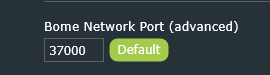
In the Bome Network tool do you have discovery turned on on port 37000?
If the pair button LED is flashing on a BomeBox, push the button underneath it to confirm the connection?
The first step is to ensure all devices are on the same network, that they are not using any DHCP address that my interfere with the static addresses.
What version of firmware are your BomeBoxes using and how are they connected to the network? What version of Bome Network are you running?
Also, if the Mac doesn’t have a DHCP server, you might want to set it up for a fixed address as well or make one of your BomeBoxes a ethernet DHCP master.
Steve Caldwell
Bome Customer Care
Also available for paid consulting services: bome@sniz.biz
Thanks for the speedy response! Managed to pick up the flanged variant from Thomman last week. I think I got very lucky.
What are the IP addresses of the BomeBoxes?
BomeBox_1: 168.254.100.100
SubNet: 255.255.255.0
BomeBox 2: 168.254.100.84
Subnet: 255.255.255.0
BomeBox 3: 168.254.100.85
Subnet: 255.255.255.0
BomeBox 4: 168.254.100.86
Subnet: 255.255.255.0
MacBook A Hub: 168.254.100.1
Subnet: 255.255.255.0
MacBook B Hub: 168.254.100.2
Subnet: 255.255.255.0
DHCP server running:
Not that I’m aware of. Everything is set to manual.
Network Discovery is turned on port 37000.
If the pair button LED is flashing on a BomeBox, push the button underneath it to confirm the connection?
I get it all paired then on a restart of the macbooks I loose connection and have to go through the whole process again connecting via WiFi.
Are they on the same network as the MacBooks?
Yes
Are there any other devices on the network, that might have the same IP address as any othe devices on the network?
No other devices, I’ve tried multiple ranges & switching out hubs etc. it’s strange because I had it all setup and working yesterday.
In the Bome Network tool do you have discovery turned on on port 37000?
Use Auto discovery is selected
If the pair button LED is flashing on a BomeBox, push the button underneath it to confirm the connection?
Bome network says the Bome box is Available. When I click ‘Connect’ all I get it “Pending (off or not reachable”.
What version of firmware are your BomeBoxes using and how are they connected to the network?
I’m running 1.6 (2025-12-29)
The Bome boxes are connected to the network via a managed POE network switch. The switch is the Netgear GS308EP.
What version of Bome Network are you running?
1.6.0
Instead of 168.254.x.x network, use 192.168.x.x address space which is meant for private IP addresses. Or one of the ranges below:
Use official private ranges: 10.x.x.x, 172.16.x.x–172.31.x.x, or 192.168.x.x per RFC 1918.
I’m not sure of the implication of using network 168.254.x.x but it is probably best to keep with private IP standards for all of your devices.
What is the IP Address of your managed switch? Maybe you should change that to a fixed IP address since the switch by default is a DHCP client and if you have not DHCP master, the IP address will not be assigned correctly.
Steve Caldwell
Bome Customer Care
Also available for paid consulting services: bome@sniz.biz
Viewing the log files might also be helpful. This post show where they are at on Windows and Mac for Bome Network.
You should also be able to view the logs on BomeBox by going to the correct menu item using the web iterface. I think maybe if the issue is between BomeBox and Bome Network (on MacOS), then the logs on your Macs should be sufficient.
Steve Caldwell
Bome Customer Care
Also available for paid consulting services: bome@sniz.biz
All fixed. Turns out it was Mac Sequoia 15.2 update.
If anyone has the same issue where it won’t connect running Sequoia 15.2 go to (System Settings > Privacy & Security > Local Network > Toggle Bome Network Off & On and that should fix the issue instantly, although you have to toggle it on & off each boot up.
Updated to Sequoia 15.7.4 & all connects as it should instantly.
Thanks to my friend Jamie who said he had the same issue with Dante controller & walked me through the fix!