Hi and welcome to the Bome community!
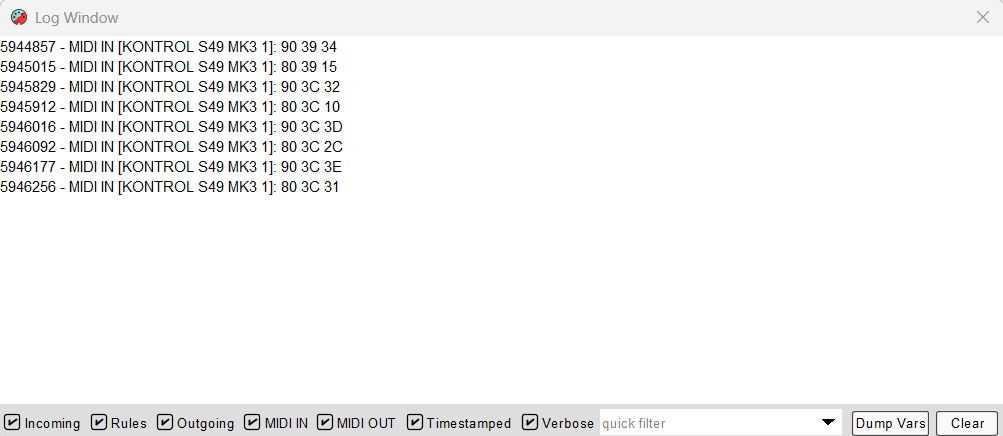
Hi, I understand the desire to see more readable MIDI messages in the log window although this feature is currently not available. With that said, let me help you break down the most common messages.
Note Messages
First character either 9 or 8 where 9 means note-on an 8 means note-off. If the third pair of hex values is 00 then it is also a note off.
The second character of the first pair of hex values, is the MIDI channel 0-F for MIDI Channel 1-16.
The second pair in this case is the note number 0-7F (0-127)
The third pair is the velocity 0-7F (0-127). Again a value of zero here is not-off whether the first pair is 9x or 8x
Examples:
- 90 18 7F - Note-on MIDI CH 1 Note 24 (18hex) velocity 127
- 90 18 00 - Note-off MIDI CH 1 note 24 velocity 0
- 80 18 7F - Note-off MIDI CH 1 note 24 velocity 127
- 95 10 7F - Note -on MIDI CH 6 note 16 (10 hex)velocity 127
- 9F 08 24 - Note-on MIDI CH 16 note 8 velocity 36
CC- Control Change
First hex pair stars with B. Again the second value of the first pair is the MIDI CH. The second pair is the CC number and the last pair is the CC value
Examples:
- B0 12 36 - CC 18 (Hex 12) on MIDI CH 1 value 54 (Hex 36)
- B3 40 12 - CC 64 (Hex 40) on MIDI CH 4 value 18 (Hex 12)
PC (Program Change)
First hex pair stars with C. Again the second value of the first pair is the MIDI CH. the second pair is the program number.
Examples:
C0 01 - Program Change 1 on MIDI CH 1
C4 24 - Program Change 36(24 hex) on MIDI CH 5
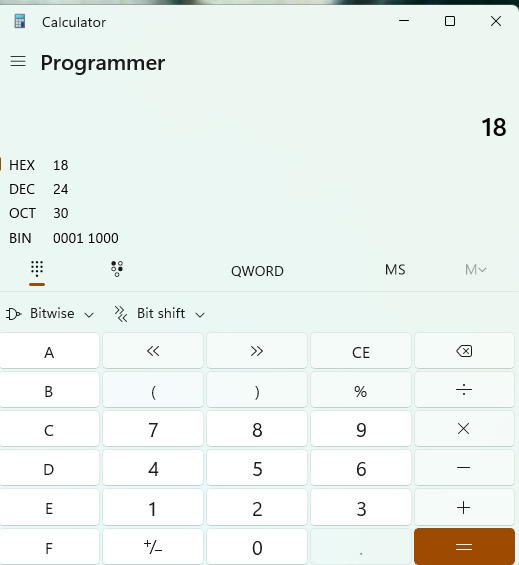
You can use a hex calculator to convert if you would like. Windows has a programmers calculator option or you can also google for example “18 hex in decimal”.
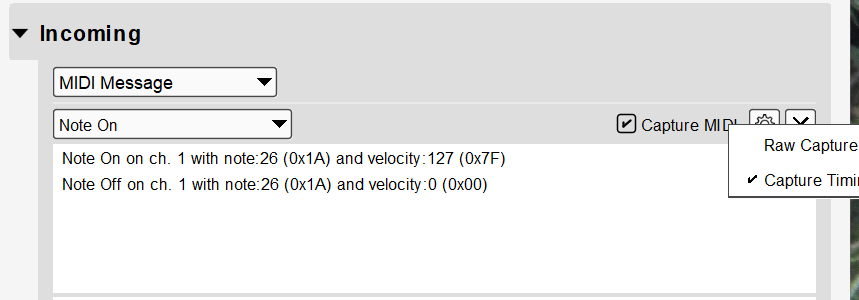
You can also use the ‘Capture MIDI’ feature (either incoming or outgoing) to view the messages in the format that you want. Just make sure raw capture is unchecked when setting up the capture options using the gear icon.
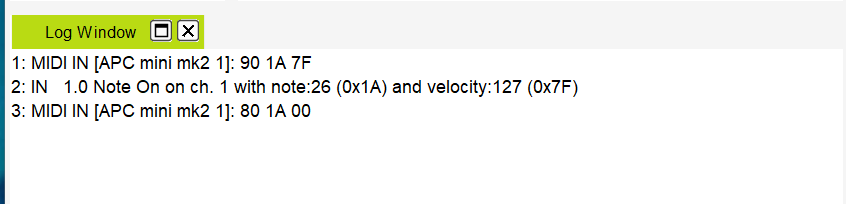
Finally, if you are using translators, then you can use “Incoming” or “Outgoing” to view them in a more friendly format in the log window. This doesn’t work for MIDI thru messages meaning the incoming trigger of the translator must match.
In any case, I will request this in your behalf as a future enhancement.
Steve Caldwell
Bome Customer Care
Also available for paid consulting services: bome@sniz.biz