Pro Tools worked one day but now it doesnt work what is the setting we are supposed to use for pro tools
Hi, are you on Windows or Mac? Usually you need to disable the physical controller ports on Windows and just use Bome Virtual Ports instead?
Also, see this posting
Steve Caldwell
Bome Customer Care
Also available for paid consulting services: bome@sniz.biz.
I am on PC with running Pro Tools and using your fader to hui files and mute to hui files, I was able to get it working yesterday, starting programming for about 4 hours, everything worked great. Then the next day, nothing is talking…I think where i am getting lost is the Incoming and Outgoing MIDI pots, which boxs do i need to check? Also what does open (implicit) mean?
Hi, most of the project files I provide use aliases. It is important that you set them correctly to access the desired ports.
Open Explicit means that it is opened because the alias that you defined opened it when you selected the alias port for input or output. You should only check the aliases you are using (on the project files that I provide) and not also the physical port otherwise, you will have double outgoing messages and incoming messages will also be interpreted twice.
For Protools, use the ports that the aliases are using for input and output as the aliases will not be visible from ProTools.
Uncheck the devices physical ports as everything needs to come through Bome MIDI Translator Pro.
You can learn more about aliases from this tutorial.
For more information about device selection, see this tutorial.
Steve Caldwell
Bome Customer Care
Also available for paid consulting services: bome@sniz.biz
Ok I watched all the tutorials but still unsure what I am doing wrong. In the log window I get full HUI PING Reply, when i hit the mute button, I get the l message in the log window as well. Im just not getting any response on Pro Tools, when I had everything working perfectly 2 days ago. Now nothing, Ive used all 3 files ive found on these forum and nothing is working now. I was literally just getting ready to buy this for a show next week.
Hi, sorry you are still having problems! In order to help you, I would need to see:
- Please post the project file that you are using
- Please show me how you have set up your MIDI aliases in Bome MIDI Translator Pro
- Please show me the MIDI setup you have in ProTools
Thanks!
MIDIMix - Fader to HUI-Example
So after changing something on the Default MIDI ports it was working great for about 8 hours, then after restart Im guessing something reverted back but I cant remember which Default Midi Ports I selected.
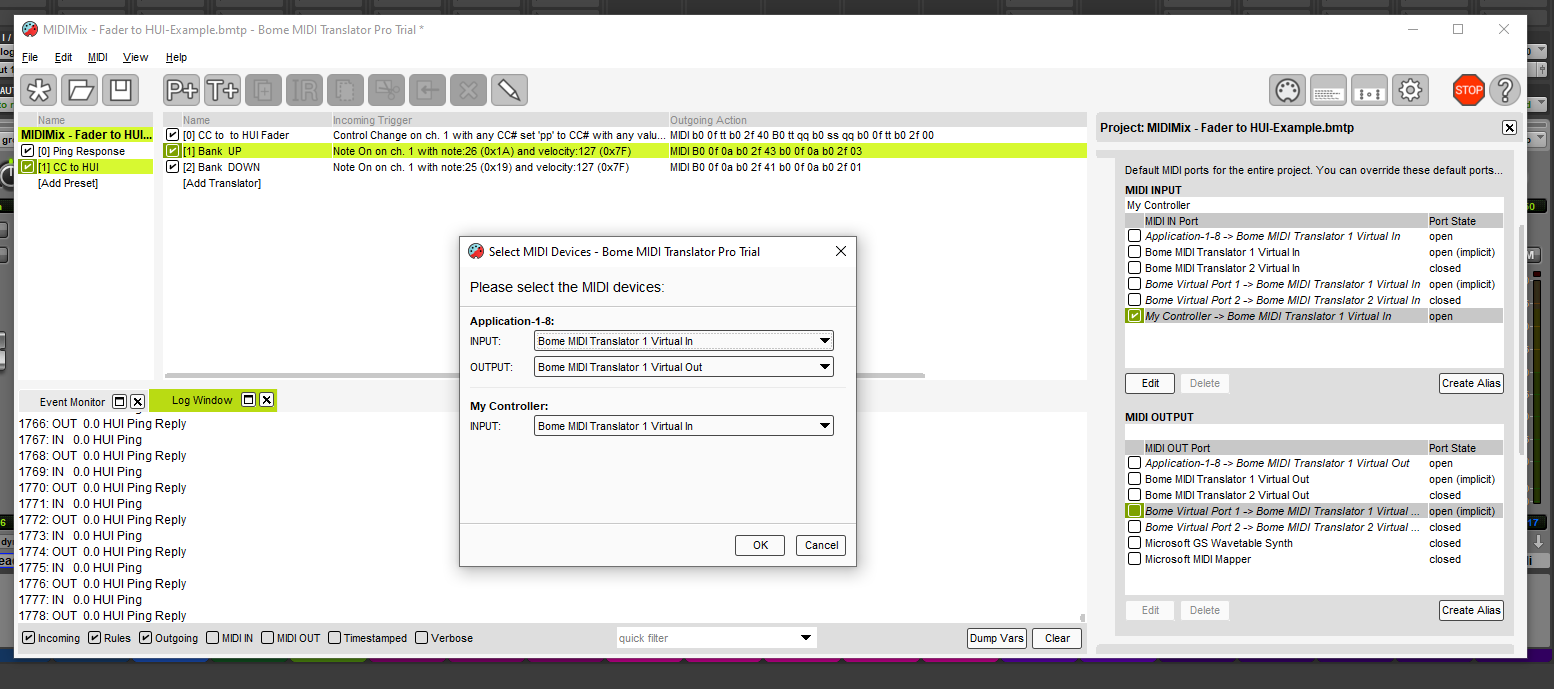
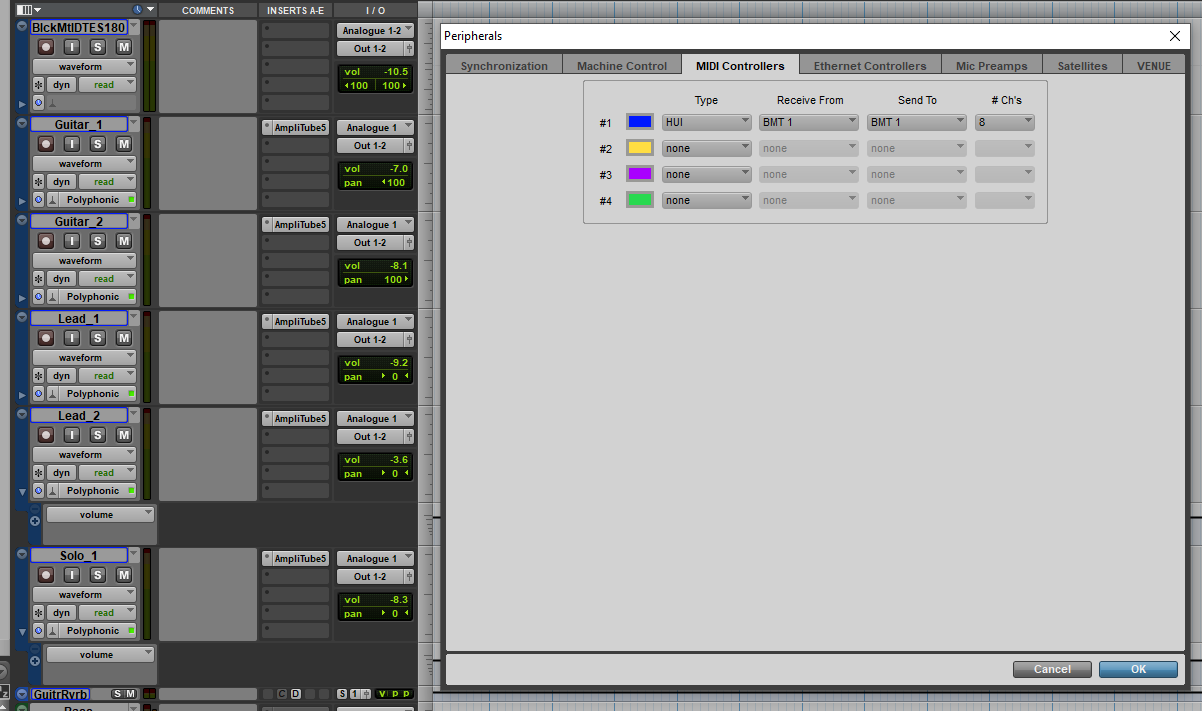
My Controller should be your MIDIMix which I don’t see. So I don’t think your MIDIMix is attached to your system.
Steve Caldwell
Bome Customer Care
Also available for paid consulting services: bome@sniz.biz
I am using midi cc from a Elgato Streamdeck, no MidiMix.
Ok so I added another identical Midi Controller in the Pro tools Peripherals window. Now I have full control of the second bank, ok cool, so I change the first controller to BMT 2, then deleted the second controller, sweet that worked as well, full control on first bank.
Now when I reopened the session no ping through BMT2 Midi Controller lol, changed it back to BMT1, regained ping but no control, so then I repeated that same process, and it worked again. No clue what is going on.
Ok so these setting are now working, but i get no ping in the log window anymore as you can see.
Hopefully these setting hold up, any thoughts on why BMT 2 works and not BMT 1, like it did a few days ago. Ive literally tried every variation of MIDI OUTPUTS, but seems like BMT 2 is the only one spitting out the HUI translation.
Also should I be worried about no PING or PING return, even though I have full functionality?
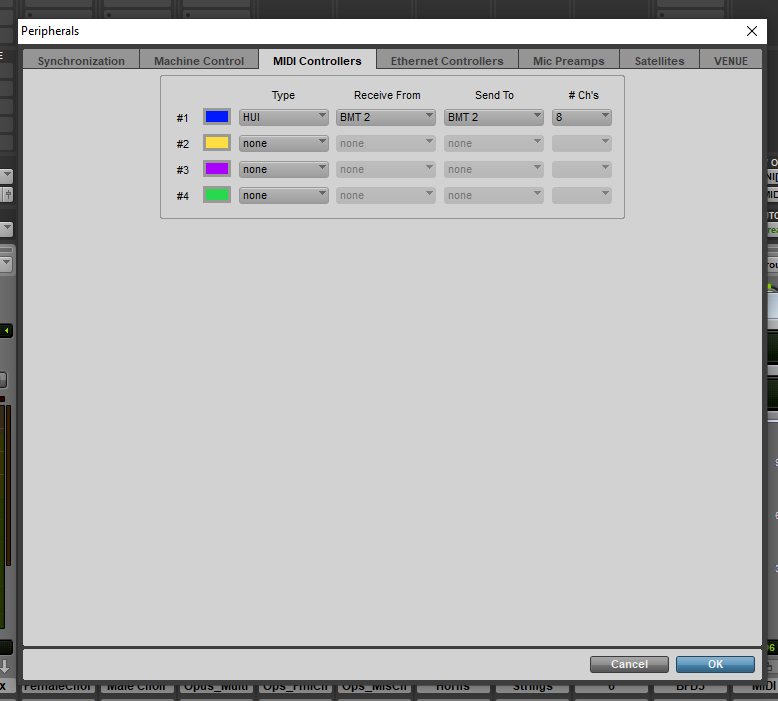
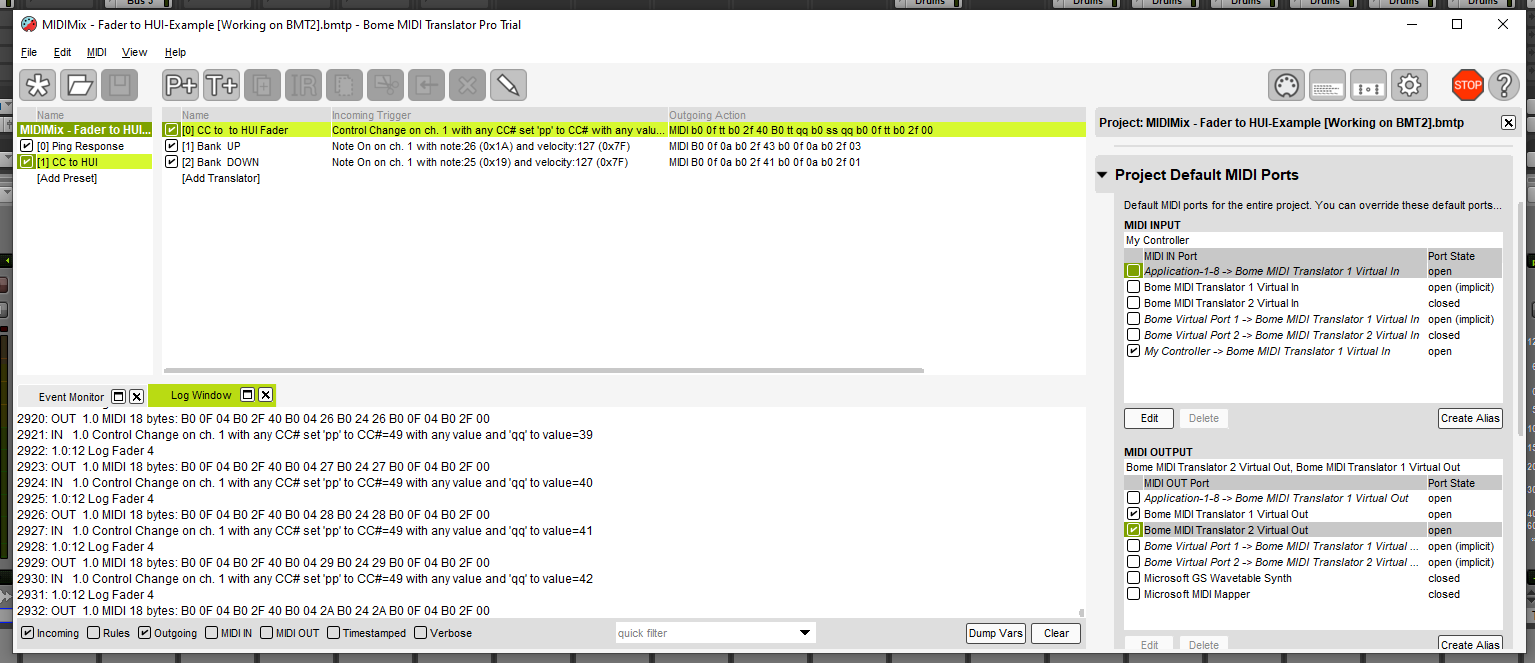
ProTools has an issue with taking over MID ports on Windows as described in the posting above.
You must be getting ping responses to Pro Tools otherwise it would not work. I’m not sure why you are not seeing this in the log window though. Pro Tools would think the HUI device is off line if it weren’t getting them.
Steve Caldwell
Bome Customer Care
Also available for paid consulting services: bome@sniz.biz